Moulberry (@moulberry) profile picture

Axiom & other cool stuff, probably programming right now

Joined July 2020
Photo by Moulberry (@moulberry)Photo by Moulberry (@moulberry)Photo by Moulberry (@moulberry)Photo by Moulberry (@moulberry)Photo by Moulberry (@moulberry)Photo by Moulberry (@moulberry)Photo by Moulberry (@moulberry)Photo by Moulberry (@moulberry)Photo by Moulberry (@moulberry)Photo by Moulberry (@moulberry)
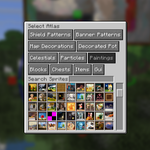
Axiom Display Entity Sprite Selector #Minecraft
7
9
1
188
3,860
Moulberry retweeted
Me (@SokoBuilds) and @moulberry will be at @TwitchCon Rotterdam this Sat & Sun, hanging around the Minecraft Community Meet Up. Look for a shirt with the Axiom logo (assuming I can convince Moul to wear his) and come say hi! #TwitchCon #MinecraftLIVE
3
2
1
51
3,627
Working on a spread tool for Axiom
7
15
1
357
22,998
Over-the-shoulder shot in Flashback #minecraft
12
16
1
443
19,825
Added a Gradient Helper to the creative menu. Put blocks in the top row, and it'll fill in all the blocks in between #Minecraft
24
161
9
5,078
92,596
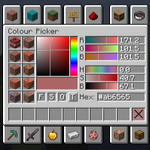
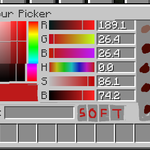
Added a Colour Picker screen to the creative menu #Minecraft
62
375
38
9,031
144,001
Here's an updated design. To answer a few questions: Yes it automatically adapts to modded blocks/resource packs. Yes it's part of Axiom, which is a creative-only tool. It finds the 10 closest blocks to the colour you choose, it doesn't create new blocks.
6
16
3
912
14,871
Ready to ship
2
6
1
638
18,391
Moulberry retweeted
This brief video highlights one of many examples of how annotations can serve as a powerful visual aid to guide your workflow when building with Axiom. #Minecraft #Minecraftbuilds #minecraft建築コミュ
12
76
14
1,029
59,520
Moulberry retweeted
A sneak peak of annotations 👀 Upgrade your productivity by making real time notes and references in game. Coming soon to an all-in-one tool for editing Minecraft worlds near you☝️🤓 #Minecraft #Minecraftbuilds #minecraft建築コミュ
2
21
432
24,748
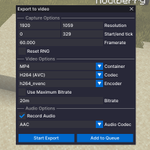
Flashback now allows you to capture audio, as well as add an export job to a queue. If you have a lot of clips to render then you can queue them up and let them render while you do other things
24
17
5
293
17,687
I also added a "Camera Orbit" keyframe, allowing you to easily create orbital shots like this
9
6
137
6,245
Camera position visualization for Flashback
9
14
1
193
9,644
Added a right-click context menu for entities in Flashback. Still thinking about more options to add
17
5
194
10,252
Controls for visuals in flashback
15
8
2
231
11,334
Flashback demo - recording, replaying, keyframing, exporting
44
33
7
358
20,612
Fluidball / river flood tool for Axiom #minecraft
5
41
5
648
38,516
(The name is a bit iffy, so if you have any suggestions lmk)
1
6
3,485
Timeline for flashback
35
26
8
347
29,967
Flashback
12
8
1
129
10,861