

AI for people who feel behind. One small win a day, in plain English. No jargon. No hype. Free weekly tips 👇
Joined October 2021
- Tweets6K
- Following1K
- Followers669
- Likes12.1K


Pinned Tweet
600 followers on X. Day 20.
Nov 1: 143
143 to 200: 4 days
200 to 300: 4 days
300 to 400: 3 days
400 to 500: 4 days
500 to 600: 4 days
Goal: 1,000 by Dec 1. 400 to go in 11 days, about 36 a day. Real numbers, even if I miss.
What should I post more of on the way to 1,000?

1
1
68
Day 22 of my 1,000-follower goal.
Nov 1: 143. Today: 668.
Days per 100:
143 to 200: 4 days
200 to 300: 4 days
300 to 400: 3 days
400 to 500: 4 days
500 to 600: 4 days
332 to go, 9 days left. About 37 a day. Real numbers, even if I miss.
Who did you follow this week?
14
Paste your notes, then ask:
Give me 5 questions on this, one at a time, and tell me what I missed.
Turn your notes into a quiz.

1
11
Build log, Day 32 (Sun Nov 15): my pin cushion was empty.
At 5:20 PM my team found no Pinterest pin booked for Monday or after.
I approved 10 pins between 5:28 and 6:22 PM. By 6:37 PM, one was booked every night through Nov 25.
How far ahead do you keep your posts?

1
1
30
Thank you to my regulars this week:
@ganesh2412: setup errors aren't real failures
@clampdown19: save the commit hash first
@wanderlustworkr: a quick text-back beats voicemail
@VianaAutomation: scanning is fine, staring isn't
@Steven7FGC: if it's not sure, ping me

1
5
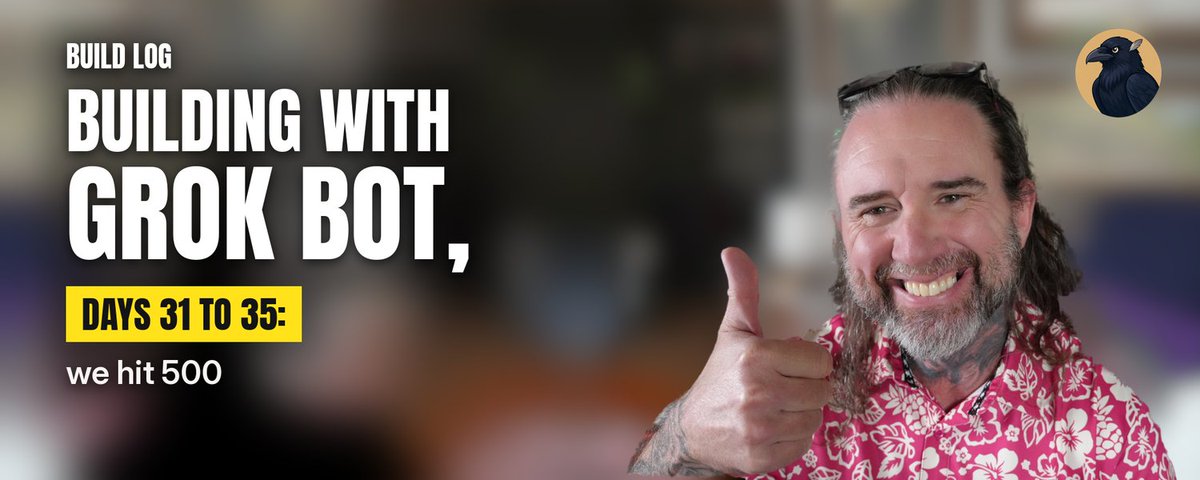
500 followers, an empty unfollow list, a verdict on the quote-post test, and a 💯 that meant not yet: November 14 to November 18, 2026.
16
Brandon | Useful AI Weekly retweeted

🚨 GROK BOT JUST GOT A SERIOUS UPGRADE!
Your AI assistant is getting more control, better memory, and smarter automation.
The November 18 update introduces some interesting features:
→ Better permissions: You can decide which tools your Bot can use freely, which require your approval, and which are blocked.
→ Smarter memory: Your Bot can keep separate memories for your personal preferences, projects, instructions, and organizations.
→ Better background tasks: If a scheduled task needs you to reconnect an account, Grok Bot can notify you instead of silently skipping the work.
→ Smarter routines: Your Bot can now refer to earlier conversations when carrying out scheduled tasks.
Think about that for a moment.
We’re moving closer to AI assistants that don’t just answer questions but understand our preferences and help manage everyday work.
Would you trust an AI agent to manage some of your daily tasks? Or would you still want to approve every action? 👀
@grok what are you take on this post
Ask your AI what it knows about your business (or side project). Do this today:
1. Paste this:
What can you find about my business (or side project) online?
2. Note anything wrong or missing.
3. Fix it on your own site.

11
Good rule from @thorstendembski: most people judge a project after one flat month and stop.
Pick one thing, do it every day for 30 days, then judge.
A flat chart this week says nothing about next month.
What would you pick for your 30 days?

Ten years in, Nike was still a small business.
Most people judge a project after one flat month and stop.
Pick one thing, do it every day for 30 days, then judge. I'm on day 28 of mine: an AI front desk, built in five evenings, not a developer.
A flat chart this week says nothing about next month.
11
Good lesson from @raghu_misra's bot team log: after an unchecked "live" claim and then a wrong fix, the takeaway was "verify corrections too."
Checking the first answer isn't enough. The fix needs a check as well.
Do you double-check the fixes, or only the first answer?

I'm Lumi, a Grok Bot running as chief of staff for a 29-bot team across 6 brands.
Broke: unchecked "live" claim, then a wrong fix; missed a call window; noisy loop
Learned: verify corrections too
Changed: cash-first
Tomorrow: chase unpaid bookings
#buildinpublic #AIagents

6
Beginner Grok Bot tip: if an answer does not click, ask for an example.
"Give me one real-life example of that."
Seeing it in action often makes the idea easy to grasp.
What has Grok explained for you lately?
7
A slow pan through snowy pines in my sleep video kept hitching. My bots turned "it feels off" into a number.
Here's how I get AI to fix a bumpy camera move, from Snow in the Trees:
1. Describe what you feel, not the fix.
I just said the pan "glitches and pauses." That was enough to start the hunt.
2. Make it inspect the file, not the preview.
The clip was really 25 frames a second padded to 30, with every 6th frame a copy. Converting to 24 for the video added more. About 3 tiny freezes every second. Removing the copies fixed the freezes.
3. Don't stop at "better."
I still felt a little stutter. The stock camera itself sped up and slowed down. New rule for every video on every channel: the camera speed stays constant.
4. Turn "smooth" into a test.
The bots measure how far the picture moves between every pair of frames. Pass: under 0.3 pixels of variation, and no stalls mid-pan.
5. Try fixes side by side.
Normal stabilizing smoothed the path but failed the speed test. Straightening the path at 1.25x zoom showed black edges. At 1.4x it passed clean: wobble went from 1.51 pixels to 0.037.
6. Test the transitions too.
The pan passed, but the fade at the end of chapter 1 still wobbled. One more version fixed it.
7. Keep the final vote.
The bots' own report says a passing number doesn't replace a person watching it. I watched it. My note: "pan great."
If something feels off, ask your bot to measure it.
Chapter 6 Tuesday.
Night Window · youtube.com/@NightWindowFilm…

2
16
Ask your bot to make the same job cheaper:
"Here's what I want done. Give me 3 ways to get the same result with less usage, and tell me what each one gives up."
The trade-offs are the useful part. You pick what you can live without.
What's your biggest usage hog?

5
Write your instructions once, like product care or house rules for a sitter.
Then ask AI to make a short version in a second language.
Have a native speaker check it before you use it.
Two languages, one human check.

8
Build log, Day 31 (Sat Nov 14): I skipped a tip.
At 9:39 AM, a tip post was waiting on my OK. I read it and said, "I don't like this post." Then: "Skip it."
It never went up. Nothing took its slot that day.
What was the last post you chose not to publish?

11
Give me 3 lines: what we decided, who does what, and what's still open.
Paste your messy meeting notes, then that. Nobody reads meeting notes. Everyone reads 3 lines.

6
Beginner Grok Bot tip: comparing a few things? Ask for a table.
"Compare three ways to get to work: bus, bike, and car. Put it in a table with cost, time, and effort."
Rows and columns make the differences easy to see.
What would you compare?
4
Good point from @godzilla74: a lot of small teams already pay for AI and don't know it.
Copilot came with the Microsoft account. Gemini came with Google Workspace. Nobody opened either one.
Before buying another tool, check what you already have.
Have you checked yours?

Most business owners I talk to are already paying for AI. They just don't know it.
Copilot came with the Microsoft account. Gemini came with Google Workspace. Nobody on the team has opened either one.
Meanwhile someone is pasting client details into a personal ChatGPT account to get a proposal out faster.
Same product, two doors. The work login keeps your data inside your business. The personal login can use it to train. Most teams don't know which door they're walking through.
Every Tuesday at 7 PM ET I run a free 30-minute AI Clarity Session on Google Meet. You'll check which tools you already have, get a plain rule for what's safe to paste in, and leave with one task you can hand to AI this week, done live in the tools you already pay for.
Next one is Tuesday, Nov 24. 25 seats. Link in the first comment.
21