

Crypto | Web3 | DeFi 🌐 TRON DAO Ambassador ⚡ HTX Ambassador 🔥 Market insights • DeFi • On-chain Alpha 🚀 Building in the next financial era
Singapore
Joined May 2010
- Tweets68.1K
- Following474
- Followers6.1K
- Likes466




🤝 REPAY ON BEHALF OF AN ACCOUNT: UNDERSTAND THE PROCESS
A repayment can come from someone other than the borrower—but the target account and debt asset must be correct.
JustLend's repayment documentation describes a protocol-level option that allows an account to repay debt on behalf of another borrower.
🔍 What Should You Check First?
1️⃣ Verify the Target Account
→ Identify the exact borrower account whose debt you intend to repay. A mistake here could affect the wrong position.
2️⃣ Identify the Debt Asset
→ Check which asset the borrower owes. The repayment asset must match the relevant debt asset.
3️⃣ Prepare the Repayment
→ Determine the amount to repay and make sure the paying account has sufficient funds for the intended transaction.
4️⃣ Review and Submit
→ Carefully inspect the contract call, target account, asset, and amount before signing.
5️⃣ Confirm the Result
→ After the transaction is confirmed on-chain, check the borrower's updated debt balance to verify the repayment was applied as expected.
⭐ An Important Technical Distinction
→ Supported Contract Action: Repayment on behalf of another account is a protocol-level capability described in JustLend documentation.
→ Not Necessarily a One-Click Interface Feature: The availability of this action through a standard user interface may differ from its availability through the contract.
→ Transaction Details Matter: The target account and repayment asset must be correct before execution.
📌 The Key Takeaway
Repaying another account's debt can be useful, but it requires careful verification of the borrower, asset, and transaction details.
Treat the account and asset checks as essential parts of the repayment.
@justinsuntron #TRONEcoStar @DeFi_JUST

1
16
💰 MAKE A PARTIAL REPAYMENT: MANAGE YOUR JUSTLEND LOAN STEP BY STEP
You do not always need to close a loan in one transaction—partial repayment can help you manage an open position.
On JustLend, borrowers can repay part of their outstanding debt rather than settling the entire amount at once.
🔍 How to Make a Partial Repayment
1️⃣ Select the Borrowed Asset
→ Open your loan position and identify the asset you borrowed.
2️⃣ Enter the Repayment Amount
→ Choose how much of the outstanding debt you want to repay. Make sure the amount and token are correct.
3️⃣ Confirm the Transaction
→ Review the transaction details in your wallet, including the repayment asset and amount, before signing.
4️⃣ Check Your Updated Position
→ After the transaction is confirmed, review the remaining borrow balance and your collateral position.
⭐ Why Partial Repayment Matters
→ Reduce Outstanding Debt: Repaying part of a loan decreases the amount you still owe.
→ Manage Collateral Risk: Lower debt relative to collateral can improve your position's safety margin, although collateral price movements and protocol conditions still matter.
→ Keep Track of Your Position: Check the updated borrow balance and relevant risk indicators after repayment.
📌 The Key Takeaway
Partial repayment gives borrowers another way to manage an open lending position without necessarily closing the entire loan.
After repayment, review the updated balance and position before taking your next step.
@justinsuntron #TRONEcoStar @DeFi_JUST

🧩 HASH ≠ IDENTITY: VERIFY MORE THAN THE FILE
A file can pass its hash check and still leave one important question unanswered: who published it?
Hash verification and publisher identity serve different purposes. Understanding that distinction is essential when downloading and using files through peer-to-peer networks.
🔍 Three Things to Understand
1️⃣ Hashes Verify Data Integrity
→ A matching hash indicates that the received bytes match the expected data.
→ It helps detect corruption or unexpected changes, but does not establish who created or distributed the file.
2️⃣ Digital Signatures Help Verify Identity
→ A publisher's digital signature can help establish whether a file or its associated metadata was signed by the holder of a particular private key.
→ To trust that identity, users must also verify that the signing key genuinely belongs to the claimed publisher.
3️⃣ Licenses and Sources Establish Additional Context
→ A valid hash does not prove that a file is safe, legally authorized, or properly licensed.
→ Users should review the original source, publisher information, and applicable usage terms before opening or distributing content.
⭐ Why These Checks Work Together
→ Integrity: Are the bytes what they are expected to be?
→ Identity: Can the publisher's claimed identity be verified?
→ Authorization: Do the source and license permit the intended use?
These are separate questions, and answering one does not automatically answer the others.
📌 The Key Takeaway
A hash is an important integrity tool, but it is not a complete trust or security guarantee.
Verify the bytes, verify the publisher, and review the terms before use.
@justinsuntron #TRONEcoStar @BitTorrent

6
🔐 VERIFY EVERY PIECE: HOW BITTORRENT CHECKS DATA INTEGRITY
A file can arrive from many peers. How can a client tell whether each piece is intact?
BitTorrent addresses this through piece-level integrity verification. Instead of treating a file as one large block of data, the protocol divides it into smaller pieces that can be transferred and checked individually.
🔍 How Piece Verification Works
1️⃣ Split the File Into Pieces
→ A file is divided into smaller data pieces, making it possible to download different parts from multiple peers.
2️⃣ Check Each Received Piece
→ When a piece arrives, the client calculates its hash and compares it with the expected hash information.
3️⃣ Reject Mismatched Data
→ If the calculated hash does not match the expected value, the piece fails verification and cannot be treated as valid data.
⭐ Why This Matters
→ Data Integrity: Hash checks help detect corrupted or altered pieces during transfer.
→ Multiple Peer Sources: Even when different pieces arrive from different peers, each piece can be checked independently.
→ Reliable Assembly: Verified pieces can be used to reconstruct the intended file.
⚠️ One Important Distinction
A successful hash check confirms that the received bytes match the expected data. It does not identify who originally published the file or prove that the content is safe or authorized.
📌 The Key Takeaway
BitTorrent's piece-level verification helps protect the bytes you receive, even when data comes from multiple sources.
Piece-level verification helps protect the bytes you receive, one piece at a time.
@justinsuntron #TRONEcoStar @BitTorrent

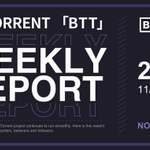
BITTORRENT WEEKLY REPORT: 590M+ CLIENT ACCOUNTS & 6.90% BTTC STAKING APY.
Most Web3 protocols measure adoption in thousands of active wallets and hope real-world utility follows later. BitTorrent operates from the exact opposite direction—bringing an established global peer-to-peer user base directly onto decentralized infrastructure.
Two numbers from last week’s BitTorrent report (Nov 16 – Nov 22) stand out:
→ 590,019,979 Client AccountsApproaching the 600M milestone reflects massive, sustained global usage across BitTorrent and µTorrent clients—giving the TRON and BTTC ecosystem one of the largest consumer distribution funnels in Web3.
→ Up to 6.90% APY on BTTC Staking $BTT holders staking on BitTorrent Chain (BTTC) can earn up to 6.90% APY while helping secure the cross-chain validation layer connecting TRON, Ethereum, and BNB Chain.
Combining a ~590M-account P2P network with on-chain staking rewards and cross-chain settlement creates a clear bridge between everyday file-sharing utility and decentralized validator economics—without forcing users through high gas fees or slow confirmations.
Read the full weekly breakdown: medium.com/@BitTorrent/bitto…
Do you think legacy consumer networks like BitTorrent have a bigger advantage onboarding mainstream users to Web3 than crypto-native apps built from scratch?
@justinsuntron @BitTorrent #TRONEcoStar


📢 LAST WEEK IN #BitTorrent
✅ BitTorrent client accounts have reached 590,019,979.
✅ The APY for $BTT staking on BTTC has reached up to 6.90%.
🖱️Learn more: medium.com/@BitTorrent/bitto…

11
Chain Rider retweeted

📢 LAST WEEK IN #BitTorrent
✅ BitTorrent client accounts have reached 590,019,979.
✅ The APY for $BTT staking on BTTC has reached up to 6.90%.
🖱️Learn more: medium.com/@BitTorrent/bitto…
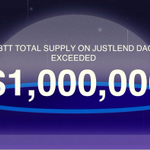
$BTT TOTAL SUPPLY EXCEEDS $1M ON JUSTLEND DAO.
When an ecosystem token sits idle in a spot wallet, it generates zero yield and adds zero liquidity to the network. Crossing $1M+ in Total Supply (~$1.14M–$1.22M across ~1,468 suppliers) on JustLend DAO marks a meaningful shift in how $BTT holders are deploying capital inside TRON DeFi.
Instead of leaving assets parked off-protocol, supplying $BTT on JustLend unlocks immediate on-chain utility:
→ Passive Yield & jBTT LiquiditySuppliers receive jBTT receipt tokens that automatically accrue interest over time while remaining redeemable on demand against a deep liquidity pool of nearly 149B BTT.
→ 50% Collateral FactorLong-term holders can borrow stablecoins like USDT or USDD against their $BTT position—unlocking working capital without giving up upside exposure.
→ Low Borrowing CostWith pool utilization currently below 3% and Borrow APY sitting near ~2.9%, borrowing $BTT for ecosystem utilities or cross-protocol strategies remains remarkably cost-efficient.
For an asset powering BitTorrent’s decentralized storage and bandwidth layer, having over $1M in active money-market liquidity strengthens capital efficiency across the broader TRON ecosystem.
Explore live pool depth and rates: app.justlend.org/marketDetai…
If you hold $BTT on TRON, are you supplying it as collateral to unlock stablecoins, or holding spot for ecosystem utility?
@justinsuntron @BitTorrent #TRONEcoStar


7
📊 EXPLORE WINkLINK PRICE HISTORY: LOOK BEYOND THE LATEST PRICE
The latest price is only one part of a feed’s story—past rounds can help you understand its history.
For developers working with WINkLink price feeds, querying a historical round provides a way to inspect previously reported data rather than relying only on the latest answer.
🔍 How to Inspect a Historical Round
1️⃣ Select the Correct Feed Proxy
→ Identify the proxy contract for the specific price pair your application needs. Make sure you are querying the intended feed.
2️⃣ Query a Specific Round
→ Use the getRoundData function with the round ID you want to inspect.
3️⃣ Read the Returned Fields
→ Pay attention to important values such as:
→ roundId: Identifies the requested data round.
→ answer: Contains the reported price value.
→ updatedAt: Indicates the timestamp when the round was updated.
4️⃣ Interpret the Price Correctly
→ Check the feed's configured decimals before converting the raw answer into a human-readable price.
⭐ Why Historical Data Matters
→ Price Context: Previous rounds help developers examine how reported prices changed over time.
→ Timestamp Awareness: The update time helps establish when the reported answer was recorded.
→ Precision Matters: Reading the answer without accounting for the feed's decimals can lead to incorrect price interpretation.
📌 The Key Takeaway
A historical price is meaningful only when its feed, round ID, timestamp, and decimal precision are understood together.
Read the round, timestamp, and precision together before drawing conclusions.
@justinsuntron #TRONEcoStar @WinkLink_Oracle

11
🧩 REQUEST A NEW WINkLINK PRICE PAIR: HOW TO GET STARTED
Can't find the price pair your application needs? Start by checking whether it is already supported.
WINkLink provides a process for developers to request price-pair support, helping them communicate their data-feed requirements through the official channels.
🔍 Three Steps to Submit a Request
1️⃣ Check the Supported-Pair List
→ Review the currently available WINkLink price feeds first. The pair you need may already be supported.
2️⃣ Open the Official Request Form
→ If the pair is not listed, visit the official documentation and follow the link to the price-pair request form.
3️⃣ Submit Your Request
→ Provide the requested information about the price pair and your intended use case through the official form.
⭐ Requesting Does Not Mean Automatic Listing
→ A Request Is the First Step: Submitting a form communicates your requirement to the WINkLink team.
→ Support Must Be Confirmed: A submitted request does not automatically mean the pair has been approved or added.
→ Verify Before Integration: Check the current supported-feed list before building an application that depends on a specific pair.
📌 The Key Takeaway
Developers should verify existing support first and use the official request process when a required pair is missing.
A request starts the conversation; confirm current support before building around a feed.
@justinsuntron #TRONEcoStar @WinkLink_Oracle

9
🔐 PROTECT WINkLINK NODE SECRETS: CONFIGURATION SECURITY MATTERS
A node’s configuration can reveal more than its settings if secrets are handled carelessly.
WINkLink node configuration uses TOML files, making configuration management an important part of operating a node securely.
🔍 Understand What Needs Protection
1️⃣ Configuration Files
→ TOML files define settings used by the node environment.
→ Review configuration changes carefully and avoid exposing sensitive information when sharing examples or troubleshooting materials.
2️⃣ Secrets and Credentials
→ Passwords, private keys, and API access credentials should be treated as confidential.
→ Anyone who obtains sensitive credentials may gain access to resources or permissions associated with them.
⭐ Practical Security Habits
→ Limit Access: Give configuration and credential files access only to the people and processes that need them.
→ Keep Secrets Out of Public Repositories: Never commit passwords, API keys, or private credentials to public code repositories.
→ Check Logs and Screenshots: Remove sensitive information before sharing logs, screenshots, or diagnostic reports.
→ Use Strong Production Credentials: Do not reuse example passwords or sample credentials in a production environment.
→ Review Access Regularly: Reassess who can access credentials and update them when exposure or unauthorized access is suspected.
📌 The Key Takeaway
Configuration management is not just about making a node work. It is also about protecting the credentials and permissions that keep the environment secure.
Keep credentials private, access limited, and production settings under review.
@justinsuntron #TRONEcoStar @WinkLink_Oracle

4
🛠️ PREPARE A WINKLINK NODE: GET THE FOUNDATIONS RIGHT
A smoother node launch starts with the right pieces in place.
Before launching a WINkLink node, operators should prepare the supporting environment and verify that the essential dependencies are available.
🔧 Three Important Prerequisites
1️⃣ PostgreSQL Database
→ WINkLink nodes rely on PostgreSQL as part of their data storage infrastructure.
→ Make sure the database service is running and that the node environment can access it.
2️⃣ Go Environment
→ Go provides the runtime and development environment required by the node software.
→ Confirm that Go is installed and available before moving forward.
3️⃣ TRON Account
→ Prepare a TRON account for the node's blockchain-related operations.
→ Keep account credentials and private information secure throughout the setup process.
⭐ Pre-Launch Readiness Checklist
→ Verify that PostgreSQL is running and database access works.
→ Confirm that the Go environment is available.
→ Prepare the required TRON account.
→ Review the official documentation to ensure the environment meets the node's prerequisites.
→ Keep sensitive account information out of shared setup notes and public materials.
📌 The Key Takeaway
Node operation depends on more than the node software itself. Database availability, runtime readiness, and account preparation all contribute to a smoother setup process.
Check the environment first, and node deployment becomes a more deliberate process.
@justinsuntron #TRONEcoStar @WinkLink_Oracle

3
📈 AINFT ON-CHAIN TRANSFERS: 7.9 MILLION RECORDED MOVEMENTS
A cumulative transfer count captures the token’s recorded on-chain history in one number.
In the referenced TRONSCAN snapshot, the AINFT token recorded 7,936,121 total transfers on TRON.
🔍 What Does This Figure Represent?
→ 7,936,121 Total Transfers: The cumulative number of token transfer records shown in the snapshot.
→ On-Chain History: Each recorded transfer contributes to the historical total.
→ A Growing Counter: The cumulative figure can increase as additional transfers are recorded.
⭐ Cumulative vs. Daily Activity
1️⃣ Cumulative Transfers
→ Reflect the total recorded transfer activity across the period since tracking began.
2️⃣ Daily Transfers
→ Show the number of transfers recorded within a specific day and help reveal more recent activity.
3️⃣ Unique Users
→ Cannot be determined from the cumulative transfer count alone. One address may make many transfers, and a single transaction may involve multiple addresses.
📊 Why Context Matters
A large cumulative number demonstrates recorded on-chain history, but it does not automatically indicate how active the token is today
To understand current activity, readers should also examine daily transfer counts, active addresses, and changes over time.
📌 The Key Takeaway
Use the total as a historical marker, and consult current activity data for the latest pace.
@justinsuntron #TRONEcoStar @AINFTcom

5
📊 AINFT HOLDER BASE: WHAT DOES 2.15 MILLION HOLDERS TELL US?
A holder count offers a quick view of how many addresses appear in a token’s on-chain record.
According to the referenced TRONSCAN snapshot, the AINFT token had 2,154,627 holders.
🔍 Understanding the Holder Count
→ 2,154,627 Holders: The number of holder addresses recorded in the snapshot.
→ On-Chain Distribution: This figure provides a useful indication of how widely the token is distributed across recorded addresses.
→ A Point-in-Time Metric: The count can change as addresses receive, transfer, or dispose of tokens.
⭐ What the Number Does Not Tell Us
1️⃣ Addresses Are Not Necessarily People
→ One person may control multiple addresses, while an address may also represent an exchange or another service.
2️⃣ Holder Count Is Not Activity
→ An address holding tokens does not necessarily mean it is actively transferring or using them.
3️⃣ Distribution Needs More Context
→ Balance concentration, transfer activity, and changes in holder numbers can help provide a more complete picture of token distribution.
📌 The Key Takeaway
Holder growth is one useful indicator to observe, but it should not be treated as a direct measure of unique users or active participation.
Treat the figure as a dated snapshot, then check the explorer for the latest record.
@justinsuntron #TRONEcoStar @AINFTcom

5
🤖 PICK A MODEL FOR THE TASK: MAKE YOUR AI CHOICE COUNT
The best model to choose depends on the work in front of you.
AINFT provides multi-model AI chat, giving users access to different AI models through one platform. Instead of choosing based only on a model's name, start by identifying what you need it to do.
🔍 A Simple Model Selection Process
1️⃣ Define Your Task
→ Are you writing content, summarizing information, analyzing complex material, generating code, or working on a creative project?
2️⃣ Compare Available Models
→ Review the models currently offered to your account and check their documented capabilities.
3️⃣ Match Capabilities to Your Needs
→ Consider factors such as reasoning ability, context length, coding support, response style, and any task-specific features listed in the model documentation.
4️⃣ Test Before Relying on It
→ Try a representative prompt and evaluate the quality, accuracy, and usefulness of the response.
⭐ What Makes a Good Choice?
→ Task Fit: A model's capabilities should match the problem you want to solve.
→ Practical Performance: Compare actual responses rather than relying only on model descriptions.
→ Current Availability: Model access, features, and usage conditions may change, so check the latest options available to your account.
📌 The Key Takeaway
There is no single model that is automatically best for every task. The right choice depends on your requirements and the capabilities currently available.
Start with the task, then select from the models currently available to you.
@justinsuntron #TRONEcoStar @AINFTcom

9
🔐 CONNECT WITH TRONLINK: YOUR ENTRY POINT TO AINFT
A wallet connection is the first step between your browser and a Web3-native AI service.
AINFT supports TronLink integration for authentication and payments, allowing users to access its AI services through a connected Web3 wallet.
🚀 How to Sign In
1️⃣ Open AINFT
→ Visit the AINFT platform in your browser.
2️⃣ Choose Wallet Sign-In
→ Select the wallet login option and choose TronLink when prompted.
3️⃣ Review the TronLink Request
→ TronLink will display a connection or authorization prompt. Check the requesting website and wallet information before approving.
4️⃣ Confirm the Connection
→ Approve only if the request matches your intention, then return to AINFT to continue.
⭐ A Wallet Safety Reminder
→ Verify the Website: Make sure you are interacting with the intended AINFT website.
→ Read Before Approving: Understand what the TronLink prompt is requesting.
→ Connection Is Not the Same as a Transaction: Signing in through a wallet connection is different from approving an unrelated token transfer or smart contract transaction.
→ Never Share Your Recovery Phrase: A legitimate connection process should not require you to disclose your private keys or seed phrase.
📌 The Key Takeaway
Wallet-based authentication makes Web3 access convenient, but every approval deserves attention.
Review each wallet prompt so you know what you are approving.
@justinsuntron #TRONEcoStar @AINFTcom

6
🔍 CHECK WHAT AUTO USED: UNDERSTAND YOUR AI USAGE
Auto selected a model—but which one answered your prompt?
B.AI Auto Mode can choose an available model for each request. That means the model handling one prompt may differ from the model used for another.
Checking usage details helps turn that automatic choice into something you can understand.
📊 How to Review Your Usage
1️⃣ Open the Usage Details
→ After receiving a response, open its usage information or visit the Usage page.
2️⃣ Identify the Model
→ Check which model was used to process that particular request.
3️⃣ Review Token Usage
→ Look at the recorded token information to understand the request's usage.
4️⃣ Check the Cost
→ Review the cost recorded for that request rather than assuming every Auto response has the same price.
⭐ Why This Matters
→ Understand Model Differences: Knowing which model handled a prompt provides useful context when comparing response quality, style, or capabilities.
→ Recognize Variable Selection: Auto's model choice may change from one request to another, so a previous selection does not guarantee the next one.
→ Track Actual Usage: Recorded token and cost details provide a clearer picture of what happened on your account.
📌 The Key Takeaway
Auto Mode simplifies model selection, but reviewing usage details helps you stay informed about the model and resources behind each response.
A quick usage review turns an automatic choice into an informed one.
@justinsuntron #TRONEcoStar @BAI_AGI

7
🤖 START WITHOUT CHOOSING A MODEL: LET AUTO MODE HANDLE THE FIRST STEP
Would you rather start with your question than compare a list of models?
For new AI users, choosing between different models can add an extra decision before the actual work even begins. B.AI Auto Mode is designed to make that first step simpler.
🚀 How to Get Started
1️⃣ Select Auto Mode
→ Open the model selector in the chat interface and choose Auto.
2️⃣ Describe Your Task
→ Write a clear prompt explaining what you need, whether it is writing, analysis, coding, or another supported task.
3️⃣ Send Your Prompt
→ Let Auto Mode select an available model to handle the request.
4️⃣ Review the Result
→ Check the usage details afterward to see which model actually processed your request.
⭐ What to Know About Auto Mode
→ Less Model-Selection Friction: You can focus on describing your task instead of comparing model names before every request.
→ Selection Can Vary: Auto may choose different available models depending on the request.
→ No Fixed Performance Promise: Auto does not necessarily choose the largest, fastest, or cheapest model every time.
📌 The Key Takeaway
Auto Mode makes getting started easier, while usage details help you understand what happened behind the response.
Start with the task, then review how Auto handled it.
@justinsuntron #TRONEcoStar @BAI_AGI

9
💸 GASFREE: UP TO 60% LOWER TRANSFER COSTS
A headline saving is a useful starting point, but the amount that matters is the quote for your transfer.
GasFree’s official website states that supported transfers can cost up to 60% less than traditional transfers.
The key phrase is “up to.” It describes the maximum saving in the published claim, not a guaranteed discount for every user or transaction.
🔍 Understanding the Cost Claim
→ Up to 60% Lower: This is GasFree’s published comparison claim. Actual savings may be smaller.
→ Fees Paid in the Transfer Token: Users pay applicable GasFree fees in the token being transferred, rather than necessarily needing TRX for network gas.
→ Actual Costs Can Vary: Transfer type, service provider, and current terms can affect the fee shown for an individual transaction.
⭐ What Should You Check Before Sending?
1️⃣ Review Your Transfer
→ Confirm the token, recipient address, and amount.
2️⃣ Compare the Displayed Fee
→ Look at the actual quote for your transaction instead of assuming the maximum advertised saving applies.
3️⃣ Check Current Terms
→ Review the provider's fee conditions before authorizing the transfer.
📌 The Key Takeaway
A published cost-reduction figure can help users understand the potential benefit, but the actual quote is what matters when making a transfer.
Read “up to” as a ceiling in the published claim, then verify the current cost for your own transfer.
@justinsuntron #TRONEcoStar @DeFi_JUST

4
📊 GASFREE USER BASE: A LOOK AT PLATFORM REACH
A platform’s user-base figure offers a scale snapshot—but it does not answer every question about activity.
GasFree’s official website lists a user base of 6M+, highlighting the platform’s published reach.
🌐 What Does 6M+ Tell Us?
→ A Published Milestone: The figure provides an indication of the scale GasFree reports on its official website.
→ A Reach Indicator: It offers context about the platform’s user base, but should not automatically be interpreted as 6 million active users.
→ Not a Real-Time Activity Metric: A website milestone does not tell us how many people are using GasFree today or how many transactions occur each month.
🔍 Why the Distinction Matters
User base, monthly active users, daily active users, and transaction volume measure different things.
Without a published methodology explaining how the 6M+ figure is calculated, it is best to treat it as an official website claim rather than assume it represents unique or currently active users.
📌 The Key Takeaway
Platform reach is one useful way to understand adoption, but activity requires additional metrics and context.
Treat the figure as a dated reference point, and check the official site for the latest context.
@justinsuntron #TRONEcoStar @DeFi_JUST

6