

Helping AI founders & creators grow on X with high-performing content. 10K+ AI audience | Content Strategy & Ghostwriting DM for work 📩
France
Joined July 2024
- Tweets34.2K
- Following32
- Followers10K
- Likes3.8K







Pinned Tweet
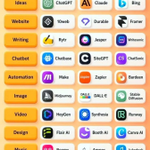
🚀 27 Most Powerful AI Tools You Should Bookmark 🔖
Save this list — these tools can help with writing, coding, automation, design, video, audio, SEO, research, and more.
✍️ Writing
• SurgeGraph
• Sudowrite
• Hoppy Copy
💻 Coding
• Vo
• Cursor
• Bolt.new
🤖 AI Agents
• Manus
• n8n
• Zapier
🎨 Image Generation
• Ideogram
• ChatGPT
• Midjourney
🎬 Video
• Runway
• Veo
• Hailuo
🎙️ Speech & Audio
• Suno
• ElevenLabs
• Speechify
📈 SEO
• SurgeGraph
• Google Search Console
• AnswerSocrates
🔎 Research
• Perplexity
• NotebookLM
• Deep Research
💬 Chatbots
• ChatGPT
• Grok
• Gemini
🔖 Bookmark this for later.
➕ Follow me for more AI tools, prompts & workflows.

Peter Saint retweeted

💻 Your Laptop. Your Next Opportunity. 🚀
🌎 Explore flexible work-from-home opportunities with beginner-friendly online tasks.
✨ No experience required
🏡 Work from anywhere
⏰ Flexible schedule
📱 Phone or laptop + internet
📚 FREE Beginner’s Starter Guide
💬 Comment “DM” + Follow @Sumit_AI_Tech
📩 Get your free guide and discover where to start!
🚀 Small steps. New possibilities.
Earnings vary by platform, task, and experience. No income is guaranteed.

Peter Saint retweeted

What would happen if you asked ChatGPT to sell the cluttered stuff in your house?
I tried the idea, and had it evaluate the items and prepare sales ads for them in minutes!
Here are 4 prompts you can use:
First:
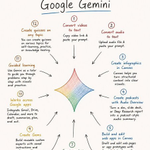
12 Powerful Things You Can Do With Google Gemini 🚀
Most people use Gemini for simple questions.
Power users use it to research, create, analyze, automate, and get more done.
Here are 12 practical ways to unlock Gemini’s full potential ↓
Follow @CodebyPeter

Peter Saint retweeted
There's a lot that goes into making a film.
It'll be interesting to see how Seedance fits into the editing process and the other steps along the way.

Peter Saint retweeted

What if a playful little puppy could run, jump, and explore right on your Windows desktop? 🐕💻 Honestly, I'd probably spend all day watching it!
Here's something exciting for AI lovers: the CapCut plugin is now available for early access on ChatGPT desktop, following CapCut World's collaboration with OpenAI on AI-powered video creation workflows.
Just copy and paste the prompt to give it a try. Mobile and web support is expected in mid-November.
#CapCutWorld #CapCutDidThat #CapCutWeb #ChatGPT
Peter Saint retweeted

Who needs a plain desktop when you can have a little girl dancing and playing right on your screen? 💃🌈 It's the cutest little upgrade your workspace could ask for!
Speaking of AI creativity, the CapCut plugin is now available for early access on ChatGPT desktop, following CapCut World's collaboration with OpenAI on AI-powered video creation workflows.
Just copy and paste the prompt to see it for yourself. Mobile and web support is expected in mid-November.
#CapCutWorld #CapCutDidThat #CapCutWeb #ChatGPT
🤝 Paid partnership
Peter Saint retweeted

A tiny girl playing hide-and-seek on your desktop? 🫣💗 Suddenly, your computer feels less like a machine and more like a little world full of surprises!
Speaking of AI creativity, the CapCut plugin is now available for early access on ChatGPT desktop, following CapCut World's collaboration with OpenAI on AI-powered video creation workflows.
Just copy and paste the prompt to try it out. Mobile and web support is expected in mid-November.
#CapCutWorld #CapCutDidThat #CapCutWeb #ChatGPT
🤝 Paid partnership
Peter Saint retweeted

What if your desktop wasn't just a place to work, but a tiny world where a little girl could run, play, and explore? 🌷💻 A little bit of magic right in front of you!
Speaking of AI creativity, the CapCut plugin is now available for early access on ChatGPT desktop, following CapCut World's collaboration with OpenAI on AI-powered video creation workflows.
Just copy and paste the prompt to experience it yourself. Mobile and web support is expected in mid-November.
#CapCutWorld #CapCutDidThat #CapCutWeb #ChatGPT
🤝 Paid partnership
Peter Saint retweeted

A little girl skipping across your desktop like she owns the place. 🎀✨ Not gonna lie, this might be the sweetest thing to happen to a Windows screen!
Speaking of AI creativity, the CapCut plugin is now available for early access on ChatGPT desktop, following CapCut World's collaboration with OpenAI on AI-powered video creation workflows.
Just copy and paste the prompt to try it out. Mobile and web support is expected in mid-November.
#CapCutWorld #CapCutDidThat #CapCutWeb #ChatGPT
🤝 Paid partnership
Peter Saint retweeted

script based editing is live in HyperFrames Studio
edit long-form and scripted videos from the script itself
auto speech cleanup takes out the pauses and ums for you
then click any word and ask for a motion graphic right at that moment
get started ↓
There's a lot that goes into making a film.
It'll be interesting to see how Seedance fits into the editing process and the other steps along the way.
Peter Saint retweeted

What happens when a stage play meets AI filmmaking? 🎬
In BytePlus’s Next Frame, Run Lola Run director Tom Tykwer, director and playwright Bonn Park, and producer Sarika Hemi Lakhani explore Volcano High, their collaborative AI filmmaking experiment.
Peter Saint retweeted

💻 19 Remote Data Entry Jobs!
💰 Potential: $2,000/month*
🏠 Work from anywhere
⏰ Flexible • Beginner-friendly
⌨️ Typing, Forms & Captioning
🎁 FREE Guide!
👇 Want it?
💬 Comment “DM” + Follow
📩 I’ll send it!

Peter Saint retweeted

🚀 YOUR PHONE. YOUR NEXT OPPORTUNITY.
💰 Explore Online Earning Ideas
📱 Phone + Internet
⏳ Flexible Tasks
🎯 Beginner-Friendly Guidance
🎁 FREE Starter Guide!
👇 Want it?
👍 Like + 💬 Comment “START”
➕ Follow me
📩 Check your DMs for the guide!
Explore opportunities at your own pace. Results vary;
no income guaranteed.

Peter Saint retweeted

HeyGen Video 1 went up against today's leading video models in a blind test on @ArtificialAnlys.
Our first general-purpose video model ranked #1 in text to video.
Try it: platform.heygen.com/models/h…
Peter Saint retweeted

bro,兄弟们PHP2Shell 这两天刷屏,OpenAI 出了个 Codex 技能,专门查自己的网站有没有中招。
我在 Codex 里一句话装上,55 秒装好两个技能。有站的可以直接跑:
$phpcheck-url check 你的域名
结果分 OK / VULNERABLE / UNKNOWN。它只看响应头里暴露的 PHP 版本,网站不暴露版本就是 UNKNOWN,不等于安全。
想跑但还没 Codex 的,我看了下 @GamsGo_Global 的 Codex 页:
· 自营 Plus 独享,1 个月订阅,页面价 $16.49
· 促销码 JBU7N 再减 3%
· 可以加购 GamsCare+ 保障
页面还写了:使用前要准备一个非中国区手机号;Plus 有 5 小时和每周额度上限,额度用完不售后。
对照一下,OpenAI 官方 ChatGPT Plus 是 $20/月。价格以下单当天页面为准。


Peter Saint retweeted

Every AI I use eventually forgets what I'm building. Chat gets too long, or I'm re-explaining the whole project from scratch
Tried @EverMind's EverOS Cloud. Went through the docs and liked how it organizes context into profiles, episodes, and a Memory Bank.
Built a small chat app on its APIs. Real use case:
I'm building a student resume portal for my college. Students showcase skills and resumes, alumni search by skill, review profiles, and find people for referrals and collabs.
Video shows the workflow and the Memory Bank 🚀
Tired of starting from zero? Check it out:
everos.evermind.ai
🤝 Paid partnership
Peter Saint retweeted
HeyGen holds the top two spots on the @ArtificialAnlys text to speech leaderboard.
#1 HeyGen Voice Turbo
#2 HeyGen Voice
Turbo is the faster, cheaper mode of the voice model behind every HeyGen video. It's live on the API, and the Turbo endpoint is free until November 30.
The deciding factor isn't which model writes better in isolation; it's how often your workflow forces you to switch tools. I'd compare the tasks I do every week, then check which subscription covers them with the fewest workarounds. A cheaper plan isn't a better deal if it excludes a tool I rely on.
#EverMind #EverOS
🤝 Paid partnership

别再问 ChatGPT 和 Claude 谁更强了!
真正应该问的是:如果每个月只愿意付一份 AI 订阅的钱,哪个更适合你的工作流?
我的判断标准不是跑分,而是每天实际会遇到什么任务。
写长文、改语气、梳理复杂材料时,我更喜欢 Claude。它的表达通常比较克制,更像一个耐心的编辑。
但任务一旦变杂——分析图片、处理文件、搜索资料、生成内容、写代码——ChatGPT 用起来更省事,不需要在不同工具之间来回切换。
📌 工作以写作和长文档为主:选 Claude
📌 想用一个工具覆盖更多场景:选 ChatGPT
📌 两边需求都有,但只能订一个:我会选 ChatGPT Plus
ChatGPT Plus 官方价格是 $20/月。
@GamsGo_Global 目前的自营套餐是:
📌 Plus 独享:$15.99/月,使用优惠码后 $15.51
📌 Plus 共享:6个月 $30.59,使用优惠码后约 $4.95/月
独享适合高频使用、在意聊天记录的人;共享更适合偶尔使用、优先考虑价格的人。需要 Codex 的话要注意,共享套餐不包含。
优惠码:DGCAT,下单再减 3%。
购买链接👉:gamsgo.com/partner/BanAv
#ChatGPT #Claude #AI工具

Peter Saint retweeted

别再问 ChatGPT 和 Claude 谁更强了!
真正应该问的是:如果每个月只愿意付一份 AI 订阅的钱,哪个更适合你的工作流?
我的判断标准不是跑分,而是每天实际会遇到什么任务。
写长文、改语气、梳理复杂材料时,我更喜欢 Claude。它的表达通常比较克制,更像一个耐心的编辑。
但任务一旦变杂——分析图片、处理文件、搜索资料、生成内容、写代码——ChatGPT 用起来更省事,不需要在不同工具之间来回切换。
📌 工作以写作和长文档为主:选 Claude
📌 想用一个工具覆盖更多场景:选 ChatGPT
📌 两边需求都有,但只能订一个:我会选 ChatGPT Plus
ChatGPT Plus 官方价格是 $20/月。
@GamsGo_Global 目前的自营套餐是:
📌 Plus 独享:$15.99/月,使用优惠码后 $15.51
📌 Plus 共享:6个月 $30.59,使用优惠码后约 $4.95/月
独享适合高频使用、在意聊天记录的人;共享更适合偶尔使用、优先考虑价格的人。需要 Codex 的话要注意,共享套餐不包含。
优惠码:DGCAT,下单再减 3%。
购买链接👉:gamsgo.com/partner/BanAv
#ChatGPT #Claude #AI工具