Conduit Mail (@ConduitMail) header
Conduit Mail (@ConduitMail) profile picture

Three-panel email with AI built in. Ask it to find the thread, draft the reply, write the filter. We also explain email headers nobody reads. Get early access.

New York
Joined September 2026
Photo by Conduit Mail (@ConduitMail)Photo by Conduit Mail (@ConduitMail)Photo by Conduit Mail (@ConduitMail)
Conduit Mail is AI-powered email, now in early access. It looks like the mail app you already know. Press Cmd+K and ask it to find the thread, sum it up, draft the reply in your voice, and file it. You see each step as it happens. conduitmail.app
1
93
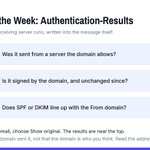
Header of the Week: Authentication-Results. When an email arrives, the receiving server checks where it really came from and writes the results into the message. Three checks matter: SPF: was it sent from a server the domain allows? DKIM: is it signed by the domain, and unchanged since it was signed? DMARC: does at least one of those line up with the domain in the From line? In Gmail, open the email, choose Show original, and the three results sit near the top. For mail from your bank, PASS on all three is normal. The takeaway: a FAIL on an email asking you to pay, log in or change bank details means stop and confirm some other way. A PASS only proves the domain sent it, and a lookalike domain can pass its own checks, so read the address too.
1
15
The AI was the easy part. It is an API call with good context around it. The hard parts are sync, MIME, rendering a stranger's HTML without getting owned, and clearing a Google security review. A report from inside building one. conduitmail.app/blog/how-har…
19
Most people with three Gmail accounts don't have three inboxes. They have one they check and two they feel vaguely guilty about. Conduit Mail puts several Gmail accounts in one inbox, so Monday doesn't start with picking which one to open first. conduitmail.app
24
Sunday inbox rule: if you haven't opened a newsletter in three months, it isn't a newsletter anymore. It's a habit you're paying for in attention. Unsubscribe from one before Monday.
20
Every inbox, scrolled far enough, turns into geology. This week on top. Then a thick layer of webinar invites. Then a shipping notice for a desk lamp you no longer own. And at the very bottom, perfectly preserved, an email that just says "Thoughts?" with nothing attached.
28
Header of the Week: Message-ID. Almost every email gets one when it's sent, a long string that looks like an address. Subjects get reused and threads get renamed, but the Message-ID is meant to be unique to that one message, and it's the same in the sender's mailbox and yours. The takeaway: to find one exact email in Gmail, open it, choose Show original, copy the Message-ID without the angle brackets, and search rfc822msgid: followed by the ID. One result, no keyword guessing. Send the ID to a colleague and they can pull up the same email in their own inbox.
39
Rule of the Week, if an AI works in your inbox: everything it touches gets a label. If your agent can label mail, add one line to its instructions: anything you archive, file or draft, also label "via agent". Then once a week, open that label and skim it. Two minutes, and you can see exactly what it did on its own. A bad habit gets caught in week one instead of month three, and undoing it is one pass through one label.
36
Header of the Week: Reply-To. From tells you who wrote the email. Reply-To decides where your answer goes. When a message carries one, hitting Reply quietly addresses your reply there instead of to the sender. Most of the time that's harmless. A newsletter sends replies to its support desk, or a mailing list sends them to everyone on the list. It's also a favorite move in invoice fraud: a From that looks exactly like your vendor, and a Reply-To that doesn't. The takeaway: after you hit Reply on anything about money, bank details or a password, read the To line before you send. That's where your answer is really going.
1
38
Every long thread is mostly people saying sounds good, plus one message that quietly moved the deadline. Conduit Mail has a TLDR button, so you can read the short version first and open the thread only when you need to. conduitmail.app
22
Receipts are the mail you get most of and read least. One rule that labels them and archives on arrival keeps them searchable at tax time and out of your morning. Recipes for a plain Gmail filter and for Conduit Mail. conduitmail.app/blog/how-to-…
16
Message 14 of a thread shouldn't arrive with 1 through 13 stapled underneath. Conduit Mail folds the quoted history behind Show History, so each message opens on what's new. It reads Gmail, Outlook and Apple Mail quoting, plus a few more. conduitmail.app
21
Undo send is the most honest feature in email. It admits the best proofreading happens about four seconds after you hit send. Conduit Mail has it. conduitmail.app
1
25
The scariest permission you can give an AI in your inbox isn't send. It's delete, because nobody notices what's missing. Conduit Mail's agent tools can read, search, draft and trash. There is no permanent delete at all, and trash stays reversible. conduitmail.app
23
An agent that can send mail needs two switches, not one. Drafts can be on while send stays off. Batch review beats thirty-eight popups. Undo has to outlast the agent's next move. In Conduit Mail, send starts off, and agent tools don't get permanent delete. conduitmail.app
54
Remote images in email can tell the sender where you are. Conduit Mail loads them through a private proxy that hides your address and location. Want nothing loaded until you say so? Settings > General > Privacy > Remote images > Ask first. conduitmail.app
27
Most of the inbox can be done without leaving the keyboard in Conduit Mail. C starts a message. R replies, A replies to all, F forwards. E archives, # deletes, Z undoes the one you regret. Press ? for the full list. conduitmail.app
16
There is no single best AI email client in 2026. Shortwave has the most AI surface, Superhuman the tightest craft, Spark the widest provider list. Six clients compared, prices checked, Conduit Mail listed last with its limits written out. conduitmail.app/blog/best-ai…
34
Unsubscribing shouldn't mean hunting for a link under 400 words of legal text. In Conduit Mail, Unsubscribe is in the message menu. If the sender supports one-click unsubscribe, it's done right there, and a Block sender button comes with the confirmation in case they keep writing anyway. conduitmail.app
16
Added to a thread at message 31? Conduit Mail has a TLDR button in the toolbar. It puts a summary of at most five sentences at the top of the thread, built from the six newest messages, and keeps it for next time. conduitmail.app
19