
Twitter account for the disability access caucus of @gtff_3544, the graduate employee union at the University of Oregon. Email: [email protected]
- Tweets69
- Following31
- Followers43
- Likes29







ALT A cream-colored background is bordered with a red, slightly asymmetrical frame. Inside that frame, at the top, is a white speech bubble that reads, in black text, “Tell us how you’re feeling.” Below that on the bottom right is a larger, round pink shape that reads in white text, “Check your email or visit GTFF3544.ned for a COVID-19 & reopening safety survey.” On the bottom left is a smaller, round gray shape that reads in white text, “You’ll be entered to win a $5 gift card.”

ALT A purple, blue, and black glitchy background with white text. The text reads: Tomorrow is Caucus Day! Join the equity committee for Caucus education, food, & fun! Amazon Community Center main hall (2700 Hilyard Street), 7:00-9:30 PM.

ALT A pale yellow infographic with a pizza motif describing GTFF’s upcoming Caucus Day event. The text of the graphic reads: “Please join us for Caucus Day! What: An evening of food & friendship where we’ll learn more about each other, Caucus leadership & plans, & begin discussing strategies for Caucus involvement in bargaining. When: Friday, May 6 from 7-9:30 PM. Where: Amazon Community Center (Main Hall) – 2700 Hilyard St. (Eugene). Also: there will be free pizza!”

ALT EMERGENCY GENERAL MEMBERSHIP MEETING WHEN: Wednesday, January 12, 5-7 PM WHERE: bit.ly/GTFFZOOM2 DISCUSSION TOPIC: Next steps for the GTFF membership regarding recent policy changes by the University to our working conditions and health and safety. Let your voice be heard. The university does not care about keeping us safe. Something must be done.

ALT A tan background with overlapping blobs of light pink. In the center, bordered by two black lines, is the black text: "Disability Access Caucus Meeting Today!!! 4 PM in the GTFF Zoom room."

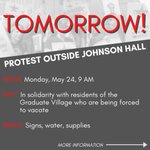
ALT A red and green flyer that reads: Rally for UO's Graduate Village Bullshit! Monday, June 21, 2 PM Johnson Hall. March at 2:30 (route tbd on spot)

ALT Image description: A light peach background with dark squiggles and lighter orange decorative blobs. The text in pale yellow reads: Make your social media accessible! A quick & easy guide.

ALT Image description: A light peach background with dark squiggles and lighter orange decorative blobs. The text in pale yellow reads: Using alt-text or image descriptions can make your social media more accessible to those with vision disabilities! Swipe for some brief instructions on how to use alt-text on multiple platforms.

ALT Image description: A light peach background with dark squiggles and lighter orange decorative blobs. The heading text in pale yellow reads: Instagram. The remaining text reads: After posting your image, select the three vertical dots in the top right corner, then choose "Edit" from the list of options. In the bottom-right corner of the image, tap "Edit Alt Text" beside the gray circle.

ALT Image description: A light peach background with dark squiggles and lighter orange decorative blobs. The heading text in pale yellow reads: Facebook. The remaining text reads: In the app or browser: after uploading your image, click on the image. In the top right corner, select the three dots. Click those, then scroll down and select "Change Alt Text."

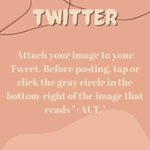
ALT Image description: A light peach background with dark squiggles and lighter orange decorative blobs. The heading text in pale yellow reads: Twitter. The remaining text reads: Attach your image to your Tweet. Before posting, tap or click the gray circle in the bottom-right of the image that reads "+ALT."

ALT Image description: A close-up image of a protest sign on a piece of cardboard that reads "Hey Schill can I stay with you," where the letter "s" in the words "Schill" and "stay" is written as a dollar sign ($).

ALT Image description: Students gather in protest in green grass and on the sidewalk in front of Johnson Hall.

ALT Image description: Students gather in protest in green grass and on the sidewalk and street in front of Johnson Hall.

ALT Image description: An image of Johnson Hall, a red brick building with white columns and stairs, in the background. A walkway flanked by grass has been written on with chalk, which reads, "No evictions, Put students over profits."


