

Cron job monitoring for developers. Get alerts for missed check-ins. Discover GitHub workflows and verify your first run. Start with 5 free monitors.
- Tweets624
- Following0
- Followers17
- Likes16
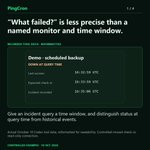






ALT “What failed?” is less precise than a named monitor and time window.. Give an incident query a time window, and distinguish status at query time from historical events. Actual October 10 Codex tool data, reformatted for readability. Controlled missed check-in; read-only connection.

ALT Cross-check the product evidence. The actual PingCron capture shows the same controlled demo monitor overdue. The missing receipt alone does not establish why. Real October 10 controlled demo. Private heartbeat URL excluded.

ALT Read the actual tool result. This is actual October 10 Codex tool data, reformatted for readability. The controlled monitor was down at query time. Actual October 10 Codex tool data, reformatted for readability. Controlled missed check-in; read-only connection.

ALT Apply it to your workload. Ask for incident timestamps and the requested time window together. Real October 10 controlled demo. Private heartbeat URL excluded.

ALT A scheduled workflow can exist without a linked monitor.. Optional source checks highlight coverage findings that need review. Real GitHub test repository capture, September 29, 2026. Preview times are historical.

ALT Review the coverage finding. The historical GitHub scan found this scheduled workflow had no linked monitor. Its observation time is part of the evidence. Real optional coverage observation, September 29, 2026. Scan evidence, not runtime proof.

ALT Review before installing. The separate GitHub example reached the monitor review form. This capture does not show an installed reporting patch. Real setup review, September 29, 2026. No patch was installed in this demonstration.

ALT Apply it to your workload. Read the finding and its scan time before changing the workflow. Real controlled backup test: successful heartbeat received.

ALT How old is the coverage evidence you are looking at?. Read the observation and successful scan times before interpreting source coverage. A source scan is not a workload execution log. Real GitHub test repository capture, September 29, 2026. Preview times are historical.

ALT Review the coverage finding. The historical GitHub scan found this scheduled workflow had no linked monitor. Its observation time is part of the evidence. Real optional coverage observation, September 29, 2026. Scan evidence, not runtime proof.

ALT Review before installing. The separate GitHub example reached the monitor review form. This capture does not show an installed reporting patch. Real setup review, September 29, 2026. No patch was installed in this demonstration.

ALT Apply it to your workload. Check when the coverage evidence was last observed. Real controlled backup test: successful heartbeat received.

ALT Connected repository does not mean monitored workflow.. Repository connection and heartbeat installation are separate actions. Real GitHub test repository capture, September 29, 2026. Preview times are historical.

ALT Review before installing. The separate GitHub example reached the monitor review form. This capture does not show an installed reporting patch. Real setup review, September 29, 2026. No patch was installed in this demonstration.

ALT Review the coverage finding. The historical GitHub scan found this scheduled workflow had no linked monitor. Its observation time is part of the evidence. Real optional coverage observation, September 29, 2026. Scan evidence, not runtime proof.

ALT Apply it to your workload. Review and install the reporting step, then verify its receipt. Real controlled backup test: successful heartbeat received.


ALT Keep your monitoring rehearsal clearly separate from a production incident.. A dedicated noncritical monitor lets you rehearse missed receipt and recovery with a clearly labeled test. Real controlled test: 1-minute interval, 60-second grace. September 29, 2026.

ALT Inspect the missed expectation. The controlled test passed its expectation and grace without the next heartbeat. The product showed overdue. Real controlled backup test: next check-in deliberately withheld.

ALT Verify the next success. After the fixture was checked again, a new heartbeat restored active monitoring. The workload was not automatically repaired. Real controlled test: successful heartbeat after the incident. No automatic repair.

ALT Apply it to your workload. Use a disposable test monitor and restore or pause it afterward. Real controlled test: reported receipt and delivery history.

ALT Which workflows in this repository actually have a schedule?. Discovery provides a place to inspect a scheduled source before protecting it. Real GitHub test repository capture, September 29, 2026. Preview times are historical.

ALT Review before installing. The separate GitHub example reached the monitor review form. This capture does not show an installed reporting patch. Real setup review, September 29, 2026. No patch was installed in this demonstration.

ALT Review the coverage finding. The historical GitHub scan found this scheduled workflow had no linked monitor. Its observation time is part of the evidence. Real optional coverage observation, September 29, 2026. Scan evidence, not runtime proof.

ALT Apply it to your workload. Review one discovered workflow and its expected schedule. Real controlled backup test: successful heartbeat received.

ALT For a monthly job, check whether the previous run is still in history.. Choose retained history that covers the interval you need to investigate. Availability depends on the plan. Real controlled test: 1-minute interval, 60-second grace. September 29, 2026.

ALT Verify a real receipt. The controlled backup fixture was checked, then a success heartbeat was sent. PingCron displayed monitoring active. Real controlled backup test: successful heartbeat received.

ALT Read the recorded timeline. Use receipt and alert-event timestamps to compare monitoring evidence with your workload logs. Real controlled test: reported receipt and delivery history.

ALT Apply it to your workload. Check the history window against the frequency of the workload. Real controlled backup test: next check-in deliberately withheld.

ALT Your ETL pipeline needs a visible completion expectation.. The pipeline owns its data checks; an expected completion heartbeat makes silence visible. Real controlled test: 1-minute interval, 60-second grace. September 29, 2026.

ALT Verify a real receipt. The controlled backup fixture was checked, then a success heartbeat was sent. PingCron displayed monitoring active. Real controlled backup test: successful heartbeat received.

ALT Inspect the missed expectation. The controlled test passed its expectation and grace without the next heartbeat. The product showed overdue. Real controlled backup test: next check-in deliberately withheld.

ALT Apply it to your workload. Send success after the pipeline and required validation finish. Real controlled test: successful heartbeat after the incident. No automatic repair.

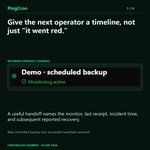
ALT Give the next operator a timeline, not just “it went red.”. A useful handoff names the monitor, last receipt, incident time, and subsequent reported recovery. Real controlled backup test: successful heartbeat received.

ALT Inspect the missed expectation. The controlled test passed its expectation and grace without the next heartbeat. The product showed overdue. Real controlled backup test: next check-in deliberately withheld.

ALT Read the recorded timeline. Use receipt and alert-event timestamps to compare monitoring evidence with your workload logs. Real controlled test: reported receipt and delivery history.

ALT Apply it to your workload. Attach the monitoring timeline to the operational handoff. Real controlled test: successful heartbeat after the incident. No automatic repair.

ALT Monitor the scheduled report before someone asks where it went.. A report job can signal after its required export and delivery checks complete. Real controlled test: 1-minute interval, 60-second grace. September 29, 2026.

ALT Verify a real receipt. The controlled backup fixture was checked, then a success heartbeat was sent. PingCron displayed monitoring active. Real controlled backup test: successful heartbeat received.

ALT Inspect the missed expectation. The controlled test passed its expectation and grace without the next heartbeat. The product showed overdue. Real controlled backup test: next check-in deliberately withheld.

ALT Apply it to your workload. Define the expected report completion, then monitor its heartbeat. Real controlled test: reported receipt and delivery history.

ALT A manual test can pass while the scheduled path remains untested.. A manual run can exercise reporting without demonstrating that the automatic schedule works. Real GitHub test repository capture, September 29, 2026. Preview times are historical.

ALT Review before installing. The separate GitHub example reached the monitor review form. This capture does not show an installed reporting patch. Real setup review, September 29, 2026. No patch was installed in this demonstration.

ALT Verify a real receipt. The controlled backup fixture was checked, then a success heartbeat was sent. PingCron displayed monitoring active. Real controlled backup test: successful heartbeat received.

ALT Apply it to your workload. Verify the next real scheduled execution separately. Real controlled test: reported receipt and delivery history.

ALT A backup heartbeat is not a restore test.. Your backup checks establish artifact quality; PingCron records the heartbeat you send. Real controlled test: 1-minute interval, 60-second grace. September 29, 2026.

ALT Verify a real receipt. The controlled backup fixture was checked, then a success heartbeat was sent. PingCron displayed monitoring active. Real controlled backup test: successful heartbeat received.

ALT Read the recorded timeline. Use receipt and alert-event timestamps to compare monitoring evidence with your workload logs. Real controlled test: reported receipt and delivery history.

ALT Apply it to your workload. Keep restore verification separate from completion monitoring. Real controlled test: successful heartbeat after the incident. No automatic repair.

ALT Starting on time does not mean finishing the required work.. A completion expectation can reveal a missing finish signal. The monitor alone cannot distinguish a hang from a job that never started. Real controlled test: 1-minute interval, 60-second grace. September 29, 2026.

ALT Verify a real receipt. The controlled backup fixture was checked, then a success heartbeat was sent. PingCron displayed monitoring active. Real controlled backup test: successful heartbeat received.

ALT Observe the late state. The next check-in was deliberately withheld. The monitor showed the expectation becoming late. Real controlled backup test: next check-in deliberately withheld.

ALT Apply it to your workload. Compare scheduler start evidence with the missing completion receipt. Real controlled backup test: next check-in deliberately withheld.

ALT Start an investigation with the last reported success.. Use retained receipts and incident timing to focus the next investigation step. Real controlled backup test: successful heartbeat received.

ALT Inspect the missed expectation. The controlled test passed its expectation and grace without the next heartbeat. The product showed overdue. Real controlled backup test: next check-in deliberately withheld.

ALT Read the recorded timeline. Use receipt and alert-event timestamps to compare monitoring evidence with your workload logs. Real controlled test: reported receipt and delivery history.

ALT Apply it to your workload. Align the monitor timeline with scheduler logs. Real controlled test: successful heartbeat after the incident. No automatic repair.

ALT An expired credential can stop the next scheduled export.. A missed completion can surface the problem, while dependency logs establish whether credentials, network or workload failed. Real controlled backup test: successful heartbeat received.

ALT Inspect the missed expectation. The controlled test passed its expectation and grace without the next heartbeat. The product showed overdue. Real controlled backup test: next check-in deliberately withheld.

ALT Read the recorded timeline. Use receipt and alert-event timestamps to compare monitoring evidence with your workload logs. Real controlled test: reported receipt and delivery history.

ALT Apply it to your workload. Inspect the first unsuccessful dependency call after a missed check-in. Real controlled test: successful heartbeat after the incident. No automatic repair.


ALT How do you know the next check-in arrived after an incident?. A successful heartbeat after down records recovery. The operator still checks the workload. Real controlled backup test: next check-in deliberately withheld.

ALT Inspect the delivery attempt. The demo alert was accepted by its provider. Confirm actual receipt at your destination separately. Real controlled test. Provider acceptance does not establish inbox receipt.

ALT Verify the next success. After the fixture was checked again, a new heartbeat restored active monitoring. The workload was not automatically repaired. Real controlled test: successful heartbeat after the incident. No automatic repair.

ALT Apply it to your workload. Compare the recovery receipt with the job and output logs. Real controlled test: reported receipt and delivery history.

ALT One job should not hide another job’s missing check-in.. Separate expectations make it clearer which independent job did not report. Real controlled test: 1-minute interval, 60-second grace. September 29, 2026.

ALT Verify a real receipt. The controlled backup fixture was checked, then a success heartbeat was sent. PingCron displayed monitoring active. Real controlled backup test: successful heartbeat received.

ALT Inspect the missed expectation. The controlled test passed its expectation and grace without the next heartbeat. The product showed overdue. Real controlled backup test: next check-in deliberately withheld.

ALT Apply it to your workload. Give independently scheduled workloads distinct monitors. Real controlled test: reported receipt and delivery history.

ALT Saving an alert destination is only the setup step.. Inspect delivery attempts, then confirm the destination actually received a labeled test. Real controlled test: 1-minute interval, 60-second grace. September 29, 2026.

ALT Inspect the missed expectation. The controlled test passed its expectation and grace without the next heartbeat. The product showed overdue. Real controlled backup test: next check-in deliberately withheld.

ALT Inspect the delivery attempt. The demo alert was accepted by its provider. Confirm actual receipt at your destination separately. Real controlled test. Provider acceptance does not establish inbox receipt.

ALT Apply it to your workload. Verify the alert destination before depending on it. Real controlled test: reported receipt and delivery history.