

HDR game analysis & setup guides (PC + Consoles) - From a gamers perspective.
Joined December 2025
- Tweets3.7K
- Following347
- Followers7.5K
- Likes1.9K





Pinned Tweet
Find my HDR analysis and setup guides on my website hdrgameanalysis.com
In the websites article section you can read about setting up peak brightness, paper white, HDR settings in Windows / Consoles, installation of RenoDX HDR mods etc.
On this X account I answer questions about HDR.

The final release version of Call Of Duty Modern Warfare 4, has the same issue with the HDR setup screen showing less brightness than the game actually outputs.
So you will end up setting up peak brightness too high.
In my linked post you can see what the game actually outputs of peak brightness at different values on the slider.

I had a quick look at HDR in Call Of Duty Modern Warfare 4. I only tried the compaign.
HDR looks great, with impactful highlights, great black levels and use of HDR colours (wide colour gamut).
The HDR setup screen is still broken, just like it was in the beta.
The setup screen outputs less brightness than the game does in-game. So you end up setting peak brightness too high.
This is the games actual peak brightness output at different values on the slider (unchanged from the beta):
0.82 = 2500 nits
0.80 = 2000 nits
0.77 = 1500 nits
0.75 = 1300 nits
0.73 = 1000 nits
0.70 = 800 nits
0.65 = 500 nits
In the many first scenes in dark areas there are not many detail in the shadows. I like that, but I imagine you would need to play those scenes on an OLED in a dark room, to see all the detail in shadows.
I will do a proper HDR analysis and setup guide when I have played the game more.

I just uploaded my first mod to Nexus Mods😊 It's also awailable on my website.
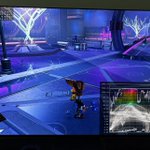
It's a RenoDX HDR mod for Ratchet & Clank Rift Apart.
I really like the graphics in this game on PC. But unfortunately peak brightness is capped at only 1200 nits max output. The mod removes this cap.
The games own HDR is very good. But HDR does not look the same as SDR, so I also have a preset for that in my mod.
The mod adds the usual RenoDX sliders for game brightness (paper white) etc and some extra sliders for bloom etc.
I have tried to make the mod in accordance with the RenoDX guidelines or reguirements. That made the project take a lot more time. But it was fun to learn.
The knowledge I gained about analysing shader code, I have already used in analysing HDR in the new updated HDR for Cyberpunk. It also made it possible for me to calculate the paper white etc. the game actually outputs at different settings on the sliders (see my tables in my HDR analysis for Cyberpunk on PC and PS5).
I have no prior experience with shader code or working with game engines. I'm not a game developer. I'm working as an accountant / auditor. But I do have all my experience with analysing HDR and I work a lot with AI assistants.
I use Claude AI to assist me will all the coding, looking through shaders (to see how HDR is implemented) and doing a lot of calculations about the games HDR output. It's all very cool stuff.
nexusmods.com/ratchetandclan…

I have posted a separate HDR analysis and setup guide for PS5 on my website for Cyberpunk. See link in next post.
HDR is significantly changed in the big update we got yesterday.
Its pretty bad. HDR looks awful and washed out at default settings (1.0 on the brightness slider).
We can get it to look decent using my recommended settings. But the introduction of one slider that adjusts everything, is a really bad idea.
On PC, we at least have a peak brightness slider. That PS5 does not have, and PS5s HDR system settings does nothing to the games HDR.
There are some improvements to the HDR implementation, so it's not all bad.
CD Project Red simply don't know how to implement HDR. Thats clear after the very bad HDR in Witcher 3 Remaster and this update for Cyberpunk 2077.


Cyberpunk 2077 got a big update today and it significantly changed the HDR implementation.
See my new/updated HDR analysis and setup guide on my website. Link in next post.
I found more potential issues on PS5 than I initial saw, so I deleted a post I did earlier. I will make a separate analysis/guide for PS5 when I have had time to look further into it.
My analysis is therefore only for PC, where I did the main analysis work.
I think HDR can look pretty good on PC, if you know how to set it up properly. But the default settings look really bad, and that is unfortunately what most is going to use.
You can't setup HDR properly without HDR analysis tools, and that should of course not be needed.
I don't know why its so difficult for CD Project Red to implement HDR properly. We just got a very bad HDR implementation in Witcher 3 Remaster and now we get this updated HDR in Cyberpunk that has a very un-intuitive HDR setup and output, with very bad default settings.

I had a quick look at HDR in Call Of Duty Modern Warfare 4. I only tried the compaign.
HDR looks great, with impactful highlights, great black levels and use of HDR colours (wide colour gamut).
The HDR setup screen is still broken, just like it was in the beta.
The setup screen outputs less brightness than the game does in-game. So you end up setting peak brightness too high.
This is the games actual peak brightness output at different values on the slider (unchanged from the beta):
0.82 = 2500 nits
0.80 = 2000 nits
0.77 = 1500 nits
0.75 = 1300 nits
0.73 = 1000 nits
0.70 = 800 nits
0.65 = 500 nits
In the many first scenes in dark areas there are not many detail in the shadows. I like that, but I imagine you would need to play those scenes on an OLED in a dark room, to see all the detail in shadows.
I will do a proper HDR analysis and setup guide when I have played the game more.
A small update to the HDR in Gears Of War E-day.
An patch/update changed the values on the HDR Min Nits slider. That's all it did.
It changed the name of the values on the slider from -6.0, -5.5, -5.0......to 0.00, 0.10, 0.20......New default is 0.20 and that is the same as the old default of -5.0.
Why did they not update the HDR Mid Point and UI slider with better naming and defaults, while they where at it. Makes no sense. They can't be reading my HDR analysis. Thats for sure😅
I have updated my HDR analysis and setup guide to reflect this. It's one of the great things about moving my analysis from X to a website. I can now edit them.
hdrgameanalysis.com/gears-of…

HDR analysis and setup guide for Ace Combat 8 is up on my website. See link in next post.
It's a bad HDR implementation that will look good for many, if they can set it up correctly.
- Un-intuitive to setup HDR sliders, because there is no indication on the HDR sliders what the game outputs in nits, so you need HDR waveform analysis tools, like I use, to set it up precisely.
- HDR is capped at only 1000 nits, so it will not utilize higher nits displays.
- The HDR brightness slider effects both peak brightness and paper white (mid tones), so you can't setup paper white (mid tones) and peak brightness independently. When you can't do that then you risk losing one or the other, or a bit of both.
- There is no roll-off near the peak brightness cut-off, so highlight detail is not preserved as we increase the HDR Brightness slider.
- UI brightness seams to be all over the place depending if you are in-game, in the menu or in those fighter plane equipment setup scenes. And it's brightness are way to high at default settings on the slider.
See HDR setup recommendations in the post on my website.
Link to HDR analysis and setup guide.
hdrgameanalysis.com/ace-comb…

Hi, I have improved your own HDR implementation. Look at the mod on my website, if interested.
@CDPRED_Support
@Marcin360
@PaweSasko
I have uploaded a new demonstration RenoDX HDR mod on my website for Witcher 3 Remaster.
It's an experimental demonstration mod that shows its easy to improve the games own HDR implementation.
If a guy from accounting (me😊) can do it in a day or two, then a big developer like CD Project Red can also do it, of course.
It also has an inverse tone mapping solution (A+B) used to compare too. They could also easily implement that.
The developer should of course implement a true native HDR implementation instead, as this amazing game deserves. But until than my fixes can improve the existing in-game HDR implementation.
It improves the most important issues I showed in my HDR game analysis.
WHAT IT IMPROVES
- Raised black levels we see in some regions.
- Mid-tones that are far too bright: brought down.
- Surfaces just above paper white, such as hay, walls and white flowers, pushed toward peak brightness: they are no longer pushed up, so the image looks natural again.
My Youtube video showes the mod in action compared to the games own HDR. The video does not show the inverse tone mapping solution. It basically look the same at my default settings (video is in HDR, when Youtube has processed it).
PC gamers should not use this mod for gaming. Use the official RenoDX HDR mod instead, that has a proper native HDR implementation.
HOW
All changes are made inside the game's own HDR, in its own shaders, using the game's own
settings. No new tone mapping is added.
The game first makes a normal SDR image. Its last step then turns that SDR image into HDR:
The mod changes three things in it:
- Paper white: the game multiplies the paper white slider by 1.5 internally. The mod removes this, which brings the too-bright mid-tones down.
- Brightening: the game starts brightening far below white, and uses the same fixed values in every region, weather and time of day. That is why hay, walls and white flowers are pushed toward peak in some scenes. In the mod it starts just below white and adapts to each region, so only what really is brighter than white, such as the sky, fire and the sun, gets brighter.
- Black: the bottom of the game's tone curve lifts black, by a different amount in each region. The mod calculates that lift from the curve's own settings and removes it.
OPTIONS
- Game HDR +: The game's own HDR with the changes above. Two sliders set where the brightening starts and how fast it reaches full brightness.
- RVT A / B: Two reverse tone mappers, for comparison. Hover over the buttons for the full names.
- Black level fix: 0-100%, default 100%.
- "Game as it is" / "Game with the change" (or F8 switches between the untouched game and the mod).
youtu.be/hE6fzqSnv7Q?si=IbsR…

I have uploaded a new demonstration RenoDX HDR mod on my website for Witcher 3 Remaster.
It's an experimental demonstration mod that shows its easy to improve the games own HDR implementation.
If a guy from accounting (me😊) can do it in a day or two, then a big developer like CD Project Red can also do it, of course.
It also has an inverse tone mapping solution (A+B) used to compare too. They could also easily implement that.
The developer should of course implement a true native HDR implementation instead, as this amazing game deserves. But until than my fixes can improve the existing in-game HDR implementation.
It improves the most important issues I showed in my HDR game analysis.
WHAT IT IMPROVES
- Raised black levels we see in some regions.
- Mid-tones that are far too bright: brought down.
- Surfaces just above paper white, such as hay, walls and white flowers, pushed toward peak brightness: they are no longer pushed up, so the image looks natural again.
My Youtube video showes the mod in action compared to the games own HDR. The video does not show the inverse tone mapping solution. It basically look the same at my default settings (video is in HDR, when Youtube has processed it).
PC gamers should not use this mod for gaming. Use the official RenoDX HDR mod instead, that has a proper native HDR implementation.
HOW
All changes are made inside the game's own HDR, in its own shaders, using the game's own
settings. No new tone mapping is added.
The game first makes a normal SDR image. Its last step then turns that SDR image into HDR:
The mod changes three things in it:
- Paper white: the game multiplies the paper white slider by 1.5 internally. The mod removes this, which brings the too-bright mid-tones down.
- Brightening: the game starts brightening far below white, and uses the same fixed values in every region, weather and time of day. That is why hay, walls and white flowers are pushed toward peak in some scenes. In the mod it starts just below white and adapts to each region, so only what really is brighter than white, such as the sky, fire and the sun, gets brighter.
- Black: the bottom of the game's tone curve lifts black, by a different amount in each region. The mod calculates that lift from the curve's own settings and removes it.
OPTIONS
- Game HDR +: The game's own HDR with the changes above. Two sliders set where the brightening starts and how fast it reaches full brightness.
- RVT A / B: Two reverse tone mappers, for comparison. Hover over the buttons for the full names.
- Black level fix: 0-100%, default 100%.
- "Game as it is" / "Game with the change" (or F8 switches between the untouched game and the mod).
youtu.be/hE6fzqSnv7Q?si=IbsR…
Well, well, well.
In my analysis I complained about the useless HDR setup screen because no matter what we did, it didn't showed any detail in the bright sky. So there is nothing to adjust peak brightness against.
My mods IVT B - inverse tone mapper makes that possible.
Picture one is with in-game HDR. Picture 2 is with IVT B, that shows the Sun in the bright sky.
In the games HDR everything bright gets full boost early, at a fixed point. Sun and clouds land on the same peak. The waveform shows it: a flat band at the top in picture 1.
The reason IVT B can do it is because the SDR image is stretched up to 70% of our peak. With peak 1300, the ceiling lands at about 910 nits. Above the ceiling: the last 30% (910 to 1300 nits) is handed out by how much brighter something really is than the ceiling. We get that info from the game engine itself. When the game makes the SDR image, its tone curve shader also writes each pixel’s real scene brightness into the image’s fourth channel (alpha). Normally that channel holds transparency.


I have made my first RenoDX HDR mod. It's for Spider Man 2.
On PC the game has a gamma lift (lifted shadows and mid tones) compared to the PS5 version. Musa has made a RenoDX HDR mod that fixes this.
Spider Man 2 also has a massive black level raise at night time on both PC and PS5. And on PC the game can't output more than 1500 nits.
What my RenoDX HDR mod does:
1) It uses Musa's RenoDX mod with the gamma fix. I have tuned it from 2.35 to 2.40 gamma to better match shadows and mid tones to the PS5 Pro version. You can change it on a slider in the mod if you want too.
2) Fixes the massive black level raise at night time. The games night colour grade has a Lift setting that raises the blacks. The mod replaces the game’s colour-table shader with a copy that reduces that Lift. The mod has a slider called Night Black Fix that sets the black levels, from 0 to 100: at 100 the blacks go fully black, and the default 50 leaves about 0.01 nits so shadow detail stays visible. I set default to 50.
3) Fixes the peak brightness cap at 1500 nits. You can now get up to 4000 nits peak brightness on a slider. It uses the tone mapper "exponential roll off" that is also used in the Red Dead Redemption 2 RenoDX HDR mod.
4) Adds the standard sliders from the RenoDX HDR mod frame work for peak brightness, paper white (game brightness) etc.
I hope I have credited everyone correctly in the mods front page. I will test it a bit more over the next days and then I will see if I can get it published some where.
This video shows my mod in action. Look at the massive black level raise it fixes at night time. Night time look so much better now. And see how the mod changes peak brightess above 1500 nits and changes paper white / game brightness.
(It's in SDR until Youtube finishes rendering it in HDR).
youtu.be/_u_ipgQprSE?si=jLxl…

I think I can call myself RenoDX HDR Modder now.
I just uploaded my second RenoDX HDR mod on my website.
This is for Ratchet & Clank Rift Apart.
I can’t see any official Reno mods else where for R&C, so I might be the first with a mod for this game.
What the mod does:
- removes the games 1200 nits peak brightness cap.
- adds a cool dual paper white slider
- add sliders for UI etc.
I updated my Spider-man 2 mod so it does the same.
My Spider-man 2 mod also:
- Fixes the black level raise at nighttime
- Fixes the gamma raise (Musa’s mod)
Dual Paper White slider:
Both games raise paper white as we increase the peak brightness slider.
I have made a grayed out slider that shows what paper white the game outputs. A second slider can adjust that paper white output. I never seen that before.


HDR analysis and "setup guide" for Witcher 3 Remaster is uploaded on my website. See link in next post.
My analysis are after the latest patch from October 8 2026.
I don't like the HDR implementation. It looks very unnatural to me with loss of detail and color in highlights, signficant black level raises in some areas and secondary highlights are way to bright.
Mid tones also look way to bright at default settings.
We can only try and undo this damage by significantly lowering brightness at the expense of peak brightness output, unfortunately.
PC gamers have more luck. They can use the great looking RenoDX HDR mod. In the Youtube video I compare RenoDX to in-game HDR.
youtu.be/bsk93frXxPI?si=wzLu…

