

Maker of Remote Browser. Spin up a single-use, collaborative Chrome or Firefox in the cloud. Co-browse and co-control any website instantly with anyone
Chestnut Hill, MA, US, 02467
Joined March 2019
- Tweets268
- Following170
- Followers531
- Likes256




RemoteHQ retweeted

@waikit and @HQRemote, congrats on the @ProductHunt last week. This browser session embedding feature is powerful, and I can think of ways to use it. I talked about the potential of this here: youtu.be/vo016mYdv7I?t=346
Our Remote Browser Embed landed #3 on Product Hunt earlier this week. Our customers' sales and customer success teams are seeing upticks in sales conversion and retention by using our embed to enable one-click, no-download co-browsing with customers.
producthunt.com/posts/remote…

You can now embed a Remote Browser in your app, to make co-browsing a feature in your app. We just launched this on Product Hunt today. Please check it out. If you like it, give us an upvote!
producthunt.com/posts/remote…
Are you hosting a session with a lot of guests and want to reduce distractions? With global permissions you can toggle both drawing annotations & guests' cursors with a flick of a switch.
tinyurl.com/28c2zstt

Did you know that you can embed our Remote Browser inside your own application?
On top of that, you can now select which particular guest should be able to control it. No more chaos, regardless of how you decide to use the Remote Browser!
👉 tinyurl.com/2zo247u9

Did you know you can draw annotations over Remote Browser and screen share in RemoteHQ? Plus, when you snapshot a tile - all annotations will be saved together with the content of the tile into your session log for later access. Perfect for teaching!
👉 tinyurl.com/28c2zstt

RemoteHQ retweeted

We launched RemoteHQ 2.0 on Product Hunt today. Over the past year, we found that one particular function was a game-changer for our customers - our collaborative Remote Browser.
Check it out here - producthunt.com/
If you like what you see, give us some upvote ❤️.
RemoteHQ for Zoom is live! Meetings on @Zoom just got a whole lot more collaborative. Participants can now seamlessly co-browse and co-control any website with others.
remotehq.com/blog/remotehq-f…

Ever wanted to have all participants to see exactly what you see during a meeting?
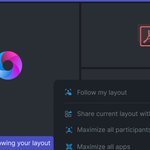
In RemoteHQ you can share your layout and have other participants follow it! Whenever you reorganize tiles - you can be sure everyone will see what you see 😎
remotehq.com/blog/march-2022…

If you’re a teacher or have calls with a group of guests, you probably already had to use our “mute participant” feature. Now apart from the ability to mute them, we also allow you to unmute them, but only if you initiated it! tinyurl.com/ycfffgen
#remotework #classroom

Is your company using Intercom already? With our integration you can start a Remote Browser from within the Intercom Chat and have your customer join with a single click. It’s the fastest way of giving a demo of your product or troubleshooting issues.
remotehq.com/integrations/in…

Worried about showing sensitive data in the Remote Browser to others (e.g. when logging in)? Now you can toggle privacy mode on, it will hide the browser content from everyone else. Browse safely and securely without the watchful eyes of your participants👉buff.ly/36IIImU

This guide will explain what co-browsing is, why it matters, and how it can help you with remote work, remote sales demo, remote support and remote training.
remotehq.com/cobrowsing
We are super thrilled be part of @Webex's ecosystem as an app partner. You can now launch RemoteHQ's Remote Browser from within Webex. Instantly co-browse and co-control any website or web application, with no download. Great for team collaboration, sales, support, training, etc.

BIG news! 📢 Starting today, we are thrilled to announce that over 60+ partner integrations are coming to @Webex to help you unlock frictionless collaboration right inside meetings and messaging.