

Omarchy M team. Making Apple Silicon fast under Linux: MLX, Mesa GPU, Neural Engine. Shipped an iPhone app with no Mac. Building Remnic.
Dallas, Texas
Joined May 2011
- Tweets16.2K
- Following6.3K
- Followers8.6K
- Likes12.2K




Pinned Tweet
Apple locks fast local AI to macOS with Metal.
I picked the lock.
metal2vk translates Metal GPU code to Vulkan, unchanged.
598 of 610 real programs from @trymirai's uzu and @ashxhart's TensorFold so far.
Engines built for Macs now run on Linux.
github.com/joshuaswarren/met…

Thanks to the excitement about my local AI and Omarchy Linux on Apple Silicon work, I am approaching the impressions to join the content rewards program which would help fund my tokens.
Y’all often ask how you can support my work - please encourage folks to follow and reply.

Snapintosh, I love it!
As someone who has owned a lot of Macs over the years but also more than a few Hackintosh setups, this is so exciting to see this level of choice in hardware and OS!

Alright folks github.com/Acelogic/Snapinto… here it is, have fun. Expect for this to be very rough, you may have to point some agents at it. Working on de-slopifying the codebase and making it more adaptable. But hey Hackintosh Lives 🥳

Tom has been pouring so much time and effort into this, I love seeing Linux coming up on so many devices. Great work!

LINUX. ON. THE. IPAD. 🐧🔥
After evenings of DFU retries, my iPad mini 4 is running native ARM64 Linux. Both A8 cores online. Live root shell.
Huge thanks to @henrikklee for sharing guidance from his iPad 6 work.
Next stop: Omarchy.

Good summary of the state of running Omarchy on Apple Silicon, although my M6 post later today will be a pretty big jump forward from this point.

M1/M2 have the strongest support (installers, GPU, external displays, Touch ID). M3 is close to daily-driver level.
M4 is experimental: native boots on Airs and some Minis with GPU/Wi-Fi/audio working for early users, but not polished or official yet.
M5 has targeted driver work (N1 Wi-Fi/BT) underway.
M6 just reached installed/bootable on Mini (Day 5), still software-rendered with Ethernet/GPU pending. Team is advancing all chips in parallel.
Linux on the M6 Mac Mini, Day 5 - success!
Omarchy is installed on the Mac Mini's hard drive. It boots, it runs.
Still bringing up accessories, including Ethernet and GPU, so my work's not done, but 5 days from the macOS About screen to the Omarchy About screen isn't bad!

Many of us have more compute for local AI than we realize.
My goal is to unlock AI compute you already have - old GPUs, an older Apple Silicon laptop you no longer use, or if you're lucky and have a DGX Spark, that too.
Interesting experiments coming in the lab. Stay tuned!
Linux on the M6 Mac Mini, Day 4:
HDMI works, and the Linux kernel boots.
My agents have to reconfigure or in some cases build from scratch every driver because of the updates Apple has made with the M6.
Next - getting the storage drivers properly binding to the hardware.

Day 3 of Linux on the M6 Mac mini: the display coprocessor now opens its DisplayPort services and powers the PHY without crashing. HDMI still reports "no sink", though, so the monitor isn't detected yet. Next suspect is how the SMC powers the HDMI converter. Pixels soon.
"No one ever drifted to a destination they would have chosen." - @MichaelHyatt
What Michael taught me about work, life and planning combined with @dhh's example of what is possible with AI agents, positive thinking and community has changed my life over the past few months.

Excited to see a harness built for macOS and Apple Silicon add support for Omarchy through my Omarchy-MLX work!

darkmux 5.3.0: run your own AI fleet across your Macs and Linux.
New: Omarchy support on Apple Silicon via MLX, a live prompt-progress bar, and fleet cards that show every machine generating in real time.
darkmux.com

M6 Linux update:
Installed a bootloader, got the USB debug console working.
It runs the second-stage loader, and the Linux kernel and initramfs are loaded into RAM.
Next up is the U-Boot handoff and a Linux shell. Then HDMI and an Omarchy desktop, followed by ANE and GPU.
Joshua Warren retweeted

I'm building a setup that allows us to connect volunteer systems remotely and securely for testing the new kernels so we can push forward support for newer models.
We have our own Linux kernel for Apple Silicon covering M1, M2, M3 and MacBook Neo machines now for @omarchy with external monitors, thunderbolt docks, Touch ID.
M4, M5 and M6 coming soon.
And yes, we are having a blast on the @OmarchyMac team building this together!

The Mac mini M6's Neural Engine is a new target for Omarchy: H18G. Two 16-core engines, and iBoot loads their firmware before macOS starts.
I compiled the first H18G program on it today. Our open M1 tooling splits the binary into two clean tasks.
Omarchy bring-up starts now.

Qwen3.6-35B-A3B decode: 69.4 vs 75.6 tokens/s. 92% of the Max's performance with only 42.5% of the bandwidth.
27B dense decode: 9.6 vs 19.5. That's the wall. The M6 reads about 154 GB/s, and dense decode uses about 90% of it.
That's all on macOS. Today I'm bringing up Omarchy on it.
It's all open source: github.com/joshuaswarren/oma…

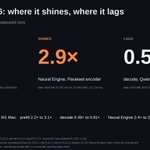
Everyone says local AI speed on a Mac comes down to memory bandwidth and GPU cores.
I put the Mac mini M6 up against my M1 Max. The M1 Max has 2.67x the GPU cores and 2.35x the memory bandwidth. But the M6 has speed.
Prefill: the M6 is 3.1x faster. 1,046 vs 339 tokens/s.

It begins - my agents are diving in to this M6 Mac Mini to bring it up under Omarchy Linux as quickly as possible.
Let's see how long it takes us to get from macOS About screen to Omarchy About screen.
They're pulling some benchmarks first to see how it performs for local AI.

My M6 Mac Mini was just delivered. Going to get some sleep, but then it’s a speedrun to see just how quickly I can get the new Apple Neural Engine in the M6 up and running under @Omarchy Linux. Stay tuned - going to do some fun stuff with open source AI with this machine!
Meta and Apple showed Muse Spark Open on new M5 Mac Studios.
I ran all 816B parameters (2-bit) on gear I had: 3 old M1/M2 laptops on @omarchy + a 2022 Mac Studio on macOS.
No $40K cluster needed
omarchy-cluster runs big models on whatever you own: github.com/joshuaswarren/oma…


Muse Spark Open -- weights releasing today -- runs great on new Mac Studios thanks to work with @johnternus and Apple.
