

Retired software developer. Find my free games here. https://nitter.gq/t.co/914tXfwG1b Photographer: https://nitter.gq/t.co/WsrTn8ioZK
Cleveland
Joined November 2022
- Tweets10.3K
- Following192
- Followers661
- Likes2.3K
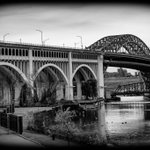


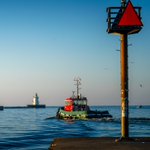


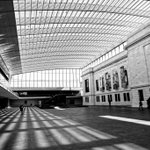


#patdooleyphotography: Photo Challenge #12 - A collective noun of herbivores.
en.wiktionary.org/wiki/Appen…
This is an obstinacy of bison. Who knew?

3
18
#patdooleyphotography: Finally put together a SmugMug album from my Yellowstone trip.
patdooley.smugmug.com/Yellow…

3
17
My wife is particular about her bread - it has to be Italian deli white with zero food value. We ran out, and the brand she likes is getting harder to find, so I asked Grok for a recipe. It came out way beyond our expectations. Recipe link in comments. #italianbread #grokrecipe


3
3
54


#patdooleyphotography: Photo Challenge #9: Post the same photograph before and after you processed it. It may as simple as a crop or an exposure change or it could be a more complicated example. Here's my example - bumping up exposure had a dramatic impact.


1
1
36
Photo challenge #8: Post an image you took with a Halloween theme.
I'm posting before and after images of a Zombie meatloaf I prepared for our guests.


2
58
#patdooleyphotography: Photo challenge #8: Post an image you took with your first digital camera. Mine was a Canon PowerShot S400 and I took this photo in 2004.

1
2
43


And, just to get some momentum going. Challenge #2:
Mother mammal (excluding humans) with offspring.

5
27
I'm going to start posting my own photo challenges since so many of them are repetitive - a bridge, a waterfall, a color - which is great for a while. I'd like to try more specific challenges. So, to start, here is #1.
Bird of prey in flight. Bonus if bird has prey.

1
3
26
Off to Yellowstone for 6 days. Hope to get some nice photos of the fauna without getting trampled, butted, gored, tossed, bitten or eaten. Going to avoid the outdoor hot baths and showers.
2
7
134
I installed a 16GB GEForce 5070TI graphics card into my Dell XPS 8960. This was not a trivial task, as it turned out. I needed to upgrade the power supply (PSU) from 450W to 1350W to support the 5070. I was ready to install and I discovered I only had two 8 pin power connectors on the PSU and the 5070 needed three. Luckily, the PSU also had two 6 pin power connectors so I got a 6 to 8 pin converter on Amazon. 24 hours lost.
The next step was to fit the 5070 into the Dell chassis. Did I mention the 5070 was huge and too big to fit? After removing the back fan on the chassis, I almost had enough space but I seemed to be short by 2mm. After about an hour, I found the right angle to get the back pins of the 5070 into the PCI slot. With more brute force than was wise, I got it to seat properly. It took up three slots on the back of the chassis where the old card only used one, and the clip that held down the slots came off and couldn't be put back.
I close up the case, return the PC to my desk and try to plug it in. The plug is completely different from the usual PC power cord plug. I wondered if I'd gotten a PSU designed for some foreign country and I shouldn't have bought it on eBay. But no, the PSU needed a C-19 higher-amperage wall cable. I found one on Amazon. Another 24 hours lost.
I had a couple of power strips of unknown vintage, so I decided to get a heavy duty power strip. I got a CCCEI 12 Gauge Heavy Duty Power Strip on Amazon along with the C-19 cable. I plugged everything in and my UPS emitted a most obnoxious continuous beep and cut off the power. It is rated at 1500Va so figured either the computer or the power strip was the issue. It turns out the UPS and the power strip were incompatible, so the power strip went back to Amazon. I plugged the computer directly into the UPS to take some load off the old power strips and turned on the PC.
It came up so I installed the 5070 drivers and restarted, ready for the big test. I opened Photoshop and loaded a 68mpx RAW image and selected AI Denoise in Camera RAW. I got the usual dialog box estimating that it would take 6 minutes to denoise the image. That's what it estimated with the old graphics card and I was ready to scream and the denoise finished. It took 7 seconds. Camera RAW had lied.
Was it worth it? Yep. I can get usable photos shot at insane ISO settings without having to get coffee and a snack between photos. This example taken at a night baseball game at ISO 16,000 came out clean. I used a shutter speed of 1/3500 sec to catch the ball and bat without blurring. The after and before crops show how well the denoise worked.
Lesson learned: Check amperage. connections and dimensions before buying upgrades to computers.


3
238
