

Run your business on AI agents. Connect your tools, automate work 24x7, and share agents across your whole company.
San Francisco, CA
Joined June 2025
- Tweets365
- Following0
- Followers3.3K
- Likes499





Here's the full walkthrough, with the exact step-by-step setup and a prompt you can copy:
tasklet.ai/use-cases/daily-b…
While you're there, feel free to browse more use cases you can set up the same way.

Tasklet retweeted

I've had a lot of fun adding some media (speech, music, video) generation and editing to @TaskletAI recently.
We shared these as a team recently and shared a laugh - you can give it a listen too!

For my two agents!
Rockbot (for personal): tasklet.ai/share/pfs_0drmshv…
Woodbot (for work): tasklet.ai/share/pfs_0xm4tey…
Tasklet retweeted

how i order lunch these days:
"pick something tasty that's not super messy"
Our office Tasklet agent sends the group order in Slack and handles the rest 🍲

Tasklet retweeted

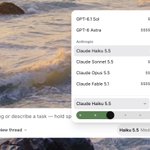
Tasklet is a model-agnostic harness that gives you the best value per dollar across Anthropic / OpenAI / Google / xAI / etc.
Now we automatically route tasks to the most effective model for you.
This includes cross-model delegation for subagents. For example, the auto-router might pick Claude Opus 5.5 for the main agent but delegate work to GLM 5.3, GPT 6.1 Sol, and Gemini 4 Argon under the hood where it makes sense.

Tasklet retweeted

Love not having to worry about whether I am using the right model for the task!
4/
We keep tuning Auto mode as new models launch, so you can focus on getting work done instead of tracking who's winning the AI race this week.
New agents use Auto mode by default, and you can still pick a specific model anytime.
See how it works →
tasklet.ai/blog/2026-10-20-a…

3/
Moving quick? Go Ultrafast.
Auto mode picks the model, you pick the speed.
Choose Ultrafast when you want to stay in flow and the work can't wait. It uses about 6x the credits, so Auto mode never turns it on for you. You decide when speed is worth it.
2/
Customers kept asking which model to use for what, and every new release started a debate on our own team too.
So we built a routing framework from our own testing. A fast, lightweight model (Jev) applies it to every message.
tasklet.ai/blog/2026-10-20-a…

Saved logins are encrypted and only filled on the matching site. Within a shared agent, everyone using it can use them, so only add the business accounts you're comfortable sharing.
Save the login once. Let your agent take it from there.
Read the blog:
tasklet.ai/blog/2026-10-16-b…

3. Give your agent a 1Password vault
Instead of saving logins one at a time, give your agent a dedicated vault with the credentials it needs.
You keep managing them in @1Password and anything you add later is available to your agent automatically.

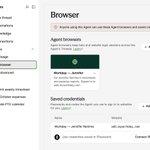
2. Agent browsers
Once your agent signs in to a site, it stays signed in across all its threads, so new threads and recurring tasks can pick up and re-use the same session.
Extra sign-in checks only happen once. If the session ends, a saved login signs your agent back in.

1. Securely save browser logins
Ask your agent to sign in, choose “Save it to this Agent,” and enter your credentials in a secure form. Your agent can then sign back in from any of its threads.
Authenticator codes work too. Your passwords never reach the AI model.
Your agent used to get halfway through a browser task, hit a login screen, and wait for you.
Not anymore. Securely save a login once in Tasklet, your agent can sign itself back in and keep going.
Three features we added to fix this: 🧵
tasklet.ai/blog/2026-10-16-b…
