Canva for Maps. Everyone can make good maps.
🗺 + 📝 + 🎨 =
Joined February 2020
- Tweets420
- Following31
- Followers734
- Likes1.4K


Pinned Tweet
Tasmap is the Canva of Maps. Our goal is to enable anyone, even without any engineering or design background, to create beautiful, professional maps.
Current map tools generally fall into two categories: very basic tools that just add descriptions to locations, and professional, complex GIS software. We are building the third kind: a tool that is simple to use but produces professional-grade results.
Tasmap is not just a map for marking locations; it is a vehicle. Your knowledge, the information, and insights - as long as it needs to be expressed through a map, Tasmap can do it, and do it better than anyone else. The core of Tasmap is "Map + Content + Design." Connect your content to locations, add the right design. That's it.
An even bigger difference is that Tasmap can also become an App. You no longer need to develop an app just for a map, because every map can function like a standalone app. Of course, you can also embed it directly into your website or Notion notes.
Tasmap is not an app like Google Maps used for navigation or searching for restaurants; it is a tool for building maps. We use OpenStreetMap as our map source, host our own map servers, and build on open-source software rather than the Google Maps SDK. Our revenue comes from the value of the tool itself, not from your (or your users') data. Therefore, you can have a map with no ads, no algorithms, no tracking, and no privacy collection. Just like what you and your users deserved in the first place.
Yes, you should have been able to simply build a professional map by yourself, just like slides, documents, designs, spreadsheets, notes, or even websites. Tasmap fills in that missing piece - maps.
Tasmap is a simple, powerful map tool that enables you to build a polished, professional map.
tasmap.app

🌟 Search, Areas, and Lots of Updates!
1. Location search now supports area and path. When you search names like "Mississippi River," or "DisneySea Park," the corresponding regional geometry boundaries load directly.
2. Search results now automatically match existing map element styles. For example, restaurants in the results list match the restaurant marker, and cafés match the coffee marker.
3. Area boundary simplification. Complex Areas are automatically simplified to 300 vertices or fewer on import, saving storage space. Take Tokyo, for example: 1,800 vertices simplified with less than 1.5% area error, while saving over 95% of storage.
4. Simplified boundary editing. When you click on a complex Area, showing 300 vertices at once makes no sense—it's simply not editable. So we use an algorithm to simplify the editable points, preserving editability while browsing the overview, and still letting you edit details after zooming in.
5. Popovers no longer block map gestures. Now you can zoom and drag the map normally while choosing a map style or editing map elements.
6. Version history and article associations. We fixed some race-condition bugs in the undo/redo history stack, and fixed association updates in articles. When a map element disappears by any means, the article's associations stay in sync.
Give it a try! We'd love to hear any thoughts you have.
#30DayMapChallenge Day 6, Vintage.
Historic Architecture of New York City with Vintage style.
Tasmap isn't just a pretty map, it tells stories. You can embed articles, images, rich media, and even social media feeds to create interactive experiences that bring the map to life, and publish anywhere.
Live demo in the thread:
#30DayMapChallenge Day 6, Vintage
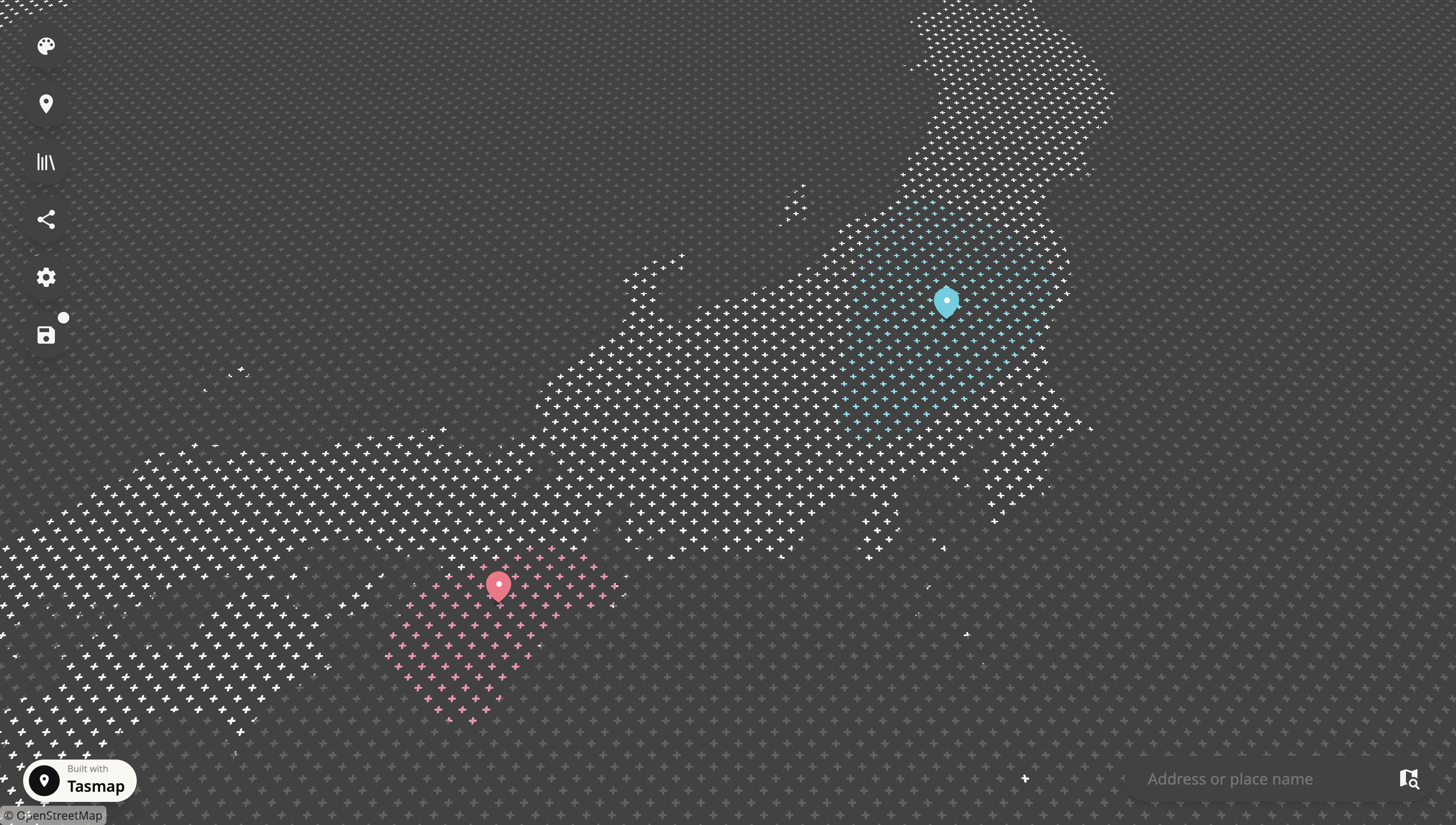
A vintage map of Japan rendered in a Ukiyo-e color palette. It features three distinct textures paired with deep azure and beige tones, with cutout road networks that elevate visual depth. This is more than just a demo, maps created with Tasmap can be actively used, shared, embedded, and printed. You don't need any specialized expertise to craft a map like this.
Making process video in thread:
Make it within 3 mins.
nitter.gq/TasmapApp/status/21153…

1
31
💖 Pricing Update
Yes, as mentioned during our summer product update, we are raising our prices.
(1/7)
tasmap.app/blog/pricing-upda…

We like to keep things simple so you do not have to spend too much time staring at our pricing page. The new pricing is straightforward: a free tier, a single subscription tier, and addon packs. The free tier lets you craft a complete, high quality map. The paid tier includes advanced commercial features such as custom branding and team collaboration, along with higher usage allowances. Check the new pricing here:
(6/7)
tasmap.app/pricing

1
1
25

🌻 This monthly update is a bit late because there was just so much to cover. Take a look at what changed!
tasmap.app/blog/simple-and-p…