

Self-custodial wallet for tokenized RWAs on @RobinhoodApp $TERA: 0x3c12e57fa7817a86ce7c254db9ea5fe639e233f8
Joined September 2026
- Tweets298
- Following3
- Followers535
- Likes54








Pinned Tweet
The Tera Wallet iOS TestFlight is now live.
Early testers can download the TestFlight app from the App Store, then use the link below to install Tera Wallet and begin testing the next stage of the experience.
Your feedback will help us refine the app before the wider launch.
Join the early testing group:
testflight.apple.com/join/Av…
Tera is building. iOS is now part of the journey.

Every standing balance in Tera Home, your token list, watchlist, P&L already covers itself when Privacy mode is on. Staking's own position list didn't: staked amounts, claimable rewards, locked positions, recent payouts.
Now it does, the same as everywhere else. Still shown in full wherever you're actually signing something claiming or unstaking needs the real number.
github.com/TeraWalletRH/Tera…

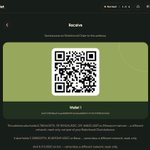
Tera's bridge sends to three networks: Base, Solana, and Arc Circle's USDC-settlement chain. The Receive screen's glance at your address elsewhere now checks all three EVM ones it can: Ethereum mainnet, Base, and now Arc.
Read-only, never priced, never counted in your Robinhood Chain total. Three real places your address may already have a footprint, not one.
github.com/TeraWalletRH/Tera…

Tera's tax-ready CSV export (Koinly, CoinTracker) had a landmine: if a transaction's real fee was ever missing, the code could silently fill it in with a hardcoded placeholder instead of leaving it blank.
It wasn't live in practice nothing in the app was triggering it but a guessed number has no place in a file meant for your taxes. An unrecorded fee now stays blank, never invented.
github.com/TeraWalletRH/Tera…

Tera's bridge has always sent your ETH and USDG to Base. The Receive screen's glance at your address on other networks now checks what's already there too not a random chain, the exact one you've already been bridging to.
Read-only, never priced, never counted in your Robinhood Chain total. Same idea as the Ethereum mainnet glance, one more place your address has probably already been.
github.com/TeraWalletRH/Tera…

If you'd turned on "No market data," or a collection's price quote just hadn't loaded yet, the NFT gallery hid your existing floor alerts along with it, no way to see or remove one from that screen, even though the alert itself kept working in the background.
Removing an alert doesn't need a live price. It no longer waits for one.
github.com/TeraWalletRH/Tera…

The Receive screen's glance at your address on Ethereum mainnet wasn't just native ETH, it now also checks USDC and USDT, the two stablecoins you were most likely already holding there.
Still read-only, still never priced, still never counted in your Robinhood Chain total. Just the fuller picture of what that same address already holds.
github.com/TeraWalletRH/Tera…

Tera's website now has a sitemap
Every public page on terawallet.app is listed for search engines automatically: new pages appear the day they ship, removed ones drop out. Private pages like the admin console and the dashboard are left off.
github.com/TeraWalletRH/Tera…

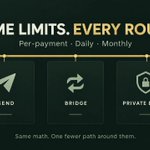
Your per-payment, daily and monthly spending limits already capped what a send could move. They now cap the bridge and the private bridge the same way.
Same limits, same math, one fewer path around them.
github.com/TeraWalletRH/Tera…

Trusted only mode restricts your wallet to sending to saved contacts only. It's been doing that for your main send, scheduled payments and Tera Go.
It now does the same for private sends, bridging, private bridging, NFT transfers and Spend dollars every path that can move something out of your wallet, not just the obvious one.
One setting, no exceptions.
github.com/TeraWalletRH/Tera…

Your Tera wallet's address isn't only a Robinhood Chain address, it's a valid Ethereum address everywhere. If you've used it on mainnet before, the Receive screen now shows what it holds there.
Read-only, never priced, never counted in your Robinhood Chain total. Just a glance at what the same address already has, so Tera doesn't quietly pretend that history isn't yours.
github.com/TeraWalletRH/Tera…

Ledger support is here in Tera for Chrome.
Plug in your Ledger, open the Ethereum app, and pick your account. Your keys never leave the device.
- Sends, swaps, staking and site signatures are all approved on your Ledger
- Tera checks every signature matches your wallet before using it
- Clear messages if something's off: rejected, app not open, locked, or Blind signing needed
- Works with Ledger Live and standard account paths
Hold tokenized stocks on @RobinhoodChain with hardware-wallet security.
github.com/TeraWalletRH/Tera…

Tera Wallet iOS version has been submitted for AppStore review!
We’re one step closer to bringing Tera Wallet to iOS.
Thanks for being part of the journey

Happy weekend, Tera community!
Wishing you a relaxing weekend and a chance to recharge. Thanks for being part of the Tera community.
What are your plans for the weekend?

Tera for Chrome got a glow-up
Pick your look: System, Light, Dark, or Black (true black, perfect for OLED screens
Plus:
- Buttons in Tera's signature gold-to-copper gradient
- The same typeface as the Tera app
- Icons on Send, Receive, Swap and Stake
- Softer cards, smoother inputs, a live network dot
Change it anytime in Settings → Appearance, or choose it at the end of setup.
github.com/TeraWalletRH/Tera…

Tera for Chrome can now create a brand new wallet
Tap "Create a new wallet" and Tera opens in a new tab. Write down your 12 words, check them, then tap "Send to Tera for Chrome".
Your new wallet goes straight back to the extension. Set a password and you're in. No typing your phrase twice.
How it stays safe:
- It's encrypted to a one-time key only your extension holds
- Only terawallet.app can hand it over
- Tera's servers never see it, and the website keeps nothing
github.com/TeraWalletRH/Tera…

Ledger support, in the browser wallet
You've been able to pair a Ledger with Tera for Chrome. Now the web wallet at terawallet.app does it too, no extension required.
"I already have a wallet" offers Ledger alongside a recovery phrase or a private key. Connect once through Chrome's own device picker, pick an account, and confirm the address on the Ledger's own screen before it's saved.
From there every send, swap, stake and signature is approved on the device instead of a password. The key never leaves it, and every signature is checked back against your wallet's address before anything is trusted.
github.com/TeraWalletRH/Tera…

Curious what a wallet holds without ever touching its keys?
"I already have a wallet" now offers "Watch an address" right beside the recovery phrase and private key options. A watched wallet shows its balances and activity with a "Watching" badge, no password, because there's nothing to unlock.
Sites can still connect to read it, but every signature and every transaction, from a site or the popup, is refused before an approval window even opens.
Look, don't touch.
github.com/TeraWalletRH/Tera…

Tools for the treasury, not the trader
A team managing shared funds isn't looking for the same thing someone swapping their own tokens is.
The Team screen in Tera Business now lists a few allocators and risk curators confirmed on Robinhood Chain -- the kind of tools a DAO or company treasury actually reaches for. Right below your members list, same place you already check who can approve a payment.
Discovery only, same as everywhere else we do this: no relationship, no data held, no numbers shown that would misrepresent what's happening on this chain.
github.com/TeraWalletRH/Tera…

A short list of dapps worth knowing about
Not every protocol on Robinhood Chain shows up in a wallet's UI. Most of the time you have to already know what to go look for.
Discover (Settings > More) is a small, curated list of notable dapps confirmed live on Robinhood Chai- DEXs, lending, yield, bridges - filterable by category. Tap one, it opens, same as any bookmark.
It's discovery, nothing more. No numbers, no endorsement, just a name, a category and a link.
github.com/TeraWalletRH/Tera…

Floor-price alerts for your NFTs
A token has a price ticker. An NFT just sits there until you remember to check.
You can now set a floor-price alert on any NFT collection you hold, right from its page in the gallery rises above, falls below, your call. It shows up alongside your token price alerts in Settings, same list, same notification.
Floor prices come from CoinGecko's public NFT data, no key, no account, and nothing about which address holds what is ever sent to look one up.
github.com/TeraWalletRH/Tera…
