
Kinda into programming.
Allentown, Pennsylvania
Joined July 2009
- Tweets13.6K
- Following200
- Followers718
- Likes400


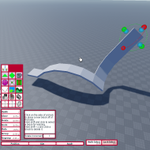



Here's a feature I've seen requested a million times without a solution: temporarily hide selection boxes.
Precision drags are pretty tricky when you have selection boxes blocking your view. With my tool, you hold f, and all selection boxes disappear until you release the key.
Alt-clicking to select parts in studio was always a feature that annoyed me. For my build tool, I have alt-click open up a pop-up that allows you to select a model instead of a part. Normal clicking just selects a part.
4
707
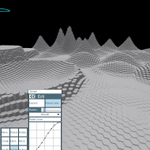
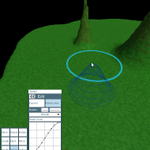
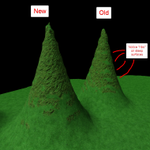
Making some progress on terrain editing with my new tool. A thing I worked on today was improving the height map -> voxel occupancy logic so as to get rid of this "ribbing" on steep surfaces.

1
41


Seems long overdue to get gap-fill into my build tool. I'm still amateurish at using it, please look past the fact that I'm picking the wrong edges. :)
Here's an exciting feature for my upcoming build tool -- a mirror tool that updates along with your model. It supports mirror-type symmetries and rotational symmetries.
Here's a feature I've often seen requested (though maybe never quite understood the value): freeform lassos!
3
48
Oh, but here's a feature I _can_ stand behind: model selection with a context menu. Press and hold on a part, and it'll bring up a context menu -- select whichever model in the hierarchy you like!
1
7
Still making progress on the build tool. Resize & rotate are now mostly there! I got distracted today making a fun animation when selecting your rotation point.
3
10
I got a move tool working like before. It mostly does what you expect -- you can drag with arrows and adjust your increment.
I made custom drag handles for it with pipes & cones, so this opens the door for things such as axis labels. Could be cool?


After about 7 years of quietly lurking... it's time for me to come back to roblox. I'm planning to rev my build tool. It's been a LONG time since it got any attention, and the platform has changed quite a bit since I first made it.
Decided to work on a more intelligent resize; here, I have a prototype part in the background. You can stamp it with different sizes & the goal is that skewing doesn't occur (a few examples in the foreground).
This is inspired by 9-slicing images.

7

