

👨🏼🎓 || CyBlack Intern || Web, Network & Wireless Security || ISC2 CC || COREN || Continuous Learner || Documenting My Journey || Kaizen 🧘🏼♂️ || #MUFC
Joined January 2014
- Tweets2.6K
- Following1.2K
- Followers1.1K
- Likes5K





Pinned Tweet
I built a honeypot, then attacked it myself - here's what I learned.
For my latest security lab, I wanted to answer a simple question: if an attacker came knocking, would I actually see it?
I set up a Cowrie SSH honeypot on an isolated virtual network, then switched hats and became the attacker; using a Kali Linux VM to run Nmap reconnaissance (service detection, OS fingerprinting, script scanning), attempt manual SSH logins, and launch an automated brute-force attack with Hydra. The entire exchange was captured live with Wireshark.
The honeypot did exactly what it was designed to do: it quietly logged the attacker's IP, every username/password combination tried, commands typed once "inside," and even full terminal session recordings. One notable detail, the structured logs showed three separate login attempts succeeding within the same second, a clear signature of automated tooling that no human could replicate manually. As a useful contrast, the real OpenSSH service running alongside the honeypot correctly rejected the same root login attempt, a small reminder of what proper hardening looks like right next to an intentionally permissive decoy.
This project was as much about documentation discipline as the technical build. I wrote up the full attack timeline, indicators of compromise, and defense recommendations in a formal incident report, and documented every step; including the mistakes I hit along the way, as a reusable, step-by-step guide so the entire lab can be rebuilt from scratch.
Deliverables: honeypot verification, complete Nmap scan output, a full packet capture, a one-page incident report, and a fully documented GitHub repo.
Honeypots are a low-risk way to study real attacker behavior and validate that detection actually works before it matters in production. Would love to hear how others are using them in their own labs.
🔗 Full project + build guide: github.com/chukwupg/cowrie-h…
#CyberSecurity #InfoSec #BlueTeam #HomeLab #NetworkSecurity #Honeypot

Day 73 - Build Log
I started working on Week 2 tasks of my DG Interns Hub internship.
The task involved installing Apache on Ubuntu and using Kali Linux to generate and capture ping, curl, and nslookup traffic in Wireshark.
I successfully captured the ping and curl traffic, but nslookup gave me a different challenge.
My VMware NAT DNS returned “recursion not available,” while my Windows host's VMnet3 adapter wasn't running a DNS service on port 53.
Instead of stopping there, I installed dnsmasq on Ubuntu and configured it to resolve ubuntu.lab to Ubuntu's IP address.
That did the trick! I was able to generate DNS queries and observe the request and response traffic in Wireshark.
This was a good reminder that troubleshooting is part of the learning process. Sometimes, getting the expected result means understanding what's happening behind the scenes, not just running the command.
One task at a time, one challenge at a time.
#Cybersecurity #Wireshark #Linux #Networking #HandsOnLearning #DGInternsHub


Day 72 - Build Log
Week 2, Task 4 (Linux Fundamentals in Kali) of my Tech Biz Security Internship is done ✅
This task was about getting comfortable in the terminal. I practised 20 core commands (ls, cd, cat, grep, find and more), created and read files, changed permissions with chmod 755, used sudo, and practiced package management using apt.
The task included completing the TryHackMe Linux Fundamentals Part 1 room which I had completed before now but revisiting the room and building on that knowledge with David Bombal YouTube video on Linux for Hackers was totally worth it.
One thing I learned: file permissions are a real security control. Reading rwx tells you immediately who can access a file, and chmod 777 is almost never the answer.
#TechBiz #EthicalHacking #Linux #Kali #CEH #CyberSecurity


Day 72 - Build Log
Week 2, Task 4 (Linux Fundamentals in Kali) of my Tech Biz Security Internship is done ✅
This task was about getting comfortable in the terminal. I practised 20 core commands (ls, cd, cat, grep, find and more), created and read files, changed permissions with chmod 755, used sudo, and practiced package management using apt.
The task included completing the TryHackMe Linux Fundamentals Part 1 room which I had completed before now but revisiting the room and building on that knowledge with David Bombal YouTube video on Linux for Hackers was totally worth it.
One thing I learned: file permissions are a real security control. Reading rwx tells you immediately who can access a file, and chmod 777 is almost never the answer.
#TechBiz #EthicalHacking #Linux #Kali #CEH #CyberSecurity
Day 71 - Buil Log
Today was a deep dive into Android application security
I started by building a full Android pentesting lab from scratch: an Android Studio emulator configured for rooting, Frida for runtime instrumentation, and jadx for decompilation, all running on an 8GB Windows laptop.
Getting the environment stable took real troubleshooting (Java version conflicts, stale PATH entries, GPU rendering crashes on the emulator), which turned out to be as instructive as the challenges themselves.
With the lab running, I worked through OWASP MASTG’s UnCrackable series:
Level 1: recovered a hidden secret through pure static analysis, decrypting an AES-protected string straight out of the decompiled APK, then confirmed it dynamically by bypassing the app’s root and debug checks at runtime with Frida.
Level 2: the verification logic had moved into a native library loaded through JNI, so Java-level decompilation alone wasn’t enough. I traced the native comparison function and cross-referenced it against the app’s own Java wrapper to recover the secret.
I’m now working through Level 4 (r2Pay), a considerably harder, CTF-grade whitebox cryptography challenge involving a simulated payment app, a hidden 4-digit master PIN, and an obfuscated master key buried in native code, with deliberate anti-emulator and anti-root tripwires built in using the RootBeer library.
Strong reminder today that in mobile security, static and dynamic analysis aren’t alternatives, they’re complementary tools, and sometimes the biggest blocker isn’t the app’s defenses but your own tooling
#AndroidSecurity #MobileAppSecurity #Frida #ReverseEngineering #CyberSecuredIndia #NYSC


Day 71 - Buil Log
Today was a deep dive into Android application security
I started by building a full Android pentesting lab from scratch: an Android Studio emulator configured for rooting, Frida for runtime instrumentation, and jadx for decompilation, all running on an 8GB Windows laptop.
Getting the environment stable took real troubleshooting (Java version conflicts, stale PATH entries, GPU rendering crashes on the emulator), which turned out to be as instructive as the challenges themselves.
With the lab running, I worked through OWASP MASTG’s UnCrackable series:
Level 1: recovered a hidden secret through pure static analysis, decrypting an AES-protected string straight out of the decompiled APK, then confirmed it dynamically by bypassing the app’s root and debug checks at runtime with Frida.
Level 2: the verification logic had moved into a native library loaded through JNI, so Java-level decompilation alone wasn’t enough. I traced the native comparison function and cross-referenced it against the app’s own Java wrapper to recover the secret.
I’m now working through Level 4 (r2Pay), a considerably harder, CTF-grade whitebox cryptography challenge involving a simulated payment app, a hidden 4-digit master PIN, and an obfuscated master key buried in native code, with deliberate anti-emulator and anti-root tripwires built in using the RootBeer library.
Strong reminder today that in mobile security, static and dynamic analysis aren’t alternatives, they’re complementary tools, and sometimes the biggest blocker isn’t the app’s defenses but your own tooling
#AndroidSecurity #MobileAppSecurity #Frida #ReverseEngineering #CyberSecuredIndia #NYSC
Day 70 - Build Log
Today was another day of making progress across my cybersecurity internships.
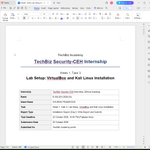
Tech Biz Security Internship: I completed and submitted my Week 1, Task 3 assignment: Lab Setup, VirtualBox + Kali Linux Installation.
CyBlack Internship - Human Factor Sprint: I spent over two hours meeting with my teammates as we continued exploring how to use Vivida Studio to create our cybersecurity awareness deliverables.
We worked on understanding the software and how best to use it to communicate security messages in a way that engages people and encourages safer behaviour within our organization.
This work is a reminder that cybersecurity awareness requires more than knowing the risks. We also need to communicate them in ways people can understand and apply.
Lessons: Strong security combines technical controls with effective communication and a culture where people understand their role in protecting the organization.
Still learning, collaborating, and making steady progress.
#Cybersecurity #SecurityAwareness #HumanFactors #Internship #LearningInPublic #BuildInPublic #CyBlack




Day 70 - Build Log
Today was another day of making progress across my cybersecurity internships.
Tech Biz Security Internship: I completed and submitted my Week 1, Task 3 assignment: Lab Setup, VirtualBox + Kali Linux Installation.
CyBlack Internship - Human Factor Sprint: I spent over two hours meeting with my teammates as we continued exploring how to use Vivida Studio to create our cybersecurity awareness deliverables.
We worked on understanding the software and how best to use it to communicate security messages in a way that engages people and encourages safer behaviour within our organization.
This work is a reminder that cybersecurity awareness requires more than knowing the risks. We also need to communicate them in ways people can understand and apply.
Lessons: Strong security combines technical controls with effective communication and a culture where people understand their role in protecting the organization.
Still learning, collaborating, and making steady progress.
#Cybersecurity #SecurityAwareness #HumanFactors #Internship #LearningInPublic #BuildInPublic #CyBlack
Day 69 - Build Log
Today was a mix of progress, creativity, and security awareness.
DG Interns Hub: I completed and submitted my Week 1 internship tasks. One step at a time, staying consistent and building on what I learn.
CyBlack Internship - Human Factor Sprint: I joined my team to work with Vivida Studio, creating a virtual world representing our organization, complete with characters and assigned roles.
We then used this environment to develop cybersecurity awareness content for the organization: 5 image posts and 6 text posts designed to educate people about cybersecurity risks and encourage safer security practices.
This task pushed us to think beyond technical controls and consider how awareness, communication, and employee behaviour contribute to an organization's security posture.
Lessons: Helping people recognize threats and make safer decisions is also an important part of building a stronger security culture.
Another day of learning, collaborating, and turning cybersecurity knowledge into practical work.
#Cybersecurity #SecurityAwareness #HumanFactors #CyberBlack #Internship #LearningInPublic #BuildInPublic


Week 1, Task 3 of my TechBiz Security-CEH Internship is done.
My lab is now live. I installed VirtualBox, imported the pre-built Kali Linux image, booted it and ran my first commands: whoami, ip a and sudo apt update.
I also completed the TryHackMe room Linux Fundamentals Part 1.
One thing I learned: a virtual lab is the safest place to practise. If I break something, I can easily restore the VM to an earlier snapshot, and my main system stays untouched. Seeing my own IP and MAC address in the ip a output also tied back to the networking basics from Task 2.
Thank you Tech Biz Ssecurity. On to Week 2, Task 4.
#CyberSecurity #EthicalHacking #KaliLinux #VirtualBox #TryHackMe #TechBizInternship #LearningInPublic


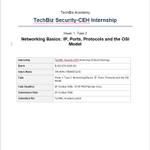
Week 1, Task 2 of my TechBiz Security-CEH Internship is done.
The task was networking basics, the foundation of ethical hacking. I covered:
IP addresses (IPv4 vs IPv6) and MAC addresses
Common ports and the services behind them, such as 22 for SSH, 80 for HTTP and 443 for HTTPS
TCP vs UDP
The 7 layers of the OSI model
I also found my own private IP on my machine and completed the TryHackMe rooms What is Networking, OSI Model, and Packets and Frames.
One thing I learned: every service on a machine listens on a port, so open ports are the first thing an ethical hacker maps during active recon.
Thank you TechBiz Security, On to Week 1, Task 3.
#CyberSecurity #EthicalHacking #Networking #OSIModel #TryHackMe #TechBizInternship #LearningInPublic


Day 69 - Build Log
Today was a mix of progress, creativity, and security awareness.
DG Interns Hub: I completed and submitted my Week 1 internship tasks. One step at a time, staying consistent and building on what I learn.
CyBlack Internship - Human Factor Sprint: I joined my team to work with Vivida Studio, creating a virtual world representing our organization, complete with characters and assigned roles.
We then used this environment to develop cybersecurity awareness content for the organization: 5 image posts and 6 text posts designed to educate people about cybersecurity risks and encourage safer security practices.
This task pushed us to think beyond technical controls and consider how awareness, communication, and employee behaviour contribute to an organization's security posture.
Lessons: Helping people recognize threats and make safer decisions is also an important part of building a stronger security culture.
Another day of learning, collaborating, and turning cybersecurity knowledge into practical work.
#Cybersecurity #SecurityAwareness #HumanFactors #CyberBlack #Internship #LearningInPublic #BuildInPublic
Day 68 - Build Log
CyBlack Internship Update: Sprint 3 - Human Factor
Today, my team and I continued working on our Human Factor sprint task, focusing on human-factor threats facing our assigned company in the financial sector.
Human Factor Threat Research: We developed a report on key human-factor threats facing our company, using the 2017 Equifax data breach as a reference incident because it involved an organisation in the same sector. This helped us connect our research to a real-world security incident.
Accessibility in Cybersecurity: I researched why accessibility matters and carried out practical accessibility checks on documents, presentation slides, and web pages.
The tools I used included:
Microsoft Word Accessibility Checker and PowerPoint Accessibility Checker to identify issues such as missing alternative text and table headers.
NVDA, a Windows screen reader, to listen to how the documents were read aloud and assess their usability with assistive technology.
Fezzant Accessibility Scanner to scan web pages for accessibility issues.
PAVE PDF Accessibility Checker, which I also explored, although the website became inaccessible during my testing while other sites continued working.
I documented my research, testing process, findings, and challenges in a dedicated Accessibility Report.
Lessons: Accessibility matters because security information, policies, and digital services need to be usable by people with different abilities. Identifying accessibility barriers is one step toward making digital environments more inclusive.
This sprint is helping me look at cybersecurity from a broader perspective, combining threat awareness, research, testing, and clear technical documentation.
#Cybersecurity #HumanFactors #Accessibility #CyberAwareness #ThreatIntelligence #CyBlack #LearningInPublic


Week 1 at DG Interns Hub: completed✅
I built a cybersecurity home lab from scratch.
Lab: VirtualBox with Kali Linux (2GB), Ubuntu (2GB) and Windows (4GB), all on one isolated custom Host-only network. I confirmed they could reach each other (using ping) and took a clean snapshot of each.
Linux: I created users and groups, built a shared folder with the right permissions, used find, grep, ps and ss, and scheduled a cron job.
OverTheWire Bandit: levels 0 to 10 completed.
TryHackMe: 8 rooms on Linux, networking and the Pyramid of Pain.
Lessons Learned:
- A vulnerable lab should never be bridged to your real network. Isolation keeps mistakes contained.
- Snapshots make sure you can rollback if something breaks.
- Permissions are like security lock. One wrong `chmod` can expose or lock out a whole folder.
- Small tools combined (grep, sort, uniq) are surprisingly powerful.
Full Documentation on my GitHub: github.com/chukwupg/dg-inter…
Week 2, up next!
#cybersecurity #homelab #Linux #networking #TryHackMe #OverTheWire #DGInternsHub #LearningInPublic


SOC analyst vs penetration tester: what is the difference?
I'm on Week 1 of the DG Interns Hub cybersecurity internship, and one of the first things I wanted to get clear was how these two roles differ. In 5 points:
Goal: A SOC analyst detects and responds to attacks as they happen. A penetration tester finds weaknesses before attackers do.
Team:
- SOC analysts are the blue team (defensive).
- Penetration testers are the red team (offensive).
Daily work:
- SOC: watching alerts, investigating suspicious activity, escalating incidents.
- Pentest: scanning, testing, exploiting (with permission) and documenting what they find.
Tools:
- SOC: SIEM, SOAR, EDR, Wireshark.
- Pentest: Nmap, Burp Suite, Metasploit, Kali Linux.
Output:
- SOC: triaged alerts and better detection rules.
- Pentest: an actionable report with findings and recommended fixes.
Different jobs, same mission: make the organization harder to break.
Which side would you start with?
#cybersecurity #SOC #PenetrationTesting #BlueTeam #RedTeam #DGInternsHub #InfoSec

SOC analyst vs penetration tester: what is the difference?
I'm on Week 1 of the DG Interns Hub cybersecurity internship, and one of the first things I wanted to get clear was how these two roles differ. In 5 points:
Goal: A SOC analyst detects and responds to attacks as they happen. A penetration tester finds weaknesses before attackers do.
Team:
- SOC analysts are the blue team (defensive).
- Penetration testers are the red team (offensive).
Daily work:
- SOC: watching alerts, investigating suspicious activity, escalating incidents.
- Pentest: scanning, testing, exploiting (with permission) and documenting what they find.
Tools:
- SOC: SIEM, SOAR, EDR, Wireshark.
- Pentest: Nmap, Burp Suite, Metasploit, Kali Linux.
Output:
- SOC: triaged alerts and better detection rules.
- Pentest: an actionable report with findings and recommended fixes.
Different jobs, same mission: make the organization harder to break.
Which side would you start with?
#cybersecurity #SOC #PenetrationTesting #BlueTeam #RedTeam #DGInternsHub #InfoSec
Another step forward in my learning journey. 🚀
I’m pleased to begin a new chapter with DG Interns Hub as an intern.
Every opportunity to learn, gain hands-on experience, and work alongside others is a chance to grow, and I’m looking forward to making the most of this experience.
One step at a time, one lesson at a time.
Thank you DG Interns Hub, for the opportunity!
#Internship #Cybersecurity #ProfessionalGrowth #LearningByDoing

Day 68 - Build Log
CyBlack Internship Update: Sprint 3 - Human Factor
Today, my team and I continued working on our Human Factor sprint task, focusing on human-factor threats facing our assigned company in the financial sector.
Human Factor Threat Research: We developed a report on key human-factor threats facing our company, using the 2017 Equifax data breach as a reference incident because it involved an organisation in the same sector. This helped us connect our research to a real-world security incident.
Accessibility in Cybersecurity: I researched why accessibility matters and carried out practical accessibility checks on documents, presentation slides, and web pages.
The tools I used included:
Microsoft Word Accessibility Checker and PowerPoint Accessibility Checker to identify issues such as missing alternative text and table headers.
NVDA, a Windows screen reader, to listen to how the documents were read aloud and assess their usability with assistive technology.
Fezzant Accessibility Scanner to scan web pages for accessibility issues.
PAVE PDF Accessibility Checker, which I also explored, although the website became inaccessible during my testing while other sites continued working.
I documented my research, testing process, findings, and challenges in a dedicated Accessibility Report.
Lessons: Accessibility matters because security information, policies, and digital services need to be usable by people with different abilities. Identifying accessibility barriers is one step toward making digital environments more inclusive.
This sprint is helping me look at cybersecurity from a broader perspective, combining threat awareness, research, testing, and clear technical documentation.
#Cybersecurity #HumanFactors #Accessibility #CyberAwareness #ThreatIntelligence #CyBlack #LearningInPublic
Day 67 - Build Log
I completed the Android Hacking 101 room on TryHackMe, exploring the fundamentals of Android application security testing.
Here are some of the areas I covered:
Native vs. Hybrid Applications: Understanding the differences in how Android applications are built and how those differences affect security testing.
APK Structure: Exploring the Android Package Kit (APK), the package format used to distribute and install Android applications.
Smali Code and Registers: Learning about Smali, the human-readable representation of Android's Dalvik bytecode, and how registers are used when examining application logic.
Android Debug Bridge (ADB): Understanding how ADB facilitates communication between a computer and an Android device or emulator for debugging and testing.
Information Gathering and Source Code Extraction: Exploring how to inspect an application package and retrieve its contents for further analysis.
Reverse Engineering: Examining how an Android application can be decompiled and its internal logic investigated.
Static vs. Dynamic Analysis: Understanding the difference between inspecting an application without executing it and examining its behaviour while it runs.
Lesson: Android penetration testing requires more than interacting with an app through its interface. Examining the APK, understanding Smali instructions, and combining static and dynamic analysis can reveal implementation flaws that may otherwise remain hidden.
Another step toward expanding my skills in mobile application security, but this is a lot different from web app pentesting.
#Cybersecurity #AndroidSecurity #MobileAppSecurity #ReverseEngineering #TryHackMe #LearningInPublic #BuildInPublic


Week 1, Task 2 of my TechBiz Security-CEH Internship is done.
The task was networking basics, the foundation of ethical hacking. I covered:
IP addresses (IPv4 vs IPv6) and MAC addresses
Common ports and the services behind them, such as 22 for SSH, 80 for HTTP and 443 for HTTPS
TCP vs UDP
The 7 layers of the OSI model
I also found my own private IP on my machine and completed the TryHackMe rooms What is Networking, OSI Model, and Packets and Frames.
One thing I learned: every service on a machine listens on a port, so open ports are the first thing an ethical hacker maps during active recon.
Thank you TechBiz Security, On to Week 1, Task 3.
#CyberSecurity #EthicalHacking #Networking #OSIModel #TryHackMe #TechBizInternship #LearningInPublic
Day 64 - Build Log
Week 1, Task 1 of my Tech Biz Security Internship is done
The task was an introduction to cyber security and ethical hacking. I covered:
- The CIA Triad: Confidentiality, Integrity and Availability
- Black, White and Grey Hat hackers
- The 5 phases of ethical hacking, from Reconnaissance to Covering Tracks
- Penetration testing versus vulnerability assessment
- Career paths in ethical hacking
I also completed the TryHackMe rooms Pentesting Fundamentals and Intro to Offensive Security.
One thing I learned: the difference between a Black Hat and a White Hat is not skill, it is permission. Written authorisation is what makes ethical hacking legal and professional.
Grateful to Tech Biz Security for the structured start. On to Week 1, Task 2.
#CyberSecurity #EthicalHacking #CEH #TryHackMe #TechBizInternship #LearningInPublic


Day 67 - Build Log
I completed the Android Hacking 101 room on TryHackMe, exploring the fundamentals of Android application security testing.
Here are some of the areas I covered:
Native vs. Hybrid Applications: Understanding the differences in how Android applications are built and how those differences affect security testing.
APK Structure: Exploring the Android Package Kit (APK), the package format used to distribute and install Android applications.
Smali Code and Registers: Learning about Smali, the human-readable representation of Android's Dalvik bytecode, and how registers are used when examining application logic.
Android Debug Bridge (ADB): Understanding how ADB facilitates communication between a computer and an Android device or emulator for debugging and testing.
Information Gathering and Source Code Extraction: Exploring how to inspect an application package and retrieve its contents for further analysis.
Reverse Engineering: Examining how an Android application can be decompiled and its internal logic investigated.
Static vs. Dynamic Analysis: Understanding the difference between inspecting an application without executing it and examining its behaviour while it runs.
Lesson: Android penetration testing requires more than interacting with an app through its interface. Examining the APK, understanding Smali instructions, and combining static and dynamic analysis can reveal implementation flaws that may otherwise remain hidden.
Another step toward expanding my skills in mobile application security, but this is a lot different from web app pentesting.
#Cybersecurity #AndroidSecurity #MobileAppSecurity #ReverseEngineering #TryHackMe #LearningInPublic #BuildInPublic
Day 66 - Build Log
I completed the Pyramid of Pain room on TryHackMe and spent over two hours in my CyBlack Internship team meeting with my mentors and teammates.
TryHackMe: Pyramid of Pain
The room explored how different types of threat indicators vary in the difficulty they create for an adversary when defenders detect and block them.
The pyramid progresses from hash values, IP addresses, and domain names to network and host artifacts, tools, and finally TTPs (Tactics, Techniques, and Procedures).
The key lesson is that detecting a file hash may force an attacker to make a small change, while identifying and disrupting their underlying tactics and techniques can make it much harder for them to continue that operating.
CyBlack Internship: Team and Mentorship Session
During our 2+ hour meeting, our mentors gave us the opportunity to reflect on our internship experience so far, share challenges, identify areas where we need improvement, and then gave us practical directions to make our experience more effective.
We also discussed the current sprint task, clarified its objectives, and began exploring how to approach the work collaboratively as a team.
Lesson: Professional growth improves when we actively seek feedback, recognize our gaps, and work together to address them.
Learning the technical side, stepping-up when given the opportunity to, improving how I work with others, and continuing to build.
@Cyblackorg @tryhackme
#Cybersecurity #ThreatIntelligence #PyramidOfPain #TryHackMe #CyBlack #LearningInPublic #BuildInPublic


I just completed Android Hacking 101 room on TryHackMe! Android Mobile Application Penetration Testing tryhackme.com/room/androidha… #tryhackme via @tryhackme

Day 66 - Build Log
I completed the Pyramid of Pain room on TryHackMe and spent over two hours in my CyBlack Internship team meeting with my mentors and teammates.
TryHackMe: Pyramid of Pain
The room explored how different types of threat indicators vary in the difficulty they create for an adversary when defenders detect and block them.
The pyramid progresses from hash values, IP addresses, and domain names to network and host artifacts, tools, and finally TTPs (Tactics, Techniques, and Procedures).
The key lesson is that detecting a file hash may force an attacker to make a small change, while identifying and disrupting their underlying tactics and techniques can make it much harder for them to continue that operating.
CyBlack Internship: Team and Mentorship Session
During our 2+ hour meeting, our mentors gave us the opportunity to reflect on our internship experience so far, share challenges, identify areas where we need improvement, and then gave us practical directions to make our experience more effective.
We also discussed the current sprint task, clarified its objectives, and began exploring how to approach the work collaboratively as a team.
Lesson: Professional growth improves when we actively seek feedback, recognize our gaps, and work together to address them.
Learning the technical side, stepping-up when given the opportunity to, improving how I work with others, and continuing to build.
@Cyblackorg @tryhackme
#Cybersecurity #ThreatIntelligence #PyramidOfPain #TryHackMe #CyBlack #LearningInPublic #BuildInPublic
Day 65 - Build Log
@Cyblackorg Internship Milestone Update: I just wrapped up Sprint 2: Cloud Security, of my internship at CyBlack, and I'm kicking off Sprint 3 today: The Human Factor in Cybersecurity.
Over the sprint, I worked hands-on in Microsoft Azure to build and test security controls that organizations rely on every day:
Identity & access: created security groups via the portal, PowerShell and Azure CLI, and applied least-privilege RBAC roles
Network security: filtered traffic using NSGs and Application Security Groups (RDP only to management servers, web traffic only to web servers)
Perimeter protection: deployed Azure Firewall with custom routes, FQDN rules and DNS rules to control outbound traffic
Container security: built an image in Azure Container Registry and deployed internal and external services on AKS
Storage security: locked an Azure file share to one subnet using service endpoints
Monitoring & detection: Log Analytics, Data Collection Rules and Microsoft Defender for Servers
Privileged access: Just-in-Time VM access to shrink the attack surface
SIEM/SOAR: Microsoft Sentinel analytics rules, plus a playbook that automatically responds to an incident.
I also served as my team's project coordinator: scheduling and recording meetings, setting up a shared workspace for drafts and screenshots, and compiling the final team report.
Lessons learned: lab guides can be outdated, so troubleshooting is a skill that helped me in this sprint. Security works in layers and never a one size fits all. Finally, clear communication and accountability matter as much as technical skill.
Now I'm looking forward to Sprint 3. Technology is only as strong as the people using it, and the human factor is where a lot of breaches begin.
Thank you to the @Cyblackorg team for this great opportunity. And to my wonderful mentors sir @segoslavia and Miss Sharon for their support and guidance throughout the sprint.
@ireteeh
#CloudSecurity #Azure #MicrosoftSentinel #CyberSecurity #InfoSec #AzureSecurity #Cyblack #CyblackInternship #HumanFactor


I just completed Pyramid Of Pain room on TryHackMe! Learn what the Pyramid of Pain is and how it ranks indicators by how painful they are for an adversary to change. tryhackme.com/room/pyramidof… #tryhackme via @tryhackme

Day 65 - Build Log
@Cyblackorg Internship Milestone Update: I just wrapped up Sprint 2: Cloud Security, of my internship at CyBlack, and I'm kicking off Sprint 3 today: The Human Factor in Cybersecurity.
Over the sprint, I worked hands-on in Microsoft Azure to build and test security controls that organizations rely on every day:
Identity & access: created security groups via the portal, PowerShell and Azure CLI, and applied least-privilege RBAC roles
Network security: filtered traffic using NSGs and Application Security Groups (RDP only to management servers, web traffic only to web servers)
Perimeter protection: deployed Azure Firewall with custom routes, FQDN rules and DNS rules to control outbound traffic
Container security: built an image in Azure Container Registry and deployed internal and external services on AKS
Storage security: locked an Azure file share to one subnet using service endpoints
Monitoring & detection: Log Analytics, Data Collection Rules and Microsoft Defender for Servers
Privileged access: Just-in-Time VM access to shrink the attack surface
SIEM/SOAR: Microsoft Sentinel analytics rules, plus a playbook that automatically responds to an incident.
I also served as my team's project coordinator: scheduling and recording meetings, setting up a shared workspace for drafts and screenshots, and compiling the final team report.
Lessons learned: lab guides can be outdated, so troubleshooting is a skill that helped me in this sprint. Security works in layers and never a one size fits all. Finally, clear communication and accountability matter as much as technical skill.
Now I'm looking forward to Sprint 3. Technology is only as strong as the people using it, and the human factor is where a lot of breaches begin.
Thank you to the @Cyblackorg team for this great opportunity. And to my wonderful mentors sir @segoslavia and Miss Sharon for their support and guidance throughout the sprint.
@ireteeh
#CloudSecurity #Azure #MicrosoftSentinel #CyberSecurity #InfoSec #AzureSecurity #Cyblack #CyblackInternship #HumanFactor
Day 64 - Build Log
Week 1, Task 1 of my Tech Biz Security Internship is done
The task was an introduction to cyber security and ethical hacking. I covered:
- The CIA Triad: Confidentiality, Integrity and Availability
- Black, White and Grey Hat hackers
- The 5 phases of ethical hacking, from Reconnaissance to Covering Tracks
- Penetration testing versus vulnerability assessment
- Career paths in ethical hacking
I also completed the TryHackMe rooms Pentesting Fundamentals and Intro to Offensive Security.
One thing I learned: the difference between a Black Hat and a White Hat is not skill, it is permission. Written authorisation is what makes ethical hacking legal and professional.
Grateful to Tech Biz Security for the structured start. On to Week 1, Task 2.
#CyberSecurity #EthicalHacking #CEH #TryHackMe #TechBizInternship #LearningInPublic
Based On Believe retweeted
Follow-up: the brands are responding 👇
A fintech confirmed in writing that a lookalike domain I flagged isn't theirs. It had no website at all, just a full email setup built to pass the usual security checks, so emails from it would land looking legit. Reported to the registrar and the mail provider.
Another brand told me their IT team is on it and they've alerted their customers. That scam came back on a new domain, registered minutes before the old one was taken down. They had the replacement ready. Caught it anyway.
Meanwhile, from last night's reports:
the internet banking clone was taken offline ~6 hours after my report
the "rewards" page collecting bank details was blocked by its provider ~9 hours after
I’m also looking for cracked security engineers who want to contribute to making Nigeria’s digital space safer.
If you’re interested in doing some real work, shoot me a DM. : )


Caught several phishing campaigns yesterday and ended up staying up till 5am triaging and analyzing detections.
By the end of it, I’d sent 27 reports to hosting providers, registrars, Google, and the affected brands.
Some of what I found:
- An internet banking clone harvesting account numbers and passwords. I was the first to detect it and scan it publicly.
- Multiple “free data/win rewards” scams tied to the same brand, with one collecting victims’ banking details. One hid its page behind scrambled code, which I decoded and sent to the host after they initially couldn’t identify anything malicious.
-Two fake banking/investment sites, among others.
Most reports have been acknowledged, and two sites have already been suspended.
It was a nerve-wracking night, but seeing the reports turn into action made every minute worth it. : )


I just completed Introductory Networking room on TryHackMe!
Solidified my knowledge of of the OSI and TCP/IP models, as well as the importance of encapsulation and de-encapsulation
tryhackme.com/room/introtone… #tryhackme via @tryhackme
