Pinned Tweet
Gander: one Quick Look app for every file a developer opens.
Code in 30 languages
Markdown with Mermaid
JSON, SQLite, TSV/CSV tables
Jupyter notebooks and logs
Diffs, plist, XML, .env, archives
Free on the Mac App Store. No subscription, no plugin per format.
apps.apple.com/app/id6817038…
100
Press Space on a Mermaid .mmd file and you get plain text at best. Gander draws the diagram right in Quick Look, with the source one tab away. Mermaid blocks inside Markdown files are drawn too.
One free Quick Look app for every file a developer opens.
18
Press Space on a .jsonl file and you get plain text at best, one long line of JSON per record. API logs and AI agent sessions often look like this.
Gander numbers each record. Click a number to expand it as formatted JSON.
One free Quick Look app for every developer file.
19
Gander launched on MacPip on Nov 7 🚀 by @ganderfinder: One Quick Look app for every file a developer opens. Free.
Quick Look tip: if you installed a preview extension and pressing Space still shows plain text, it's probably switched off. System Settings › General › Login Items & Extensions › Quick Look lists every extension with its own toggle.
Gander lives there too: one free Quick Look app for every file a developer opens.
19
Gander is free on the Mac App Store.
One Quick Look app for every file a developer opens: Markdown with Mermaid, JSON and JSONL, SQLite, notebooks, logs, .env with values hidden, code in 30 languages, and more. Press Space.
apps.apple.com/app/id6817038…
2
1
38
Press Space on a .sqlite and Finder used to say no preview. Gander opens it read-only: Structure for tables, columns and keys, Content for the rows. No -wal or -shm files left behind.
One free Quick Look app for every file a developer opens.
23
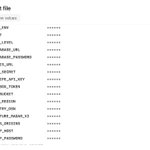
Press Space on a .env file during a screen share and every secret is on screen. In Gander, keys stay visible and values stay hidden until you click Show values, with passwords, tokens and API keys flagged.
One free Quick Look app for every file a developer opens.
31
Gander: one Quick Look app for every file a developer opens.
Code in 30 languages
Markdown with Mermaid
JSON, SQLite, TSV/CSV tables
Jupyter notebooks and logs
Diffs, plist, XML, .env, archives
Free on the Mac App Store. No subscription, no plugin per format.
apps.apple.com/app/id6817038…
1
41
macOS takes a .ts file for MPEG video, so pressing Space on TypeScript doesn't show you code. Gander looks at what's inside: TypeScript opens as coloured code, and real .ts videos still play.
One Quick Look app for every file a developer opens.
32
Good to see Apple render Markdown in Quick Look natively in macOS 27.3. The rest of a developer's folder still opens as raw text or not at all: JSON, SQLite, notebooks, logs, plists, diffs. That's the part Gander keeps covering, in one app for every file a developer opens.
macOS 27.3 adds native Markdown rendering to Quick Look 9to5mac.com/2026/11/03/macos… by @mvcmendes
1
29
A Dockerfile, Makefile or .zshrc has no extension Quick Look knows, so pressing Space gets you plain text at best. Gander recognises them by name, Gemfile and Podfile too, and shows them as coloured code. One Quick Look app for every file a developer opens.
25
Quick Look shows the code samples in a Markdown file as plain text. With Gander, press Space and each code block is coloured by its language, long lines scroll sideways instead of wrapping, and every block has a copy button. One Quick Look app for every file a developer opens.
1
1
78
Someone sends you a .patch file and Finder shows a wall of plain text. With Gander, press Space and removed lines are red, added lines green, the way you'd read it in a code review, and the file gets a Finder thumbnail too. One Quick Look app for every file a developer opens.
39
Gander: one Quick Look app for every file a developer opens.
Code in 30 languages
Markdown with Mermaid
JSON, SQLite, TSV/CSV tables
Jupyter notebooks and logs
Diffs, plist, XML, .env, archives
$1.99 once. No subscription, no plugin per format.
apps.apple.com/app/id6817038…
100
Space on a .ts, .go or .rs file in Finder usually gives plain text, or nothing. Gander colours code in 30 languages, from TypeScript and Rust to GraphQL, Protocol Buffers and PowerShell, with Finder thumbnails. A .ts file shows its code, even though macOS takes .ts for video.
62
Gander 1.4 is now in Spanish, German, French, Japanese, Simplified Chinese and Brazilian Portuguese.
Previews got bigger too: code, JSON, YAML and XML up to 1 MB before they're cut (was 32 KB), and 1,000 rows per SQLite table.
apps.apple.com/app/id6817038…
52
CSV or TSV to Excel from Finder: Control-click › Quick Actions › Convert to Excel with Gander.
Numbers and dates become real values. 007 and postcodes stay as written. The header is frozen, with filters. There's a Shortcuts action too.
apps.apple.com/app/id6817038…
42
Space on a .tsv in Gander 1.4: a real grid with row numbers, the header and numbers on the right. Any separator or encoding Excel writes, decimal commas too.
macOS keeps .csv on its own preview, so CSVs open in Gander's window.
apps.apple.com/app/id6817038…
39
Press Space on a .log and Gander 1.4 opens it at the newest line. Errors are red, warnings yellow, and stack traces stay with their error.
One click on "Warnings & errors" hides the rest.
apps.apple.com/app/id6817038…
29