

AI Educator Follow for daily AI tools, tips & insights. Helping you work smarter with AI. 📩 Collabs: DM or [email protected]
London, England
Joined August 2026
- Tweets2K
- Following678
- Followers2.1K
- Likes1.6K




More HTML doesn’t mean more content.
An AI agent can receive 3 KB of HTML and still have nothing meaningful to read.
The problem? Markup can look substantial while the actual page content is missing.
Oxylabs’ Web API MCP measures visible text to help agents distinguish real content from empty loading shells.
Better signals. More reliable web data. Smarter AI agents.
Explore the repo: github.com/oxylabs/web-api-m…

leon Parker retweeted
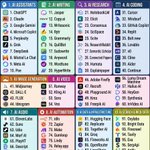
1. ChatGPT.com (write anything)
2. Gamma.app (create presentations)
3. Ideogram.ai (generate images with text)
4. Leonardo.ai (create AI art)
5. Elevenlabs.io (generate realistic voices)
6. Pika.art (create AI videos)
7. Krea.ai (generate stunning visuals)
8. Napkin.ai (turn ideas into visuals)
9. Cursor.com (code with AI)
10. Lovable.dev (build websites with AI)
11. Bolt.new (build apps with AI)
12. Gamma.app (create slides in minutes)
13. Krisp.ai (remove background noise)
14. Otter.ai (transcribe meetings)
15. Gamma.app (turn ideas into presentations)
16. Recraft.ai (design vector graphics)
17. Udio.com (create AI music)
18. Photoroom.com (create product photos)
19. Sora.com (generate AI videos)
20. Suno.com (turn ideas into songs)
Save this list 🔖 + Follow @leonParkercoder me for more AI tools! 🚀
leon Parker retweeted

The real difference between VIAGRA and CIALIS that most men get wrong:
🔴 VIAGRA
• Kicks in after 30–60 minutes
• Lasts 4 to 6 hours
• Taken right before sex
• Take it at 9 p.m., and it fades by morning
• 25, 50 and 100 mg
• Only works with arousal
🔵 CIALIS ↓
leon Parker retweeted

🚨 BREAKING: Gemini Notebook + Claude can turn a business idea into a realistic launch plan.
You don't need to start with a blank page.

leon Parker retweeted

🚨BREAKING: France is removing Google and Microsoft from 2.5 million government computers.
Germany has shifted 30,000 PCs away from Windows. Denmark is moving away from Microsoft Office.
Here's what they're switching to and how you can make the same move:
Follow @Alora_Tech_Ai0 for more AI & tech tips! – at New York, USA
leon Parker retweeted

AI world is huge.
I've prepared a resource that has 1500+ AI tools and 1000+ ChatGPT prompts.
It is FREE only for 24 hours.
To get it,
1. Like & Repost (MUST)
2. Comment "Send"
3. You must be following me or I can't DM it.

leon Parker retweeted

Watch this giant beauty blast off into the stars. 🚀✨
Looking straight down at pure rocket power as Starship leaves Earth behind.
Who else is obsessed with this epic view?.🔥🌌
#ai
#viralvideo
#video
leon Parker retweeted
AI agents are becoming more capable, and seamless access to real-time web data is a key part of that evolution.
With Oxylabs Agent Skills, developers can equip coding agents with powerful web search and structured data extraction capabilities — directly within their existing workflows, without writing custom wrapper code.
Less integration overhead. More capable AI workflows.
Explore Oxylabs Agent Skills: github.com/oxylabs/web-api-s…
leon Parker retweeted

Complex AI tasks often require more than one step. They need the right information at the right time.
An AI agent might need to research a topic, collect information from multiple web sources, and use those findings to complete the next step.
That's where reliable web access becomes important.
With Wajo AI integrated with Oxylabs Web API through MCP, agents get a consistent way to retrieve web data while working through multi-step assignments.
Instead of treating web research as a separate task, it becomes part of the overall workflow.
A useful setup for anyone building AI agents that need more than just text generation.
See how the integration works:
oxylabs.io/resources/integra…

leon Parker retweeted

GTA 6 gives every player the same starting cash. Then it gives them one big choice.
Rob a store and get paid in 30 seconds. Or buy a property and wait.
Player one chose the robbery. Cash in hand, adrenaline up, exactly what GTA is supposed to feel like. He didn't think about what the cops would cost him.
Player two chose the property. It felt slow, even boring. He watched his balance drop and wondered if he'd made a mistake.
I played both routes for 3 hours straight. No missions, no side quests, only money.
One of them was broke by hour 2. Full breakdown below 🧵


leon Parker retweeted

Top 30 Claude Commands You Should Know
Most people use Claude for basic questions.
But if you're using Claude Code, slash commands can make your workflow much faster.
Here are 30 useful Claude Code commands every developer and AI enthusiast should know. 👇
ESSENTIAL COMMANDS
/help – Show all available commands.
/init – Analyze your project and create a CLAUDE.md file.
/clear – Start a fresh conversation.
/compact – Summarize context and free up space.
/model – Switch your AI model.
/status – Check your current session information.
/config – Open configuration settings.
/doctor – Diagnose installation issues.
/resume – Continue a previous session.
/exit – Exit Claude Code.
CODING & DEVELOPMENT
/plan – Create a plan before making changes.
/diff – Review your code changes.
/rewind – Return to an earlier checkpoint.
/simplify – Review code for quality and efficiency.
/debug – Investigate coding issues.
/batch – Handle large changes across multiple tasks.
/claude-api – Access Claude API guidance.
/agents – Manage available subagents.
/permissions – Manage tool permissions.
/add-dir – Add another working directory.
PRODUCTIVITY & SESSION MANAGEMENT
/context – Understand context window usage.
/cost – Check usage and spending.
/usage – Check usage limits.
/copy – Copy Claude's latest response.
/export – Export your conversation.
/rename – Rename your current session.
/btw – Ask a quick side question.
/memory – View or edit project memory.
/mcp – Manage MCP connections.
/skills – Explore available skills.
You don't need to memorize every command.
Start with /help, /plan, /compact, /diff, and /rewind.
These shortcuts can make working with Claude Code much more efficient.
Save this cheat sheet for your next coding session!
Follow @mayaislam_ai for more
leon Parker retweeted

The next interesting AI discovery might come from a model whose creator hasn't publicly claimed it.
Qoder's new HungerG is available exclusively on its platform, with its identity still undisclosed.
Free access gives developers a chance to put it through real-world experiments instead of relying on claims.
I'm curious to see how it performs.
Try it: qoder.com


