
Let your AI assistant directly manage calendar, email, notes, and control any Mac app. Runs locally, privacy first.
Joined December 2025
- Tweets12
- Following0
- Followers2
- Likes0

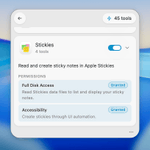
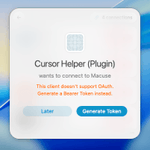


Macuse 1.8.0 reimagines Computer Use on the Mac:
→ Background actions — your AI clicks, scrolls, and types in other apps without stealing focus from what you’re doing
→ Per-app permissions — allow, deny, or one-time approve each AI client per app.
macuse.app/computer-use

1
24

Macuse 1.4.0 is out! 🎉
New features:
→ Rich MCP UI Cards — tools now return interactive cards instead of plain text
→ Native app integration — open items directly in Mail, Calendar, Notes, or Reminders with one click
macuse.app

1
32

Thanks for mentioning.
But we are not an open-source implementation of Claude Cowork. We are a local MCP service app that connects to macOS native apps and provides automation tools.
You can use any AI Client to connect and control your Mac.
20

Macuse 1.2.0 is out 🎉
New Low Context Mode for local LLMs — only 2 meta-tools exposed, way less context eaten.
Perfect for running with Ollama, LM Studio, or any model with limited context windows.
1
23
And we fixed the issue that appeared in @perplexity_ai , and also added the setup documentation: macuse.app/docs/clients/perp…
9
Macuse 1.1.0 released.
More ways to connect your AI assistants:
→ Bearer Token auth — no OAuth needed, perfect for Cursor, Windsurf & headless setups
→ Auto client detection — get tailored config snippets for your app
→ Legacy SSE transport — support for older MCP Clients

1
15
Macuse retweeted

5. Claude controlling Mac apps
by @macuseapp
nitter.gq/macuseapp/status/20058…

Macuse 1.0.2
Claude Desktop setup is now one click — no more manual JSON editing.
Plus: auto-launch control and permission fixes.
AI-powered Mac automation, simplified.

7