

🇮🇹 28 | 💼 Software Development Engineer
Milano, Lombardia
Joined December 2018
- Tweets6.4K
- Following111
- Followers99
- Likes13.5K








Nichy retweeted

Much better checkpoints are coming
At 8 GB and 6.5 GB!

Inkling 2 Mini: GGUF evals!
I'm evaluating 19 quantized checkpoints from multiple providers, plus the original Inkling model.
My quants outperform everything else by a large margin.
But these are MY evals. That's the problem.
Many of you are waiting for my evals but it becomes biased when my models are also involved.
I'd love someone to run independent evals.
(And yes, this is missing a lot of good checkpoints. 16M tokens each eval, quite costly)
No accuracy numbers yet!
Just EAR and a few short sanity checks. Accuracy is what will tell us the truth.
I've included a KLD plot for the KLD enthusiasts. But I used KLD as an optimization objective during quantization, so that's another bias (yes yes, it is!), even with entirely held-out data and unseen languages.
Why does chimachima win? A much more sophisticated quantization method/format, without GGML's constraints. EXL3 checkpoints would be better baselines.
Yet my dondon quants, fully compatible with llama.cpp, also do very well.
I used many tensors from Unsloth's UD quants as starting point! (but I'm not far from reproducing their quants from scratch, it's just more costly)
Next: accuracy evals for 7 checkpoints, already in flight (can't afford more). Those that pass will move on to agentic evals. Hopefully, all results by Wednesday!
6 RTX Pro 6000s are working on this!
Note: sizes are plotted with and without input embeddings, since these can be in system RAM rather than VRAM. I quantize embeddings; some providers, like ISTA, don't.
huggingface.co/kaitchup/Inkl…
huggingface.co/kaitchup/Inkl…


Nichy retweeted

The smartest download this week is a 27B AI model squeezed into 6GB.
Ternary Bonsai 2.5 is Qwen3.8 27B shrunk 9 times, and it scores almost the same as the full model on agent tasks.
It runs on a normal laptop, free, with the Wi-Fi off.
Grab it before everyone else finds it.

Nichy retweeted

OCR models never tell you when they got a page wrong.
OpenBMB just open-sourced a model that does.
Every document pipeline has the same blind spot.
The OCR model reads an invoice, a contract, or a scanned table and returns clean, confident text.
Most of the time it's right. Sometimes it misreads a number, breaks a table row, or mangles a formula.
And the output looks exactly the same either way.
So teams either trust everything and let errors slip through, or they have people check every page by hand.
MiniCPM-OCR ships two models to fix both sides of this.
The first is MiniCPM-OCR 1.0, a 1.3B parameter document parser.
It reads Chinese and English documents and PDFs, including text, tables, formulas, charts, seals, and structured fields.
It handles messy inputs too: phone photos, curved or skewed pages, and documents photographed off a screen.
OpenBMB reports:
↳ 93.68 on Real5-OmniDocBench
↳ 54.7 on OCRBench v2
↳ About 1.49x the throughput of PaddleOCR-VL-1.6 and 3.62x that of MinerU2.5 Pro
The second model is the interesting one.
MiniCPM-OCR Jev is a 2B model that grades OCR output.
You give it the page image and the extracted text, and it returns a quality score from 0 to 1. Low scores flag the pages a human should review.
So instead of checking every page, you only check the ones Jev flags.
On their JevOCRBench, Jev scored 93.6 AUROC. Qwen3.5-397B-A17B scored 93.8.
A 2B model came within 0.2 points of a 397B model at spotting bad OCR.
It also isn't tied to MiniCPM. It works on output from GLM-OCR, PaddleOCR-VL-1.6, and Xiaomi-OCR-0, scoring between 91.9 and 93.4 AUROC across them.
A few more details:
→ GGUF, AWQ, and GPTQ versions are available on Hugging Face
→ Works with vLLM, SGLang, llama.cpp, and Ollama
→ Ships an agent skill: point your coding agent at one file and it sets up the environment, downloads the models, and parses your first document
Both models are 100% open-source under Apache 2.0, and that includes the weights.
GitHub repo: github.com/OpenBMB/MiniCPM-O…

Nichy retweeted

Hopefully, @NotionHQ will reconsider the block limit on its free plan
Notion became popular because it offered unlimited blocks on its free plan
@ivanhzhao , @akothari, @mschoening, @iampgzp @colebemis

did Notion just remove the free plan? 👀
a big change just dropped 👇🏼
Yesterday, Notion reintroduced an old limit all the way back from 2020:
block limits on free (new) workspaces
new workspaces will be limited to 5000 blocks before requiring an upgrade to Plus, the standard solo user paid plan
And it's part of a bigger philosophical question:
how can Notion reinvent pricing for the AI age?
We can kind of see here in real time how the SaaS business model has to evolve.
Seat-based pricing doesn't really work if one user can just run dozens of agents and put a load on servers and infrastructures that simply was unthinkable pre-AI.
so what do you do?
you can either limit access to these tools (no MCP & API on free plans) - or effectively build a "time-based trial"
Notion is opting for the latter.
Still full functionality on free when it comes to connecting your agents and other systems, but you are effectively on a clock.
particularly because the 5k block limit is NOT about current blocks
deleting one won't free up x more blocks to use
to give you a bit of a better idea, we can see what the numbers look like for a typical user (see attached graphic)
now, for some important context:
1️⃣ this applies to new workspaces only - we don't know how and if it will be enforced for existing ones
2️⃣ it only applies to free accounts
3️⃣ this is probably not the last word in figuring out how pricing is supposed to look
I personally think this is a step in the wrong direction and that it will change the dynamic of Notion adoption quite a bit - but I also don't have access to all the product analytics, interviews & insights that the team has
curious to see how this plays out 👀
oh and with this, Notion also introduces much less relevant limits on file uploads across all plans
free plans: 512 MB of uploads
Plus: 256 GB plus 5GB for every seat
Business: 512GB plus 10GB for every seat
Enterprise: 1TB plus 20GB for every seat

ALT Graphic: Can Notion reinvent pricing for the AI age? How the 5000 block limit plays out for a typical user
Nichy retweeted

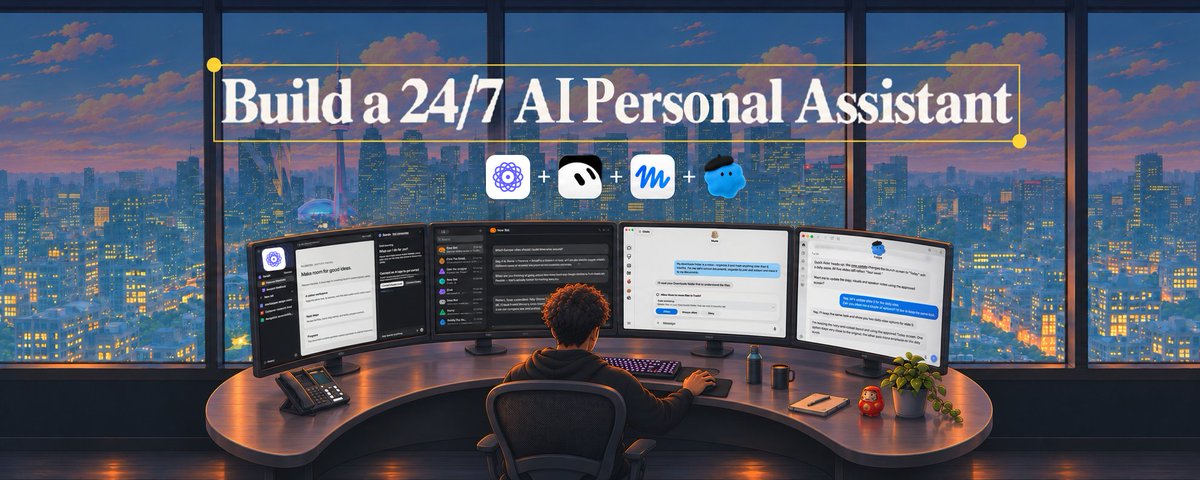
fu*cking every gemini 4 neon resource for trading
141 workflows including Jane Street, Citadel,Optiver
free to use.all in one
avidlive.ai/neon-trading
save this for your grok bot. thank me later



Nichy retweeted

this might genuinely be the best deal in tech right now. just got google ai pro for $6.79/mo
> gemini 4 neon
> 5 tb storage, shareable with up to 5 people
> 200 colab compute units a month
that's 200 colab units a month, which gets you roughly:
> 37 hrs on an a100
> 120 hrs on an l4
> 68 hrs on a tpu v5e
all for under $7 a month. no-brainer

Nichy retweeted

I've moved the bulk of my production workloads on to a single RTX 3060 running Bonsai-2.5-27B.
4 slots with the fastest slot @ over 70 tok/s using MTP + @PrismML's own llama fork.
32k context - more than enough for the small agent workloads I'm using it for.
This has freed up spots on my main rig to run a much larger model, and it consumes less than 145 watts at peak.
Incredible what we can do with such a small footprint on cheap hardware now.
Nichy retweeted

我去!!!轮到谷歌给大家发云电脑福利啦😂
开了 Google AI Pro 的,你账号里有一台 2 核 8G 的云电脑。
它在 Gemini 网页版的 Task 模式里,默认不联网。我拿一个免费号看过,设置里没有这个开关。
打开 gemini.google.com,左下角设置进 Task settings,把 Network access for remote computer 打开。回到对话框切到 Task,直接让它跑命令。
我让它把配置和网速都打了一遍。系统是 Debian 12,出口在美国,Google 和 GitHub 一下就通,百度反而最慢。上周测的电信云电脑连 GitHub 都打不开。
Mac 上的 Gemini 客户端别试了,那里的 Task 跑的是你自己电脑,更新到最新版也一样。
开关页面上 Google 自己写了,联网之后别往里放密钥和带隐私的文件。

Nichy retweeted
Update to subscription value on the big 3:
Gemini is lookin' reeeeal good rn
"How much work can you get done with each subscription?"
That's impossible to answer
It entirely depends on how you measure it and what your tasks are
I think the most reflective would be turns you get in T3 Code, but there are so many different ways you could measure that
By the T3 metric, Claude is the best, unless you gamble on limit resets
Nichy retweeted

OCRia-nano-1 is now #1 trending on @huggingface for image-to-text models!
It's an open-weight OCR model with just 8.1M parameters. Parses a page in 426 ms on your CPU, no GPU needed.
Great way to spend the weekend time. Go give it a spin and parse something @llama_index
Nichy retweeted

"Google AI Ultra 5x ($100/mo, 1,000 CU): ~99 hours" of a RTX PRO 6000 Blackwell
If you already pay for Gemini, you can run Minimax H3 on this for basically free and make vids for free

If you pay for a Gemini or Google AI subscription, you're sitting on a 96 GB RTX PRO 6000 Blackwell in Colab and probably haven't touched it.
1 script launches GLM-5.3-Flash Uncensored (321B) at 102 tok/s in ~10 minutes and gives you a local API endpoint for your coding harness.
Google bundles Colab compute units straight into Google AI plans, and a G4 instance (RTX PRO 6000 Blackwell 96 GB + 176 GB RAM + Zen 5 EPYC) only burns 10.05 CU/hr. That's cheaper than H100 (~18.05 CU/hr) with 16 GB more VRAM:
- Google AI Pro ($20/mo, 200 CU): ~20 hours
- Google AI Ultra 5x ($100/mo, 1,000 CU): ~99 hours
- Google AI Ultra 20x ($200/mo, 2,000 CU): ~199 hours
I tested 3 public abliterated EXL3 tiers on Project Maya + DFlash2 and packed them into 1 launcher with SSH port forwarding to 127.0.0.1:18100 (OpenAI /v1 and Anthropic /v1/messages, with tool calls, thinking, vision, and 0 refusals):
- 2.51 bpw (default, 98.1 GiB, 131K ctx): 102.3 tok/s decode, 1,190 / 2,255 tok/s prefill (~10 min cold start, ~22s warm)
- 2.51 bpw at 262K ctx: 98.9 tok/s decode
- 3.05 bpw (117.5 GiB, 131K ctx): 89.0 tok/s decode
- 4.05 bpw (153.8 GiB, 131K ctx): 71.8 tok/s decode
It prints your local URL, port, model ID, and ready-to-paste snippets for Claude Code, Codex, or OpenCode as soon as the tunnel is live, and ships with stop(.)sh so you don't burn units while idle. Link to the repo in the reply.
Nichy retweeted

Are you aware of this? I was not!
If you pay for a Gemini or Google AI subscription, you're sitting on a 96 GB RTX PRO 6000 Blackwell in Colab and probably haven't touched it.
1 script launches GLM-5.3-Flash Uncensored (321B) at 102 tok/s in ~10 minutes and gives you a local API endpoint for your coding harness.
Google bundles Colab compute units straight into Google AI plans, and a G4 instance (RTX PRO 6000 Blackwell 96 GB + 176 GB RAM + Zen 5 EPYC) only burns 10.05 CU/hr. That's cheaper than H100 (~18.05 CU/hr) with 16 GB more VRAM:
- Google AI Pro ($20/mo, 200 CU): ~20 hours
- Google AI Ultra 5x ($100/mo, 1,000 CU): ~99 hours
- Google AI Ultra 20x ($200/mo, 2,000 CU): ~199 hours
I tested 3 public abliterated EXL3 tiers on Project Maya + DFlash2 and packed them into 1 launcher with SSH port forwarding to 127.0.0.1:18100 (OpenAI /v1 and Anthropic /v1/messages, with tool calls, thinking, vision, and 0 refusals):
- 2.51 bpw (default, 98.1 GiB, 131K ctx): 102.3 tok/s decode, 1,190 / 2,255 tok/s prefill (~10 min cold start, ~22s warm)
- 2.51 bpw at 262K ctx: 98.9 tok/s decode
- 3.05 bpw (117.5 GiB, 131K ctx): 89.0 tok/s decode
- 4.05 bpw (153.8 GiB, 131K ctx): 71.8 tok/s decode
It prints your local URL, port, model ID, and ready-to-paste snippets for Claude Code, Codex, or OpenCode as soon as the tunnel is live, and ships with stop(.)sh so you don't burn units while idle. Link to the repo in the reply.


Nichy retweeted

a few people asked yesterday how I run my daily work at Nous Research with Obsidian and Hermes Agent.
here is the exact process and setup I use every day.
(1) one Obsidian vault in Git
everything lives in one private Obsidian vault: community questions, recurring feedback themes, content drafts, weekly reports and learning logs.
all of it is plain markdown with small YAML frontmatter for status, dates and source links.
my Hermes Agent runs on Hermes Cloud with a clone of that repo, and I open the same vault in Obsidian on my laptop. every edit the agent makes is a Git commit with a diff I can read.
(2) Discord threads + Hermes Desktop
I talk to that same Hermes Cloud agent from two places.
for daily planning and quick reviews, I use Discord with one fresh thread per topic. threads stay isolated in session history, so each task starts clean instead of dragging days of old chat along.
when I want to inspect files or review edits side by side, I open Hermes Desktop connected to my Hermes Cloud instance.
(3) splitting memory, skills and vault notes
persistent memory stays small: who I am, standing preferences and a handful of global rules that apply to every session.
repeatable workflows live in skills, loaded on demand only when a task matches: post drafting, claim verification and feedback triage. whenever I correct a workflow, the agent patches the skill for future sessions.
everything else stays in Obsidian on disk and gets searched only when needed.
(4) the daily loop
before I wake up, scheduled jobs pull fresh community posts, questions and release notes into an inbox folder in the vault. in the morning, my Hermes Agent reads yesterday's results and our learning log, checks what worked and what missed, and drafts the day's plan.
for multi-part work like checking several community threads or verifying docs at once, it spawns subagents in parallel and brings back summaries.
once posts go live, we log real results and the edits I made back into the vault, then tighten the relevant skills.
(5) hard human gates
my Hermes Agent researches, verifies commands against live docs and a real CLI run, checks my style rules and stages drafts in the vault.
nothing posts, replies, DMs anyone or opens a GitHub issue on its own.
I read the staged draft, edit it in my own words and publish by hand. old notes get marked archived in frontmatter instead of deleted.
if there is one part of this setup you want me to break down further, or show on a clean demo vault next week, let me know below.
Nichy retweeted
someone on r/hermesagent was burning through a $200/month plan sorting email and running routine office procedures, and asked if they should upgrade to $500/month.
over 40 Hermes Agent users jumped in with the same answer: stop paying for a bigger plan and change 4 things in your setup instead.
(1) turn repeatable procedures into scripts. have Hermes write a Python script for fixed work, then schedule it with `hermes cron create ... --no-agent --script` so routine runs burn zero tokens.
(2) split coordinator and worker models. pin `delegation.model` to a cheaper model for subagents, or install the official `advanced-delegation` plugin (`hermes plugins install advanced-delegation`) so tasks route to fast, deep or local models automatically.
(3) check where the spend actually lives before upgrading. `hermes insights` breaks down tokens, costs and models across your history, and `/context` shows what is filling the current window.
(4) keep the big model for planning and reviewing, not sorting. several people in the thread run 24/7 jobs on $10 to $20/month or under $1/day once routine work leaves their top model.
full thread:
reddit.com/r/hermesagent/s/3…

Nichy retweeted

finally! local AI is accessible to everyone.
we replaced our massive smart home server with a single $8 ESP32-S3 chip processing voice commands entirely on-device.
now anyone can build this. here is the full guide:

Nichy retweeted

Great guide! I listed it on the awesome esp32 repo github.com/s0lness/awesome-e… I've linked the articles but maybe you want to make a PR to a .md version?

Nichy retweeted

If you pay for a Gemini or Google AI subscription, you're sitting on a 96 GB RTX PRO 6000 Blackwell in Colab and probably haven't touched it.
1 script launches GLM-5.3-Flash Uncensored (321B) at 102 tok/s in ~10 minutes and gives you a local API endpoint for your coding harness.
Google bundles Colab compute units straight into Google AI plans, and a G4 instance (RTX PRO 6000 Blackwell 96 GB + 176 GB RAM + Zen 5 EPYC) only burns 10.05 CU/hr. That's cheaper than H100 (~18.05 CU/hr) with 16 GB more VRAM:
- Google AI Pro ($20/mo, 200 CU): ~20 hours
- Google AI Ultra 5x ($100/mo, 1,000 CU): ~99 hours
- Google AI Ultra 20x ($200/mo, 2,000 CU): ~199 hours
I tested 3 public abliterated EXL3 tiers on Project Maya + DFlash2 and packed them into 1 launcher with SSH port forwarding to 127.0.0.1:18100 (OpenAI /v1 and Anthropic /v1/messages, with tool calls, thinking, vision, and 0 refusals):
- 2.51 bpw (default, 98.1 GiB, 131K ctx): 102.3 tok/s decode, 1,190 / 2,255 tok/s prefill (~10 min cold start, ~22s warm)
- 2.51 bpw at 262K ctx: 98.9 tok/s decode
- 3.05 bpw (117.5 GiB, 131K ctx): 89.0 tok/s decode
- 4.05 bpw (153.8 GiB, 131K ctx): 71.8 tok/s decode
It prints your local URL, port, model ID, and ready-to-paste snippets for Claude Code, Codex, or OpenCode as soon as the tunnel is live, and ships with stop(.)sh so you don't burn units while idle. Link to the repo in the reply.