

Convert, compress, and edit images, video, audio, and PDFs on your Mac, instead of trusting sketchy websites with them. Made by @albertogalca.
Joined July 2025
- Tweets98
- Following1
- Followers11
- Likes14




Picmal 2.0 makes images 2x or 4x larger.
It runs Real-ESRGAN on the Mac itself, Intel included. Nothing gets uploaded, and each result lands next to its original.
900×600 in, 1800×1200 out.
picmal.app
Picmal 2.0 gives slideshows a frame.
Pick the shape (16:9, 1:1, 9:16 or your own), the background colour, a margin and rounded corners. Drop a screen recording between the photos and it gets the same frame, sound included.
picmal.app
You can try Picmal free for 7 days.
Press Try free in the sidebar and every tool in the window works on that Mac for a week. No key, no card, no account.
After that it's $29 for one Mac, paid once.
picmal.app
If you wanted to try Picmal but you were not convinced, now is the time.
Try Picmal for 7 days.
You don't need to add anything—just go and download the app from the website, and you are ready to go.
You can use all the features without any restrictions.

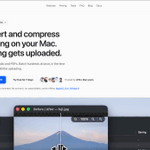
ALT A Mac application interface displays options for converting and compressing various file types, emphasizing privacy and batch processing.
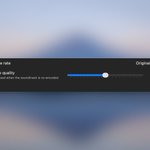
Video finally has its own audio quality slider in Picmal 1.8.7 (48 to 320 kbps).
The soundtrack used to be written at one fixed quality, whatever you picked.
Now you can push it up for music, or pull it down for a talking head.

Picmal 1.8.7 adds a Copy codec for video: picture and sound carried over untouched. A file that'd take minutes to re-encode is done in about a second.
MP4 → MP4 is in the To menu now too, so changing a codec doesn't mean changing the container.
Drop photos into a folder. Get a PDF.
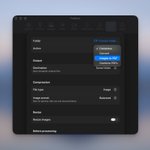
Picmal 1.8.7 gives watched folders an Images to PDF action:
- 10 seconds after the last image lands: one PDF
- One page per image
- In Finder name order
It can delete the originals too, if you trust it that far.

Compress one video hard. Keep the next one balanced. Same batch.
Picmal 1.8.7 adds a Preset column to Convert and Compress. Change one row, only that row changes.
Pin a row and it keeps its preset when you change the one in Settings.
Picmal 1.8.7 has a Crop tool.
Images and PDFs. Type what to shave off each edge, pixels or millimeters. Or auto-trim the border.
The bit I wanted: cropped PDFs keep their text, links and forms. Only the page size changes.

ALT Picmal's Crop tool with a three-page PDF queued, and two Preview windows side by side comparing the original page against the cropped copy with its white margins gone
New in Picmal 1.8.7: paste a video link, get the video.
Drag one from your browser or press ⌘V. Best, 1080p, or audio only.
Sites serve AV1 and VP9, which QuickTime refuses. Picmal rewraps or re-encodes so the file just opens.

ALT Picmal's Download Video tool with a finished 4K download marked Done, a QuickTime preview of the clip open over the list, and the destination folder and 1080p quality picker in the bottom bar

New tool: Slideshow ✨
Drop a batch of photos and Picmal builds an MP4. Mixed sizes, HEICs, whatever.
Pick how long each photo stays on screen and the frame size: 4K, 1080p, 720p. Every image is scaled to fit and centered, so nothing gets cropped.

