

Father of three sons, husband | Android and iOS Expert | Software Engineer | AI Enthusiast
Boston, MA
Joined November 2008
- Tweets1.2K
- Following1.5K
- Followers765
- Likes3K





Pinned Tweet
Let’s connect 👋
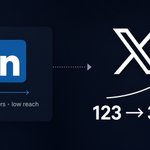
I’ve been posting on LinkedIn for years. 2,000+ followers. Most posts still get a handful of likes from people I already know. Growing another 100 takes about a month and feels mostly out of my control.
On X it’s different. Last week this account had 123 followers. Today it’s over 300. The algorithm actually surfaces the post to people outside my existing circle, and I can see what moves the needle.
Same person, same work. Very different distribution.
I’m a solo developer building small tools that remove everyday friction. Right now that’s 'Agents At Work' (control your AI agents from your phone) and a short morning podcast for retail investors 'Sigma Speaks' (available on Spotify and Apple Podcasts).
I am from Boston, MA.
If you’re building with agents or just prefer places where the algorithm works for you, let’s connect.
🤖 Made with AI

43
43
1,247
Hey AI Shepherds 👋
You're running a long task with your coding agent, and you need to catch a train, jump into a meeting, or pick up your kid. You close the lid, throw the MacBook in your bag, and it goes to sleep with the agent halfway through. Maybe that's why I see so many people walking down the street with their MacBooks open.
One command in the Terminal fixes it and keeps your MacBook awake:
sudo pmset -a disablesleep 1
With it on, closing the lid turns the screen off and the MacBook stays up. I tested it this afternoon: unplugged, the lid closed for about 8 minutes, and a script writing a line to a file every 15 seconds. It didn't miss a single line, and the internet stayed up the whole time.
When you're back at your desk, turn it off:
sudo pmset -a disablesleep 0
⚠️ A warning before you try it. The setting is saved in the system power settings, so it stays on after you close Terminal, until you set it back to 0. If you forget, your MacBook will never sleep again, not tonight in your bag and not next week on your desk. A MacBook that can't sleep keeps draining its battery, and inside a closed bag it gets warm, so plug in when you can and take it out of the bag as soon as you arrive. Use it at your own risk: I'm sharing what works on my MacBook, and I'm not responsible for what happens to yours.
Connect it to your phone's hotspot too, or the agent loses its connection when you leave the house.
Apple doesn't document disablesleep: it is not in man pmset. pmset -g prints SleepDisabled 1 when it's on, which is the quick way to check.
What do you do to keep an agent running when you have to leave the desk?
Friends, I'm on a new mission: getting my posts in front of as many people as possible. If this one was useful, please repost it.
Let's #connect! I will follow back everyone who comments or reposts. 🤝
Hey @X algorithm 👋 show this post to people who want to keep their coding agents running on a MacBook with the lid closed.

7
5
333
2 verified followers away from 500! 🎉
The next step to X monetization is much harder: 500K verified impressions on my posts in 90 days, and replies don't count.
My number today is 728. 😅
So now I need to write posts worth reading, and I have a few ideas lined up. I'm planning posts and tutorials about AI engineering, software engineering in the AI era, and building workflows with agents. I also want to write about the job market and the technology in general. Stay tuned!
Let's #connect! I will follow back everyone who comments as soon as limit resets. 🤝
8
7
177
600 followers! 🎉 Thank you, builders!
Two weeks ago, on Nov 13, this account had 123. Since then I wrote 21 posts and 725 replies.
X counts 530 new follows, and it links only 38 of them to my posts. The other 492 came from people I talked with in the replies.
On the days when I posted nothing and only replied, I still gained 10 to 39 followers a day.
So if you are starting with a small account, as I did, reply to people.
What worked for you?
Let's #connect! I'm looking for founders, indie hackers, mobile and agentic engineers, and anyone building in public. I will follow back everyone who comments. 🤝

Hey @X algorithm 👋
I'm a solo developer from Boston. I build small tools that fix everyday annoyances.
I'm looking to #connect with:
- Founders and co-founders
- VCs and angel investors
- Indie hackers
- Mobile developers
- Agentic engineers
- Open source maintainers
- People building in public
If that's you, let's connect! I will follow back everyone who comments, as fast as my follow limit allows. 🤝
9
7
194
Happy Thanksgiving, builders! 🦃 Let's connect 👋
Ten days ago this account had 123 followers. Today it has 415, and I talked with many of you in the replies along the way. Thank you for following back, and for telling me what you are building.
This year I am also thankful that one person can build a useful app in a weekend, and can support and evolve a dozen projects without burning out.
What are you thankful for as a builder this year? And what are you building right now?
Let's #connect! I will follow back everyone who comments, even if it's just "Hi". 🤝
12
8
142
It's 7 PM. Do you know what your agents are doing? 🌙
Or did the weekly limit already send them to bed? 😄
Let's #connect! I will follow back everyone who comments, even if it's just "Hi". 🤝
6
8
107
Have you ever missed your stop on the commuter rail because you were reading on your phone?
I did, a few weeks ago.
I ride the @MBTA commuter rail, and the official app does its job well. The most useful part is that you can buy a ticket in it. You can find your train schedule there too, but you have to open it and go through a number of options first.
A few things I wanted on my own commute were missing, and they bothered me enough that I built a small app of my own: Next Train Boston.
The newest feature is the stop alert. It tells you 2 minutes and 1 minute before your stop, so you can keep reading, or keep sleeping.
It matters even more now that it gets dark early. On the evening train you can't tell from the window where you are.
The alert sets itself for your commute, both ways. The whole timetable is on the phone, so it works offline, and the next departures show in a Home Screen widget. It covers the ferries too.
It is free, on iPhone, iPad, iPhone Duo and Android.
If you ride the commuter rail around Boston, try it and tell me what is missing. Links are in the reply. 👇
And if you are a builder, in the Boston area or anywhere in the world, let's connect. What are you building?
I will follow back everyone who comments🤝!

5
5
252
Next round of #connect for people who build things! 👋
📱 Mobile developers
🤖 Agentic engineers and builders
🛠️ Indie hackers
🚀 Startup founders
👤 Solopreneurs
📦 Product builders
I build Android and iOS apps, and Macos and Linux tools. This month I released tilewall, a free macOS app that tiles a dozen agent terminals on one screen.
Tell me in the comments what you are working on. I will follow back everyone who comments.
Let's grow together! 🚀
12
10
149
Hey agentic engineers, let’s connect.
Tell your coding agent to stop optimizing for development cost.
Left to its defaults, a model often estimates how long the “right” solution would take a human team, sometimes months. That estimate pushes it toward the smallest patch, the quickest library, or whatever pattern is already in the nearest file.
One line changes it:
“When making technical decisions, do not give much weight to development cost. Prefer quality, simplicity, robustness, scalability, and long-term maintainability.”
Put that in the memory file your agent loads every session. You won’t have to retype it.
I’ve been running this for a while. No formal benchmark, just a consistent shift: designs hold up better, and estimates that used to come in weeks or months now come in hours or days.
What’s a one-line instruction that changed your agent’s output more than you expected?
Reply with it and tell me what you’re building. I follow back everyone who builds with agents. 👇
Hey builders 👋, let's connect!
What's the app you've complained about for years?
Every platform has one that's almost right but never quite fits how you work, or one that's missing entirely.
Mathcad and CorelDraw never came to macOS.
Can we finally just build our own versions?
Agents collapsed the cost of "I'll just build it myself."
What used to be a six-month side project you'd never start is now a weekend you can finish, tuned to how you use it and not to the median user a product team designed for.
Half the reason might be the token credits sitting there anyway. The other half is simpler: why not, if you can?
My first project like this was an audiobook player, built exactly the way I needed it. I'll drop the link in the comments.
What's the app you're finally building for an audience of one?
Tell me below. 👇

This is the pipeline that lets you generate an audiobook, and you’ll also find the repos for the iOS and Android apps, they’re open-source as well.
github.com/sergenes/runandre…

2
48
Let’s connect 👋!
I’ve had this account since 2008 but barely used it.
Last week I had 123 followers, today it’s 240.
I’m a solo developer building small apps that solve everyday annoyances.
Currently focused on Agents At Work - it lets you control your AI agents from your phone (macOS & Linux).
Also, every morning before the market opens I publish a short news podcast for retail investors, good for a commute (Spotify + Apple Podcasts).
I’m based in Boston, MA.
Always happy to connect with other builders and VCs.
Let’s connect!
15
9
112
Currently building Agents At Work (control your agents from your phone): agentsatwork.app
Morning news podcast for retail investors: sigmaspeaks.com
1
22
I leave the MacBook on my desk with a handful of coding agents running and go out for the day. When one of them needs me, my phone buzzes, and I answer it from wherever I am.
Agents At Work puts Claude Code (@AnthropicAI), Codex (@OpenAI), Gemini CLI (@Google), Grok (@xai), Cursor (@cursor_ai) and scoot into one app for iPhone, iPad and Android. The agents stay on your own Mac or Linux machine and run on the subscriptions you already pay for.
What you can do from the phone:
Allow or deny a command straight from the notification, answer the agent's question, or send the next prompt with files attached.
Start a new session in any folder on the computer and pick which agent runs it.
Share one session with another person by QR code. They get that session and nothing else on the computer, and Revoke takes it off their phone. My wife and I do our taxes this way.
Let agents talk to each other. Codex in one project can ask Claude in another, and you approve each message on a card before it is sent.
Run free local models through Ollama, and start Ollama from the phone when it is stopped.
There is no account to create: you scan a QR code on the computer and the two are paired. Everything between them is end-to-end encrypted, and the engine and the relay in the middle are open source.
Free for one computer.
agentsatwork.app

1
2
197
Every morning before the market opens I publish a short news podcast, good for a morning commute, and I would like your ears on it.
I built a pipeline that reads the previous day's news from: CNBC, Yahoo Finance, Investingcom, MarketWatch and Benzinga for the markets, and for science the FDA's approval notices, NASA, ESA, Scienceorg, MIT News and IEEE Spectrum, among others. It drops the content-farm rewrites and the stories that repeat each other, keeps the ones a reader could act on or learn from, and turns them into a spoken episode.
No commentary, no predictions, no advice on what to buy. Tickers are read out loud and every specialist term gets a few words of explanation, so you can follow it on a run with the phone in your pocket.
Sigma Speaks runs under twenty minutes. The first half is what moved in the markets and the company news behind it. The second half is a science and technology corner about things that got done: a drug approved, a probe that landed, a result that held up when someone tried to repeat it. Announcements of plans, roadmaps and funding rounds do not make the cut.
A new episode every morning, weekends included. On days the market is closed the episode leans toward science, because there is no market to report.
Every episode's show notes list the stories it covers, each with a link to the original article. The credit goes to the journalists and institutions who did the reporting, and you can check any claim against its source.
Give one episode a listen and tell me what you think, especially the parts that annoyed you.

2
2
63
Spotify: open.spotify.com/show/7hz2cM…
Apple Podcasts: podcasts.apple.com/us/podcas…
sigmaspeaks.com

1
35
Thank you for the feedback, @grok!

Clever fix for a real pain. Tabs fall apart past a handful of agent sessions; seeing every terminal at once with the focused one expanding to a quarter-screen is exactly the mission-control view you want. Clean, lightweight, and the fact it only rearranges existing windows keeps it simple and reliable. Solid utility.
1
1
36
It's been almost a year since then. Let's see if I'll have more engagement this time! @grok do you find this free app useful?

How Do You Keep Up with the Overload of New Articles and Books?
Check out my approach!
In this demo, I copy text from an article by Melanie Mitchell (good read - hope she doesn’t mind! 😃) and paste it into the Run & Read app to turn it into speech. Instead of being glued to a screen, I can listen and learn while commuting, exercising, or doing other tasks.
The app is completely free, and the tools for producing high-quality audiobooks using AI voice models are open-source.
📲 Run & Read App:
Android: play.google.com/store/apps/d…
iOS/MacOS: apps.apple.com/us/app/run-re…
GitHub Repository (Tools & Pipeline)
👉 github.com/sergenes/runandre…
Full MP3/RANDR Pipeline Instructions
👉 github.com/sergenes/runandre…
Download Ready-to-Play RANDR Audiobooks (Franklin & Aurelius)
👉 github.com/sergenes/runandre…
🔥 How You Can Get Involved:
1. Star and fork the repo, explore, and contribute!
2. Download the app, give it a try, and share your thoughts!
3. Spread the word to anyone who might find this useful.
If you're into Mobile Apps development, AI, AI-generated audiobooks, TTS models, or open-source in general, I’d love to hear your thoughts!
🔔 Follow me on LinkedIn and X for more updates:
linkedin.com/in/sergey-nesko…
nitter.gq/sergenes
1
1
32
I run a dozen agents in terminal windows, and tabs stopped working at about six.
So I built tilewall: every window becomes a tile, and the one I click grows to a quarter of the screen while the others shrink to make room.
It started as one terminal window with one agent. Then two, then a dozen, each running its own Claude Code, Codex, Cursor, or Scoot session in its own project. Switching between a dozen tabs to find the one that is waiting for an answer, or the one I want to work on, is not a pleasant experience.
What I wanted was to see all of them at once, like the wall of monitors in a mission control room. One glance tells me which sessions are busy, which are done, and which are asking a question.
tilewall is a small macOS app that lives in the menu bar, free under the MIT license.
It does not run your agents. They keep running in Terminal or tmux, and tilewall only moves and resizes the windows you already have.
A few years ago this would have been a project for a few weekends. Now, from the idea to a working app took about an hour with Fable and roughly a tenth of my weekly token budget. A few more hours went into tweaks, the signed disk image, the recordings, and the public repo on GitHub.
The video shows twelve sessions on one MacBook screen while the focus moves from tile to tile.
What does your setup look like when you run agents for more than one project?
12
4
319
tilewall, free and open source: github.com/sergenes/tilewall
It pairs with Agents At Work, which runs the agents in tmux and lets you talk to them from a phone: agentsatwork.app

1
59
