

The missing user interface for relational databases. Work quickly across tables, queries, and relationships, without manual coding or page design.
Joined September 2016
- Tweets198
- Following9
- Followers571
- Likes4




Ultorg retweeted

Ultorg demo: Appraising artworks from the National Gallery of Art using the new "Fill with AI" feature in Ultorg 2.2.0. The interesting part is in the handling of joins. We can show a list of artworks, and for each artwork, a list of provenance timeline entries, and related data from other tables, and then use all of this data as context for the appraisal task.


An analogous "Heading" feature exists in form layouts, and has related improvements in this release. In form layouts, headings are displayed in larger font, and will stay frozen while scrolling up or down.
Release notes for Ultorg 2.1.5: ultorg.com/releasenotes/#ver…
Download page: ultorg.com/download/

New documentation site! Ultorg, the missing user interface for relational databases, is now discussed in detail with over 400 screenshots. Topics include: data source connections, query building, formulas, automatic layouts, data editing, SQL-equivalence.
ultorg.com/docs/intro/what-i…

Another Ultorg release, this time simplifying formulas that involve calculations on dates and times, and improving the display of time durations. Also, by popular request: Highlight the current row, to help users maintain sanity when reading very wide tables. (1/2)


Also, handle the SQL INTERVAL type, and tables in Google BigQuery with mandatory partition filters. Download Ultorg 2.1.2 here: ultorg.com/download/ Full release notes at ultorg.com/releasenotes/#ver… (2/2)


End-to-end encryption: The data in perspective definitions, such as column names and selected filter values, is stored on Ultorg's server in encrypted form only. The encryption key is stored in the “hash” portion of the link (#...), which is never exposed to the server. (2/3)

Full release notes for Ultorg 2.1.0: ultorg.com/releasenotes/#ver…
Download page: ultorg.com/download/


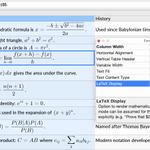
A bonus feature for some very specific use cases: Text cells can now render inline LaTeX math. (Eventually we should add support for more common markup languages...) (5/6)

Full release notes and download page for Ultorg 2.0 available here:
ultorg.com/releasenotes/#ver…

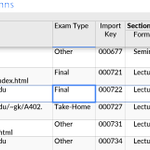
This release also makes it easier to work with cells containing long text or JSON values. You can press Ctrl/⌘+Enter to see the contents of the currently selected cell in a dedicated text editor, where keys such as Enter and Page Down will not disturb the cell selection. (2/3)

Other improvements and bugfixes are listed in the release notes at ultorg.com/releasenotes/#ver…
Download the latest Ultorg version here: ultorg.com/download/ (3/3)

Also, the dropdown that appears when editing foreign keys can now be constrained to show only specific, relevant options.
For example, a dropdown showing Cities may be constrained to show only cities from the country that is selected in an adjacent Country field. (2/3)


Full release notes at ultorg.com/releasenotes/#ver… and download page at ultorg.com/download/ (3/3)