

Pro tools for the Apple ecosystem. Built by ex-Apple engineers.
Minneapolis
Joined January 2015
- Tweets4.3K
- Following544
- Followers6.5K
- Likes4.4K





Astropad retweeted

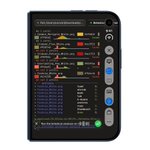
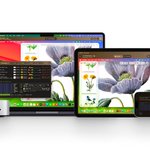
🖥️ Workbench 1.4 adds Duo support. Open, keep a remote Mac agent in one pane while using another app. The update also adds a terminal you can switch to without reconnecting.
By @Astropad: apps.apple.com/us/app/astrop…
Take it for a spin! Workbench is free to use for 20 minutes/ day 😌
astropad.com/product/workben…

Astropad retweeted

Astropad Workbench 1.4 adds terminal access, iPhone Duo support, and more 9to5mac.com/2026/10/27/astro… by @apollozac

Astropad retweeted

If you have a Mac hosting a local AI agent, boy do I have a treat for you.
Astropad Workbench has allowed me to administer (via screen sharing) my two agent machines from across the planet via my cell phone without VPN.
And now they've added remote terminal. Finally, I can just work in the CLI without streaming the entire window manager and UI over a 5G connection.
I have waited (and begged) for this feature and it is finally here.
Thank you Astropad team!!


Today we are releasing our biggest update to Astropad Workbench since 1.0!
REMOTE TERMINAL
Switch between your Mac’s desktop and terminal without reconnecting. Dictate prompts and commands, and pick up your terminal session on another device.
IPHONE DUO SUPPORT
Native support from day one. Keep an eye on your AI agent in one pane without it taking over your whole phone.
MAC-TO-MAC FILE TRANSFER
Drag and drop files between Macs during terminal sessions.
Stay connected to your Mac and keep your AI agents moving with your iPhone Duo!

Astropad retweeted

Today we are releasing our biggest update to Astropad Workbench since 1.0!
REMOTE TERMINAL
Switch between your Mac’s desktop and terminal without reconnecting. Dictate prompts and commands, and pick up your terminal session on another device.
IPHONE DUO SUPPORT
Native support from day one. Keep an eye on your AI agent in one pane without it taking over your whole phone.
MAC-TO-MAC FILE TRANSFER
Drag and drop files between Macs during terminal sessions.
Stay connected to your Mac and keep your AI agents moving with your iPhone Duo!
Astropad retweeted

Can confirm: I'm GIDDY about the @Astropad update for Duo.
Trust me, if you are a coder, this will transform your workflow.
Matt and team have built an absolute BANGER of an update!
Astropad retweeted

A tech reporter who loves the feel of paper discovered an affordable way to make her iPad feel more like a notebook. nytimes.com/wirecutter/revie…

Astropad retweeted
I love the new Rock Paper Pencil packaging.
It’s beautiful and more space efficient, with awesome art by Darja Remc

Astropad retweeted

Rainy fall study sessions just got better 🍂📚
I’ve been using the @astropad Rock Paper Pencil V4 on my iPad for homework, taking notes, annotating PDFs, and journaling. ✏️
Check it at the link in my bio!
#astropad #rockpaperpencil #ipadnotes #collegestudent #studywithme

Last year our cofounder and product designer @gdonelli started experimenting with prototypes to mimic graphite for Apple Pencil.
He used a standard 2B pencil as our north star because of its familiar soft, toothy drag ✏️
Where we landed not only replicated the feeling of graphite, but also the look and sound of it too!

Astropad retweeted
Astropad's new Rock Paper Pencil 4 adds a graphite feel to Apple Pencil and iPad 9to5mac.com/2026/08/26/astro… by @apollozac

