

All-in-one file converter 🚀 Convert images, videos, docs & more in seconds Fast • Free • Secure 🌐 https://nitter.gq/t.co/MT03P5bbwk
Lahore
Joined August 2020
- Tweets2.6K
- Following427
- Followers308
- Likes538







Did you know?
A huge PDF is sometimes a font problem, not an image problem.
PD4ML's Nov 1 release notes: embedding a 15 MB CJK font as a subset (only the characters used) turns a 23 MB PDF into a few hundred KB.
PDF too big to email? Check fonts before you crush the photos.
Image resizing and compressing for me. A browser tool does it in seconds, no app to open. Renaming files in bulk is a close second.
If compressing didn't get it small enough, try lowering the resolution first (e.g. a video to 720p), or split it into two parts. A shared Drive/Dropbox link also works in DMs when the file is too big.
Good point. Same for screenshots of text: compress in small steps and zoom to 100% before sending. A browser compressor like Convertlo's makes it quick to try a few quality levels.
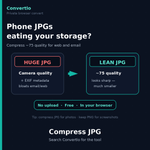
No café needed 🙂 Crop the photo to just head and shoulders first (smaller dimensions = smaller file), then compress as JPG and lower quality until it shows under 15 KB. Free in your browser, no signup: convertlo.pro/image-compress…

Great to see the real cost spelled out. Most 'must-have' add-on lists skip that the free ones do most of the work. Which one would you keep if you could only pick a single add-on?
Transparent recompression is an underrated idea: store it smaller, get the original back byte-for-byte.
JPEG XL does the same for old JPEGs. Good to see it tried on whole archives.

I've recently released Aqueous lifthrasiir.github.io/aqueou… , a next-generation archive file format designed around speedy and transparent recompression. While the concept was well understood among data compression experts, it wasn't widespread enough... hopefully until now.
JPEG XL is now in Chrome, Firefox and Safari. Is AVIF done? Not yet.
Jake Archibald's benchmark:
- Web photos: AVIF usually smaller
- Screenshots/transparency: AVIF by a lot
- Old JPEGs: JXL shrinks them 9–20%, no extra loss
My take: AVIF for the web, JXL for archives. Agree?
Great list. My favorite kind of tool is the one that works right in the browser with no signup, nothing to install.

Google just turned Gemini into a file editor.
Since Oct 29 you can generate, preview and edit PDFs, Docs, Sheets and slide decks right inside the chat. PDFs work on web and mobile, the rest on web for now.
The chat window is becoming the document. Would you edit a PDF there?
Need a product photo on a clean background, but don't have Photoshop?
Here's a simple fix: drop the photo into Convertlo's Remove Background tool.
It cuts out the subject in seconds, right in your browser. No signup, no watermark, free.
#productivity
Copying text straight out of a photo is the one I use most. Pairs nicely with a quick HEIC to JPG conversion when a form refuses iPhone photos.
Cleaner way to share: trim the ?s= part, then turn the link into a QR code. No device hint, and anyone can scan it: convertlo.pro/qr-code-genera…
Did you know?
HEIF (the format behind iPhone .HEIC photos) is a container, not a codec.
Nokia's team says new work adds VVC/H.266 support and a lightweight variant for icons and thumbnails.
Why it matters: better codecs can slot in without rebuilding your photo workflow.
Bank statements are the top target for AI-faked documents: 23.7% of AI-generated flags in Inscribe's 2026 data, which says the visual tells are mostly gone. When a lender asks, send the original PDF, not a screenshot. inscribe.ai/reports/2026-doc… #fraud #banking

convertlo.pro/compress.html
Try this tool if you want less size even more then click compress more

Big GIF? Turn it into an MP4. Video codecs handle motion far better than GIF, so the clip usually gets much smaller and plays smoother. Free, up to 50 MB, no signup, no watermark, and it stays in your browser. convertlo.pro/gif-to-mp4.htm… #GIF #video

Resumes: PDF or DOCX? PDF keeps your layout exactly as you made it. DOCX is easy to edit, and some recruiters and job portals ask for it. Our rule: send what the job post asks for. If it says nothing, PDF. Which do you send? #resume #jobsearch