

AI agent tutorials: Grok Bot teams, Claude Code, Codex & more. Real setups I use to run my business. Free templates + newsletter: https://nitter.gq/t.co/qqJ1kdF4ke
AI Agent Tutorials & More ➡️
Joined March 2016
- Tweets1.4K
- Following673
- Followers1.5K
- Likes6.8K



Grok @bot Pages just launched.
4 examples of what you can build:
- Project overview dashboard
- Coding Bot cost tracker
- Kit newsletter analysis
- Interactive Bot team map
I like that it can pull data from your connected apps & personal computer to give you instant analysis and insights.
Grok @bot just launched Pages.
Here's one example I built using the Kit newsletter connector.
My Bot pulled in the campaign results, built an interactive dashboard, analysed which topics perform best, and recommended what to send next.
Full walkthrough with 3 more examples pinned to my profile if you want to see more.
Two requests from running a 10-Bot team:
1. Let Pages save state. Ticks and edits vanish on close, so my approve queue and "discuss" boxes had to live in Notion
2. One approvals inbox across all Bots. Cards land in each Bot's own chat and are easy to miss with a bigger team
Once you're running more than a couple of Grok Bots, the hard part stops being the bots and becomes keeping track of them. My version: one coordinator bot owns a shared Notion board, the other bots report to it, and I get one weekday morning update instead of checking every chat. @buckleyplanet’s To Do setup is a neat take on the same problem.


It’s a cool feature but it doesn’t replace Notion. Pages can’t save anything you do on it, so it’s not a full replacement for project mgmt
I like Pages, using a few dashboards in my setup: youtube.com/watch?v=GhqXU6Oe…
Coordinating the coding bot seemed to consume the most credits, I might tweak the workflow slightly next run, have codex in a separate terminal and run the prompts myself instead of grok handing off.
I'm 47% through my weekly Grok Bot limit with 6 days to go 😬
Where it went:
• Auditing a WordPress site for a migration project
• Reading X's open-source algorithm code
• Building + editing a 40-question intake form (TypeForm connector)
• Coordinating my coding bot on 18 fixes
Anyone else burning through @bot usage limits?
Yep! I’ve got a team of about 6 bots that manage my projects, using the Notion connector is key helps me stay organized and on track.
Yep me too, what sold me was running it as a small team instead of one chat. On my own site a comment goes to an intake bot, a PM bot writes the brief, and a coding bot opens a draft PR. My only job is merging the PR.
Before you delete everything, I'd check each Bot's routines. Scheduled checks and event listeners keep running while you're away, so usage can climb with no chat open. I run a few half-hourly ones myself, so that's the first thing I'd look at. Ask your bot to review them all, give you a list, and suggest ways to reduce usage.
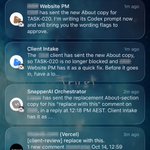
My web dev team has a PM that tracks vercel for client feedback, sends the feedback to an intake bot who creates a task in Notion, and a Codex bot that actions the job and opens a draft PR. I just review and merge the PR.
the hand off is automated but I review before it gets pushed to the skills library, so I use that as the human in the loop step to edit or approve the doc. The Skill Builder Bot will ask for my approval before it publishes in Notion
Sure, a few examples:
1. My website updates: as mentioned above, I leave a comment on the Vercel preview, an intake bot logs it, a PM bot writes the brief and a Codex bot opens a draft PR. I just review and merge.
2. Content: I drop in a video transcript and a bot turns it into a Notion content pack with post ideas, draft posts, an article and Shorts briefs. It also creates a brief for my video editor and emails him to repurpose the long-form video into Shorts.
3. SOPs and Skills: I have a bot that monitors all convos and workflows, spots opportunities for building SOPs and skills, and automatically hands off the job to my Skills Builder Bot. So as I work, I'm automatically building a library of SOPs.
Agree it's changing, but I don't think email dies. It gets a new reader. Maybe the next email strategy is writing for the agent, not the human: content-heavy, well structured emails an agent can pull the key info from and turn into a task or reminder for the end user.
The fix for me was making agents hand work to each other instead of back to me. Intake logs the request, a PM bot writes the brief and a coding bot opens the PR. The only part I do every time is review the pull request before it merges.
From a Business Ops perspective its similar, multiple bots manage the process I'm only required at critical decision points. It's definitely reduced my work load and helped me be more productive.