

#EdTech resources that are out of this 🌎 Level 2️⃣ GoogleCE 📱 Glide Ambassador
🌌 Milky Way
Joined September 2019
- Tweets1.2K
- Following1.3K
- Followers880
- Likes1.7K







.@DiffitApp is one of the best uses of AI that I've seen yet. You type in what topic your students are studying, and it creates:
- a reading comp
- a list of vocab words
- questions
- and it even creates Google Slides that the students can use to demonstrate their learning!
Spencer Barfuss ˗ˏˋ 🚀 retweeted

Want to create a Google Form, Kahoot or @Gimkit from an existing file in SECONDS? 🤯
Check out digitaliser.getmarked.ai/
Now, THIS is a company that understands teachers. 💚
#edtech #ai #edchat

Oh ok. From your tweet, it totally sounded like you grabbed it up, along with those other single-letter handles. Ha ha.
Discover Weekly’s on Mondays and Release Radar’s on Fridays. Love them! It always gives me great music based on what I listen to most. However, it always slips a few Kidz Bop songs in there. I keep asking it to remove it, but always adds at least one every week.
Spencer Barfuss ˗ˏˋ 🚀 retweeted

Important news from @MicrosoftFlip today - download your Shorts videos by July 15 if you wish to keep them. Info on how to do this here: help.flip.com/hc/en-us/artic… #Flipsider

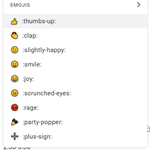
To change the answers for each tab, open up the Key tab by clicking on View, then Hidden sheets. Change the answers next to each question number. Be sure to also change the word problem in each tab to match your new answers. Repeat steps to change emojis in the Emojis tab.
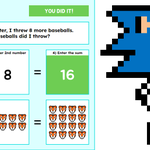
I took @ericcurts's Emoji Math activity idea in #GoogleSheets and added some pixel art. Click below to make a copy for your own #GoogleDrive to share w/ your students.
🚀 Emoji Math Pixel Art
docs.google.com/spreadsheets…
#edtech #edutwitter #GoogleEI #GoogleWorkspace #GoogleEDU

Also, they say in their "Subscription is Changing" email that the new platform is $84 per license, and as a thank you, they're offering a discount at $42 for being a long term customer... by almost doubling the annual cost of the $24/year I was paying?
How many of you plan to continue your annual @screencastify subscription since they are almost doubling the cost? Would love to hear your thoughts. Is this new platform really worth the cost?
#edtech #edutwitter #screencasting
Make sure to put IFERROR at the beginning, otherwise you have a column full of #VALUE! in each cell. Then format column to Date to view as mm/dd/yyyy.
Formula below does it, too. Format as date.
=ARRAYFORMULA(IFERROR(DATE(RIGHT(A2:A,4),MID(A2:A,4,2),LEFT(A2:A,2))))
I had to compensate for empty values in 1 column but needed to return 4 different columns and had to use this, otherwise it wouldn't return data for VLOOKUP.
{IFERROR(1/0),IFERROR(1/0),IFERROR(1/0),IFERROR(1/0)}
Did you put it at the beginning of your formula?
One of my favs. I think Shift + Ctrl + T to reopen a recently closed tab in Chrome is like this one for me. It's a lifesaver.