


Kevin’s Robots retweeted

We’ve published SO-ARM102 on MakerWorld. We’d really appreciate your support there.
makerworld.com/en/models/367…
Music · “Resolutions” by Scott Buckley, CC BY 4.0.
Kevin’s Robots retweeted

This Friday, the world of human knowledge changes forever. Many search engines will become obsolete, and home schooling gets a powerful new tool that costs nothing, runs locally, and can't spy on you. It's called BrightKB, and I built it to empower humanity. Launches Friday:
Kevin’s Robots retweeted

We all run the same models now.
So what makes my agents different? It's all about skills. My agents work faster and BETTER bcs of the skills I built for them.
The problem is they sit in all sorts of different repos, where I forget about them and nobody else can use them.
Skillsync fixes this. You publish a skill once, keep it in one place, and anyone can install it with a single click. It works with Claude, ChatGPT, and any agent that supports MCP 👇🏻
🤝 Paid partnership

Kevin’s Robots retweeted
Introducing M3 Code ✨
A T3 Code fork with ZERO telemetry.
NOTHING is being sent from this fork - no analytics, no product usage data, no error or crash reporting, no OpenTelemetry traces/metrics/logs, and no install, device, or account identifiers.
It will be updated DAILY to get latest commits from upstream T3 Code. It also includes some other unique features, specifically for local AI, but not just:
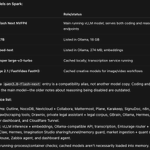
- Local providers marked, default for new threads
- Background writing prefers local models
- Settings → Inference: model server registry
- Supports llama.cpp, LM Studio, Ollama, TensorFold
- Gateway: per-server queues, TTFT, decode stats
- Queue position shown in waiting threads
- Pi gets managed provider + lean tool set
- OpenCode + Codex route through gateway
- Fallback servers, only while primary is down
- Cache health + probe freshness per server
- Vision: engine-reported + tested, images routed
- Watchdog stops loops, rants, and hangs
- Bounded retries; never retry cancellations
- "Use a local model" one-step setup
- "Find server" repairs a moved server
- Picker shows machine + server per model
- Warns when a thread's model is no longer served
- NoName provider via ACP bridge, auto-found
- Pi/OpenCode/NoName auto-enable when on PATH
- SSH machines get the fork's own server uploaded
- Fork version 0.1.x-mia.<time>.g<hash>
- Add project dialog: machine picker + folder browse
- Add servers from other connected machines
- Two-tone dark theme; true-black kept as OLED
- Sidebar cards title-first; Settled collapses
- Offline evals for local models
Get it here:
github.com/MiaAI-Lab/m3code


Seems like T3 Code reads your Claude and Codex credential files to hash your account IDs and send them with its telemetry.
Default-on usage stats are normal for dev tools, but reading another tool's auth files isn't.
And opting out isn't easy. There's no toggle and no config file. You have to set two environment variables in your OS:
export T3CODE_TELEMETRY_ENABLED=false
export T3CODE_OTEL_SDK_DISABLED=true
Simpler fix, block the endpoint:
echo "0.0.0.0 ingest.t3.codes" | sudo tee -a /etc/hosts
The app still reads those auth files locally either way. I'll remove the telemetry entirely from my fork.
Here's the full list of what gets sent:
- Your OpenAI and Claude account IDs, hashed without salt, so anyone with your raw ID can match them back to you (see above).
- A permanent device ID, hashed, sent even if you never sign in.
- Your IP address with every batch, which gives a rough location.
- Custom model names, sent exactly as written. If one carries a private or internal name, that name gets out.
- A usage profile: which models you use, permission mode (such as full-access), token counts, run times and feature usage.
Thanks @jauneclaude for reporting this (source below).
Kevin’s Robots retweeted

We just deployed some big improvements to our Mac and Windows apps, which allow Gab AI agents to get real work done on your computer and with your explicit permission and control along the way.
The Gab Work Agent can use your browser to get things done or use any app you give it permission to on your computer, work in isolated individual project folders on your computer, etc. It's extremely powerful for getting things done. Choose from over 200 AI models to get whatever task you need done, or let Auto mode choose the best model for you without thinking about it.
Install the app and check it out today: gab.ai/download

Kevin’s Robots retweeted

We've been cooking. We now have our own Codex/Claude Code/Cursor, but better. It has browser use, computer use, etc as expected and 200+ models for the agent to use to get any task done on your computer as well as a cloud agent to get work done on it's own computer. Obviously you have full control over what it gets access to as well. Extremely powerful stuff.
For those who don't understand any of what I just said: you can install the Gab AI desktop app and have the AI get anything done you can imagine on your computer. It can use your browser and any app/folder/file you give it permission to work on. You tell it to go do things for you on your computer and it gets it done.

We just deployed some big improvements to our Mac and Windows apps, which allow Gab AI agents to get real work done on your computer and with your explicit permission and control along the way.
The Gab Work Agent can use your browser to get things done or use any app you give it permission to on your computer, work in isolated individual project folders on your computer, etc. It's extremely powerful for getting things done. Choose from over 200 AI models to get whatever task you need done, or let Auto mode choose the best model for you without thinking about it.
Install the app and check it out today: gab.ai/download


Kevin’s Robots retweeted

Over the past week, I’ve been overwhelmed by the love and support of friends, industry colleagues, and people I've never met. Thank you to everyone who has shown kindness to my family and me. It means the world to me.
I came to the United States 53 years ago, and becoming an American citizen is one of the greatest gifts and proudest moments of my life. NVIDIA has been my life’s work. Building it into the company it is today alongside my colleagues has been a privilege and an honor. Nowhere but in America could a company like NVIDIA be possible. I love our country, and I love NVIDIA.
I did not live up to the standards expected of everyone at NVIDIA, and I have made serious mistakes in my personal life. I created problems for the Board that I deeply regret. I own my mistakes completely, and I am committed to cooperating with the Board’s independent investigation.
Since my departure, I’ve seen an outpouring of calls from NVIDIA’s employees, investors, business partners, and customers for me to return as CEO. Many continue to reach out to me directly as the company navigates complex technology, market, competitive, and geopolitical dynamics. NVIDIA is a once-in-a-generation company. If the Board of Directors decides that my return is in the best interest of our shareholders, our employees, the company, and America, I would be honored to answer these calls and return as CEO.
Thank you again to everyone who has shared their good wishes. I am profoundly humbled by your support. To my family: I love you, and I will spend the rest of my life being worthy of yours.
Jensen
Kevin’s Robots retweeted

We need @JensenHuang back at NVIDIA.
The free world depends on it.
Kevin’s Robots retweeted

Jensen deserves due process, not whatever is happening right now. I signed.
#standwithjensen

Still hard to believe everything that's happened with Jensen.
After 33 years of building NVIDIA. I think he deserves a fair process, and we deserve the truth.
I signed this open letter to stand with Jensen. Hope you will too. 💚
standwithjensen.com
#StandWithJensen


Kevin’s Robots retweeted

Time to give y'all an updated AI toolstack!
Here's what I use on the regular as of Q4 2026:
-ˋˏ IMAGES ˎˊ-
NBP - Still my go-to for environment references / character outfit changes. Also, i've been using the 4k option for upscaling (I've largely stopped using the legacy Magnific/Topaz labs.)
Seedream 5 - Hands down, the BEST model for accurate character likenesses if you're working from a reference image (painting, death/life mask, photograph, etc)
Midjourney - Still the best for unique styles. I use it all the time in cinematic projects for environmental plates. Everything comes out of a custom profile that I trained.
FLUX 2 MAX - This one is new for me. I use it for upscaling environment plates. It adds perfect textures for everything, which is especially useful when combined with GPT image to get rid of all the friggin' artifacts.
GPT image 2.6 sunburst - Surgical image editing. I never use raw images because it just has the weird brown tone and wayyyy too many artifacts (so annoying).
Recraft v4.1 - logo generation
Claude driving Blender - for environment layouts (I'll explain this more in another post.)
Claude design - for quick thumbnails.
Photoshop - For compositing/editing
-ˋˏ VIDEO ˎˊ-
Seedance 2.5 - My main video generator
Kling 3 - For environmental/establishing shots with no humans
Gemini Omni Flash - For generating sound FX and adding elements to talking head videos.
CLAUDE CODE (driving Tesseract, working in premiere pro and After effects) - This has radically changed my editing work these last two months. I use it for everything from rough cuts to final polish. It also drives Blender for more impressive looking b-roll. I love it so much.
-ˋˏ AUDIO ˎˊ-
Elevenlabs - for professional voice cloning in particular.
Minimax - for dialogue correction. Minimax is leagues above elevenlabs for this purpose. 11Labs tends to clean up audio and alters clones too much (with the exception of PVC). Problem is, there's not always gonna be the opportunity for PVC. But the instant voice cloning in Minimax is a TRUE instant clone, retaining things like room acoustics, accents, and background noise, so that when you patch audio in your video, the blend will be SEAMLESS!
Sync . so - for correcting lipsync after correcting audio.
Adobe podcast - for quick and easy audio cleanup.
-ˋˏ PLATFORMS ˎˊ-
Sume - My main platform these days. More cost effective than the other platforms I've used, and you can see the actual cost per generation vs. credits. Aaaaaand, NO SUBSCRIPTION COST!
Magnific - backup platform. it has less moderation, which is great. I hate getting randomly flagged for NSFW even though it's nothing of the sort. And I love using nodes.
Higgsfield - I'm trying to move away from this platform, as i'm just tired of some of the underhanded tactics. My annual subscription expires this month. After that, i'll be fully with Sume (and maybe Magnific depending on what that black friday deal looks like...). But i have to admit that some of the features are bomb...
ComfyUI - I started experimenting with it, but i'm having a lot of trouble. 😅 I'm sticking with it only because I know how powerful it is once you get the hang of it. And it's about time I learned how to run things locally.
-ˋˏ EDITING/PRODUCTION ASSISTANCE ˎˊ-
Claude - My copilot / assistant producer. Covers prompts, troubleshooting, and everything else. It's great that we can now send mp4s to claude to "watch" as it makes reviewing soooooo much easier! And like I mentioned, I have it edit a whole lot as well.
Wispr - For dictation. I practically never type anything anymore. Ain't nobody got the time fo dat!
Premiere Pro - Main editing software
After Effects - For masking
Descript - for screen recording and captions (though Claude has been able to handle a lot of the captions lately.)
And I think that's just about it. Hopefully I didn't forget anything...
If you want me to elaborate on any of these, lmk!

The 17-tool stack behind my last video:
IMAGES
NBP - For environment references / character outfit changes
Midjourney - Secondary platform for environment plates
Seedream 4.5 - Character references (it produces the best likenesses from real images)
Magnific (legacy) - For upscaling the character references
Recraft v4.1 - Title screen logo generation
GPT 2 - Surgical image editing. When other models missed what I was going for, GPT 2 never failed.
Photoshop - For compositing
VIDEO
Seedance 2 - My main video generator
Kling 3 - For environmental/establishing shots with no humans
Gemini Omni Flash - For generating sound FX
PLATFORMS
Higgsfield - Main platform. Allows me to use references + starting image with Seedance, which is a necessity for me. And it has more cost effective Seedance generations.
Magnific - Backup for when Higgsfield blocked my generations. Higgsfield would often label my prompts as “NSFW” (even though none of them were inappropriate), but Magnific would let them run.
CapCut - Secondary platform for generating animated sequences.
EDITING/PRODUCTION ASSISTANCE
Claude - My copilot / assistant producer
Wispr - For seamless communication with Claude & the other AI platforms
Premiere Pro - Main editing software
After Effects - For masking
Anybody can buy access to all 17.
Not everybody can make something worth watching.


Kevin’s Robots retweeted

⚠️ PSA: Don’t download any "Nous Research" or "Hermes" apps from the App Store or Play Store. Several are impersonating us with our logo or a lookalike.
Our official app is beta-only for now. Plenty of great third-party clients exist, this is about apps using our logo.
Kevin’s Robots retweeted
After I vote tomorrow, I'm going back home to keep building local AI infrastructure, because while I can't control which uniparty criminals and child diddlers get elected to public office as sabotage agents, I can most certainly help make the world a better place by coding solutions, knowledge systems and applications that I can share with others.
F-ck the system.
Let's build our own future without the Epsteen class.
(Maybe I shouldn't bother voting at all, come to think of it...)
Kevin’s Robots retweeted
MIND BLOWN BY GLM 5.3 FLASH 🔥
THIS IS WHY I LOVE THIS MODEL !!!
A council of 3 - Opus 5.5 in MAX, GPT-6.1 Sol, and GLM 5.3 Flash running locally. Opus admitted GLM did the best analysis. A local model running at home!!
It also admitted it made the WORST error of all three.
This is OPUS 5.5 running on MAX!!!

If you’re doing anything with local AI, go hook a brother up!
Ko-fi.com/home/coffeeshop?tx…


Following my earlier post about the M5 Ultra 512GB Mac Studio, more than two dozen people asked me to set up crowdfunding for it.
I always try to pay my own way, so asking for help at this scale doesn't come naturally. But I couldn't make the numbers work this time, and my loan got rejected after placing the order.
I'd love to get one for TensorFold and to see how far we can push it.
If you'd like to help towards it, I've put the goal on Ko-fi below. Please only contribute if you're comfortable doing so.
ko-fi.com/ashxhart/goal?g=2
Thank you to everyone who's encouraged me to do this, and to everyone already supporting TensorFold. I'm incredibly grateful and will continue to push TF. ❤️


15
Kevin’s Robots retweeted
If you're into local open source AI running at high speed on meager hardware, you might want to pitch in a little bit for @ashxhart here. I've already donated 24/7 usage of a DGX Spark to his efforts, and he's put it to near-100% use testing performance enhancements. Everything Ash produces with TensorFold is free and open source, sharing benefits with everyone!
Following my earlier post about the M5 Ultra 512GB Mac Studio, more than two dozen people asked me to set up crowdfunding for it.
I always try to pay my own way, so asking for help at this scale doesn't come naturally. But I couldn't make the numbers work this time, and my loan got rejected after placing the order.
I'd love to get one for TensorFold and to see how far we can push it.
If you'd like to help towards it, I've put the goal on Ko-fi below. Please only contribute if you're comfortable doing so.
ko-fi.com/ashxhart/goal?g=2
Thank you to everyone who's encouraged me to do this, and to everyone already supporting TensorFold. I'm incredibly grateful and will continue to push TF. ❤️